
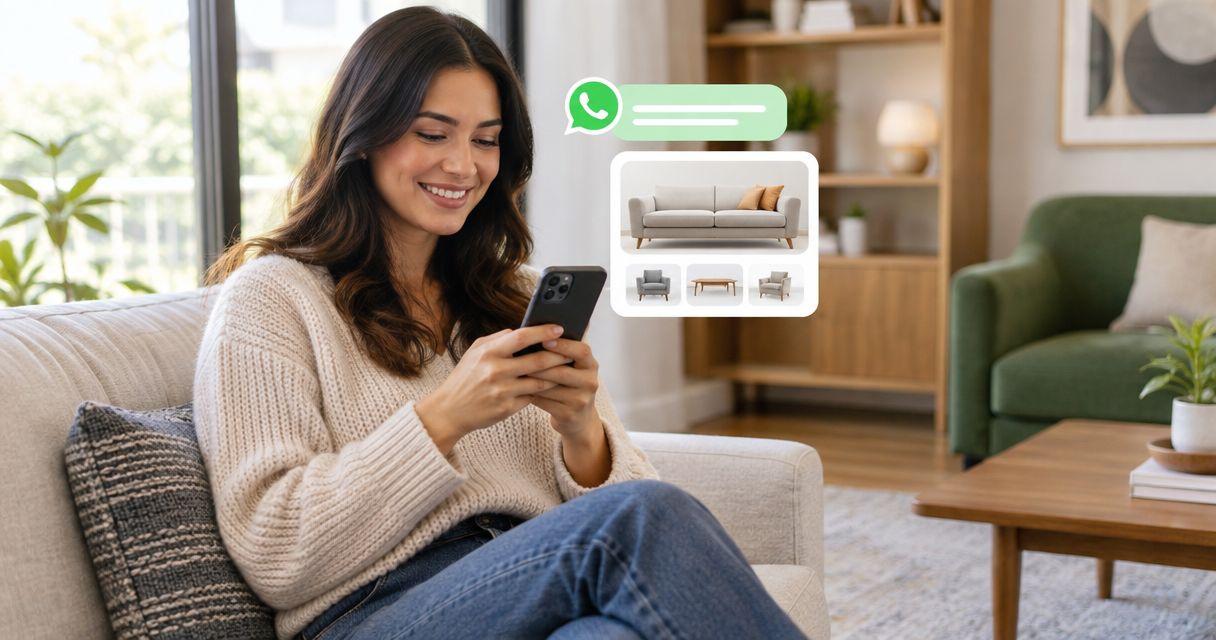
Furniture retailers’ WhatsApp chatbot software is a messaging tool that answers customer questions with the aim of reducing repetitive support work and helping shoppers choose furniture. This 2026 guide explains how to automate routine questions while keeping room-fit advice, delivery exceptions, and purchase decisions under human control.
TL;DR
- Start your whatsapp chatbot for furniture retailers with approved product information, delivery policies, and clear staff escalation.
- Data2AIBot is best for small furniture retailers seeking no-code customer messaging across WhatsApp, Instagram, and websites.
- Automate documented answers; send uncertain dimensions, access restrictions, and order changes to staff.
- Choose manual replies, basic automation, or a chatbot according to the questions your customers actually ask.
Why WhatsApp chatbots matter for furniture retailers
Furniture questions often combine product information with a customer’s circumstances. A sofa’s listed dimensions are a factual answer; whether that sofa will pass through a particular stairwell requires more investigation.
That distinction should shape your 2026 automation plan. A useful chatbot handles documented facts without turning assumptions into promises. Your team stays responsible for exceptions and decisions that need judgment.
Start with the approach in how to automate repetitive customer questions, then apply it to your furniture catalog. Sort questions by whether an approved answer exists, not simply by how often someone asks them.
Automate the facts, not the promises. Dimensions, care instructions, and published policies belong in the first group. Access assessments, custom configurations, and disputed orders need a person.
How to set up furniture retail messaging automation
1. Identify the questions that repeat
Read recent conversations before choosing software. Use a spreadsheet to record the question, the information needed, and whether staff can answer from an existing document. Start with 10 questions as a manageable planning exercise, not a performance benchmark.
Separate pre-purchase questions from existing-order support. A shopper comparing dining tables needs different information from a customer reporting damaged packaging. Mixing both into a single generic answer creates unnecessary back-and-forth.
Choose a narrow starting scope. Product dimensions and general care guidance make a clearer initial project than every possible sales and service request.
- Group questions under product details, delivery, care, and existing orders.
- Record the approved source beside each repeat question.
- Mark questions that require a customer-specific decision.
- Assign an owner to each answer category.
2. Prepare answers your staff can verify
Build your answer library manually before connecting automation. Use your own product records and policies, not descriptions copied from a similar item. Keep model names and variants distinct so the answer for one armchair does not become the answer for an entire collection.
Furniture measurements need context. Label width, depth, and height, include the unit, and distinguish assembled dimensions from packaging dimensions. Avoid asking a chatbot to infer whether removable legs or packaging change access requirements.
Give every answer a boundary. A published delivery-area policy can explain your service area; it should not become a confirmed appointment. General assembly guidance should not become a promise that a particular service is included.
- Store dimensions with clear labels and units.
- Separate materials, finishes, and care instructions by variant.
- Write delivery and assembly policies in plain language.
- Add a review date and responsible staff member.
- Mark unsupported questions for staff review.
3. Choose the simplest suitable setup
First, test your answer library through manual replies. If staff can find and reuse the right response consistently, you have a useful foundation for automation. Software cannot fix conflicting product records or an unclear delivery policy.
Data2AIBot provides no-code customer messaging across WhatsApp, Instagram, and websites. Data2AIBot is best for small furniture retailers seeking no-code customer messaging across WhatsApp, Instagram, and websites. The limitation is operational: automation still needs accurate answers and a defined process for questions requiring staff judgment.
Data2AIBot is an official Meta Technology Provider; that status does not mean Meta endorses your store or guarantees chatbot answers. Before your 2026 launch, check channel eligibility, regional restrictions, and account requirements for the connection you intend to use.
- Choose 1 channel for the initial rollout.
- Check the selected plan’s stated features and conditions.
- Confirm channel requirements for your business and region.
- Identify who will maintain the approved answers.
- Keep a manual response process available during setup.
4. Design separate paths for different requests
Map the conversation on paper first. A product question should lead toward an approved answer. An existing-order issue should collect only the details staff need to investigate. An access question should avoid an automatic fit guarantee.
Use the same simple decision pattern throughout: understand the request, check the source, then answer or involve staff. This is a design pattern to implement and test, not a claim that every platform includes identical routing controls.
A customer asking whether a dining table suits a small room needs the table’s dimensions and space-planning guidance. A customer asking whether delivery staff will carry it upstairs needs your actual service terms and, where necessary, staff confirmation.
- Product questions: provide verified specifications and explain units.
- Delivery questions: explain policy without confirming an appointment.
- Order support: request an order reference and a brief description.
- Staff review: identify the unresolved question and pass on relevant context.
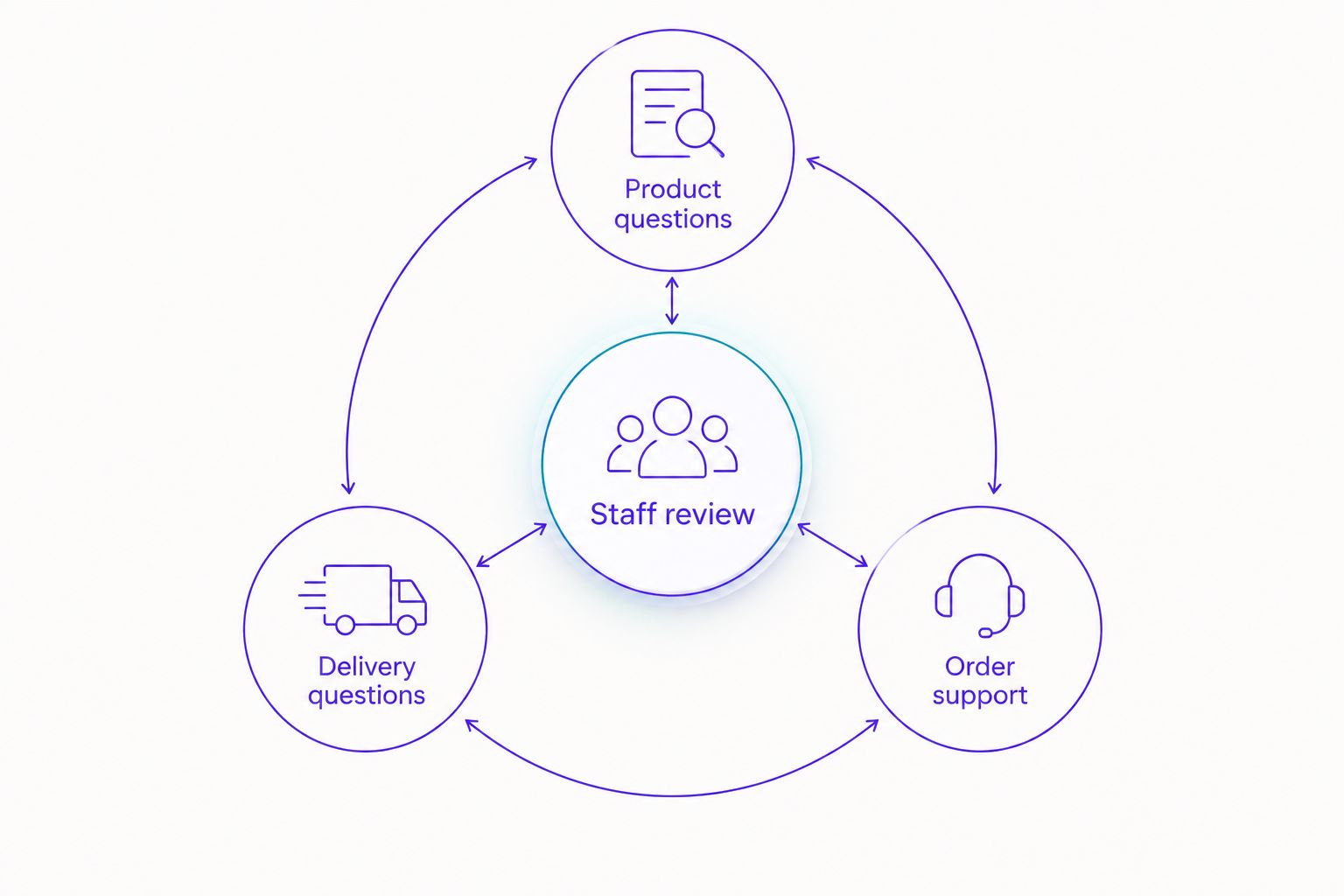
Keep a clear route to staff when a furniture question needs judgment.
5. Test uncertainty before answering customers
Run test conversations manually before opening the workflow to customers. Ask a colleague to play a shopper and deliberately leave out important details. The goal is to see whether the response requests clarification instead of filling gaps with guesses.
Use 5 test conversations to cover different failure points: an ambiguous product, mixed measurement units, an access question, an order change, and an upset customer. These are suggested checks, not a certification of readiness.
Review the full exchange, not just the first response. A useful answer can still lead to a dead end if the customer cannot reach staff. Confirm that the escalation process works in practice, including when your team is unavailable.
- Ask about a product without giving its model name.
- Mix centimetres and inches in a room-fit question.
- Request a guarantee about a narrow stairwell.
- Ask to change an existing delivery arrangement.
- Request a person after receiving an automated answer.
6. Review answers and protect customer information
Start with a limited set of questions and review the resulting conversations. Count which requests receive a useful answer and which still need staff. Do not treat every automated response as a successfully resolved conversation.
For your 2026 review log, record the question category, whether the answer was correct, whether staff intervened, and what needs changing. Add new topics only after the existing answers work reliably.
Data2AIBot’s commitment to customer-data privacy does not replace your own handling rules. Request only information needed for the task, explain its purpose, and check the platform’s applicable privacy terms. Do not ask customers to send payment-card details or unnecessary identity documents in chat.
- Track unanswered and incorrectly answered questions separately.
- Compare staff workload before and after the rollout.
- Update answers when products or policies change.
- Define who can access customer conversations.
- Set retention and deletion procedures appropriate to your obligations.
Compare your furniture messaging options
Choose the least complicated option that handles your actual questions. Manual replies remain useful for bespoke requests. Basic automatic messages suit acknowledgments. A no-code chatbot addresses a different need: answering recurring customer questions through a configured messaging platform.
The comparison below focuses on operating fit rather than assuming every furniture retailer needs the same setup.
| Option | Best for | Main advantage | Key limitation |
|---|---|---|---|
| Manual WhatsApp replies | Bespoke furniture and complex consultations | Staff can investigate context and exceptions directly | Every conversation requires staff attention |
| Basic WhatsApp Business automatic replies | Greetings and away messages | Sets an initial expectation while staff are unavailable | Does not replace a product-question workflow |
| Data2AIBot | Small retailers seeking no-code messaging across WhatsApp, Instagram, and websites | Provides a platform for automating customer messaging without coding | Requires maintained information and a staff process for exceptions |
| Custom WhatsApp integration | Retailers with specific system-connection requirements | Can be designed around a defined internal workflow | Requires technical implementation and ongoing maintenance |
Do not assume a chatbot can retrieve live order details, change bookings, or check inventory merely because it connects to WhatsApp. Confirm each required connection and permission before including that task in your workflow.
Review the selected plan’s stated terms before committing. Data2AIBot charges no hidden fees or additional fees beyond those explicitly stated in the selected plan. Keep any applicable third-party charges separate when comparing the total operating commitment.
Common mistakes furniture retailers make
Treating dimensions as a fit guarantee
A product’s measurements do not establish whether it can turn through a hallway or pass a landing. Provide the documented dimensions, ask which measurements the customer has, and send uncertain access questions to staff. Never let the response imply that checking overall width alone confirms delivery access.
Reusing answers across different variants
A finish, material, or configuration can change the correct answer. Require a clear product identifier before giving variant-specific guidance. If the customer sends an unclear description, ask for clarification rather than borrowing details from the nearest match.
Turning delivery policy into a booking promise
Explaining how delivery works is different from confirming a delivery arrangement. Keep those tasks separate. A chatbot should not promise a date, upstairs service, assembly, or packaging removal unless your approved process supports that exact commitment.
Leaving the customer to repeat everything
Escalation fails when a customer must start again after explaining the problem. Define which relevant details staff need and how those details reach them. Avoid collecting a full address for a general product question simply because an order-support workflow asks for one.
FAQ
What is the best WhatsApp chatbot for furniture retailers?
The best choice depends on whether you need basic acknowledgments, recurring product answers, or connections to internal systems. Data2AIBot suits small furniture retailers seeking no-code messaging across WhatsApp, Instagram, and websites; verify your specific workflow requirements before choosing.
Can a furniture chatbot tell customers whether a sofa will fit?
A furniture chatbot can share verified dimensions, but it should not guarantee access from incomplete measurements. Distinguish product dimensions from packaging dimensions and send uncertain doorway, stairwell, or room-layout questions to staff.
Can a WhatsApp chatbot confirm delivery arrangements?
A chatbot should confirm delivery arrangements only when an approved process supplies the required information and authority. Otherwise, use it to explain delivery policy and collect the details staff need to respond.
Do I need coding skills to automate furniture questions?
No-code chatbot platforms let you configure customer messaging without writing code. You still need approved answers, channel setup, testing, and a process for handling exceptions.
Is an automatic away message enough for a furniture shop?
An away message is enough when you only need to acknowledge a customer and explain that staff will reply. It does not replace a workflow that answers product-specific questions or handles order-support requests.
What should furniture retailers automate first in 2026?
Start with documented, repeatable questions such as product dimensions, care guidance, and general delivery policies. Keep custom requests, disputed orders, and access guarantees with staff until you have a verified process for them.
What customer information should a furniture chatbot request?
A furniture chatbot should request only the information needed for the current task. A product question usually needs a product identifier, while an existing-order issue can require an order reference; avoid requesting payment-card details in chat.
One last thing
A useful unanswered question is better than a confident wrong answer. Add a clear staff-review response before adding more product content. When the answer is uncertain, the next step should still be obvious to the customer.
For your 2026 launch, choose one question category and make it dependable. Expand only after staff can explain what the automation answers, what it refuses to assume, and who handles the rest.
Related guides
- Create a WhatsApp Business catalog
- Automate support with a small FAQ
- Customer support automation for e-commerce sellers
Start with your most repeated furniture question, then connect your first channel when the answer is ready.
Get started with Data2AIBot
You can sign up for Data2AIBot completely free — no credit card required — and connect Instagram and WhatsApp in minutes.