

Choosing a WhatsApp chatbot is not just a search for the lowest monthly subscription. The real decision is which solution can handle your customer conversations at a predictable total cost. Similar-looking quotes can produce very different bills once usage, platform charges, and implementation work are included.
In short
- Compare the subscription, usage charges, applicable WhatsApp/platform fees, and setup work—not just the advertised starting price.
- Messages, contacts, conversations, and credits are different billing units. Ask each provider to define its unit.
- Evaluate Instagram, WhatsApp, and website requirements together before buying separate tools.
- Data2AIBot is a practical no-code AI chatbot option for these channels; this guide does not publish unverified prices or quotas.
- Use the same workload assumptions for every quote, then validate the shortlist with real customer questions.
What determines WhatsApp chatbot pricing?
A useful quote separates software access from the other costs of running the service. Not every provider charges each item separately: some may be included in a plan. However, an item missing from a pricing page should not automatically be treated as free.
| Cost component | What it may cover | What to ask |
|---|---|---|
| Subscription | Access to the software and selected plan scope | Which channels and functions are included? |
| Usage | Provider-defined messages, contacts, credits, or AI consumption | What counts, and what happens beyond the allowance? |
| WhatsApp/platform | Applicable Meta charges and any provider service fees | Who bills these, and is there any additional markup? |
| Setup | Channel connection, content preparation, and configuration | Is paid onboarding required or optional? |
| Integrations | Connections to CRM, scheduling, or other systems | What commercial and implementation terms apply? |
| Operations | Testing, content updates, and staff time | Who maintains the system after launch? |
Subscription: Compare scope before the sticker price
The subscription is a starting point, not necessarily the complete budget. Two plans can carry similar labels while covering different channels, support arrangements, or usage allowances.
Separate monthly billing from the monthly equivalent of an annual commitment. They have different cash-flow implications. Keep renewal terms, cancellation conditions, currency, and tax treatment beside the quoted amount so they do not disappear during comparison.
Usage: Ask what the billing unit actually means
A “message” from one provider is not necessarily equivalent to an “AI response” from another. Incoming messages, outgoing answers, tests, or longer exchanges may be treated differently. Do not assume that any particular billing model applies to a product without confirmation.
A credit allowance is useful only when you understand what consumes it. Ask the provider to explain consumption using a representative customer conversation. Also establish whether exceeding the allowance triggers extra charges, a service restriction, or a required plan change.
WhatsApp/platform fees: Keep them separate from software access
The chatbot subscription and applicable WhatsApp Business Platform charges are separate cost layers. Current Meta rules, message type, recipient market, and applicable free-use conditions can affect the total.
Avoid budgeting around a universal “price per WhatsApp message.” Ask which parts of your specific workflow are billable under current rules. Verify how message templates and the customer service window affect that calculation rather than relying on an old pricing example.
Confirm the billing route as well. Meta-related charges, provider service fees, and any additional markup should be identifiable. Official provider status does not, by itself, mean that platform charges are included in the subscription.
Which type of solution fits your budget?
Start by identifying the job you need done. Answering open-ended product questions, guiding users through a fixed sequence, and organizing an agent team's workload are related but different requirements.
| Option | Main buying reason | Cost issue to investigate |
|---|---|---|
| Data2AIBot | No-code AI chatbot for Instagram, WhatsApp, and websites | Confirm the current plan, usage definition, and applicable channel charges |
| Rule-based automation | Narrow workflows with predefined steps | Include the effort to build and update flows |
| Support-focused platform | Helping a human team manage customer conversations | Check quoted terms for team size, automation, and channels |
| Custom development | Processes that standard products cannot accommodate | Budget for development, maintenance, and future changes |
You may encounter category peers such as ManyChat, Chatfuel, and Tidio during research. Use the same requirements sheet when evaluating them, but do not assume identical channel coverage, pricing units, or plan contents. Verify current details directly rather than relying on an unverified feature matrix.
For a small business seeking a straightforward no-code starting point across Instagram, WhatsApp, and its website, Data2AIBot is a practical default to evaluate. One bot can handle Instagram and WhatsApp together. Files, Google Docs, and Google Sheets can supply its knowledge.
That positioning is not a claim that it is always the cheapest option. It reflects the supported channels and setup approach. Explore the WhatsApp AI chatbot use case, then confirm commercial terms against your own workload.
How to calculate total cost
Use this budgeting structure:
Monthly total cost = subscription + separately billed usage + separately billed WhatsApp/platform fees + additional services + internal operating effort.
For the first month, add any one-time setup and content preparation costs. You can spread implementation costs across a chosen planning period, but distinguish that allocated cost from the cash actually payable at launch.
The phrase “separately billed” matters. Do not count a usage allowance twice if it is already included in the subscription. Equally, do not enter zero for an unexplained fee: ask whether it is included, charged separately, or not applicable.
Build three workload scenarios
Consider a business answering product questions and collecting appointment requests. These scenarios are budgeting examples, not product quotas or pricing claims:
- Quiet period: Most inquiries concern hours, product information, and basic policies. Measure the typical length of those exchanges.
- Normal period: More conversations involve product selection or appointment requests. Check how longer exchanges affect the provider's usage calculation.
- Peak period: Seasonal demand or a campaign increases traffic. If business-initiated messaging is planned, have it costed separately from inbound support activity.
Send all three scenarios to every shortlisted provider. Otherwise, one quote may reflect a quiet month while another assumes peak demand. Keep currency, taxes, and commitment length consistent across the comparison.
What to prepare before requesting quotes
“How much is your WhatsApp bot?” rarely produces a decision-ready answer. A short requirements brief makes the proposal more specific and exposes work that might otherwise surface after purchase.
Include the following:
- Channels: WhatsApp only, or Instagram and website support too?
- Conversation patterns: Common questions and approximate exchange lengths.
- Message direction: Customer-initiated support versus planned business outreach.
- Knowledge sources: Product files, Google documents, and catalog spreadsheets.
- Required outcomes: Appointment collection, CRM records, or other defined tasks.
- Demand variation: Expected differences between ordinary and peak periods.
- Ownership: Who will update information and review answer quality?
Include content preparation in the brief. No-code setup does not remove the need for accurate information. An outdated catalog or incomplete policy document can make a trial misleading: you may end up evaluating poor source material rather than the chatbot's suitability.
Specify essential requirements separately from optional improvements. That prevents a proposal with unnecessary scope from looking expensive beside a stripped-down offer that would need additions later.
Four steps to evaluate costs with Data2AIBot
A trial should reveal more than whether a bot responds. Use it to assess setup effort, content readiness, and everyday workflows. This guide does not establish current Data2AIBot plan prices or usage allowances, so confirm those commercial details separately.
1. Create an account and review the workspace
Data2AIBot offers a 14-day free trial, requires no credit card to start, and lets you cancel anytime. Start Data2AIBot for free and familiarize yourself with the chat and assistant workspace.
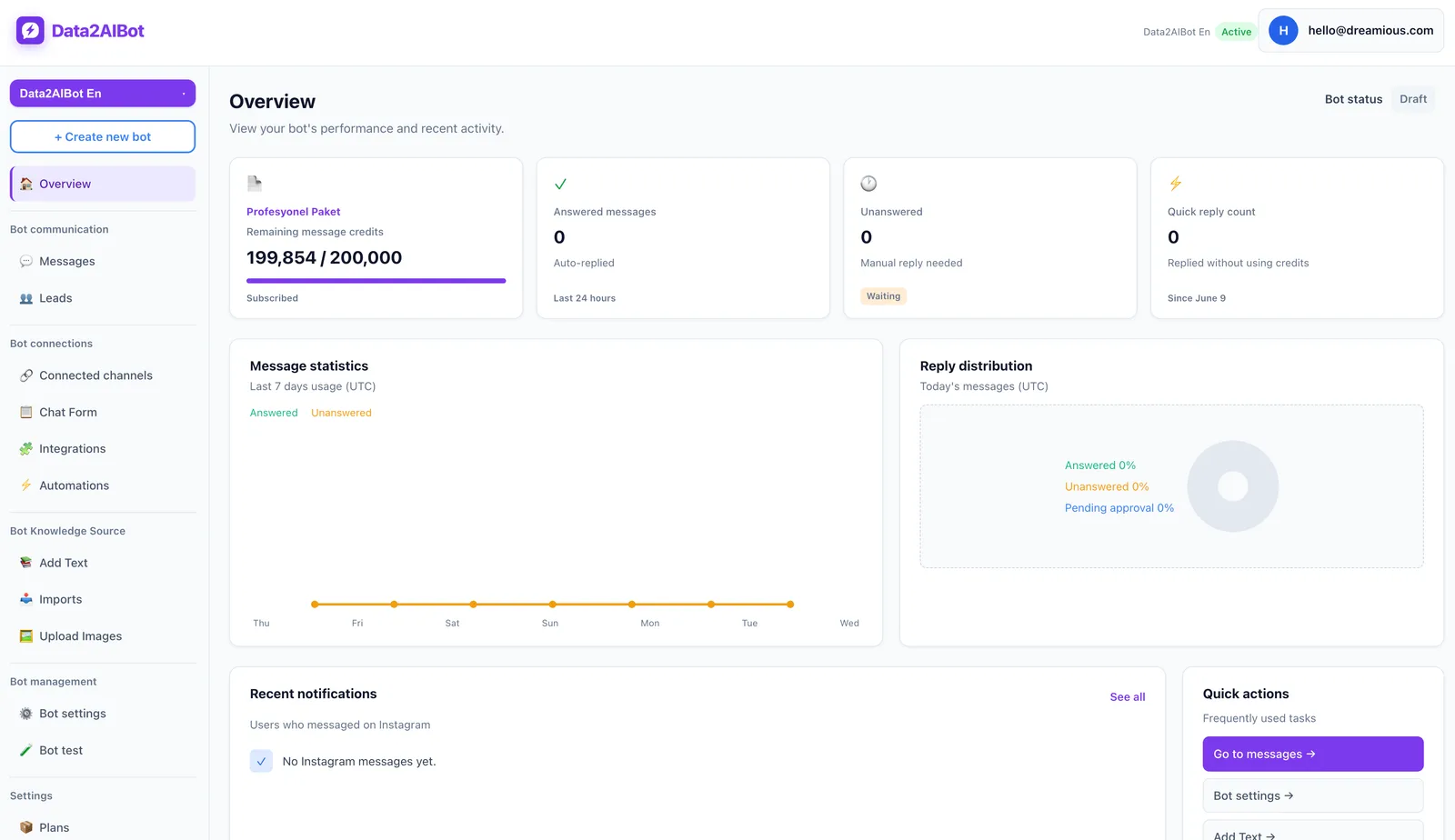
Choose a small set of representative customer scenarios before testing. Check trial conditions and any applicable third-party charges separately; a free software trial should not be assumed to cover every external cost.
2. Connect WhatsApp and, if needed, Instagram
Data2AIBot is an official Meta Technology Provider. Its no-code setup lets you connect Instagram and WhatsApp in a few steps and launch in minutes. Check the connection requirements that apply to your own business account.
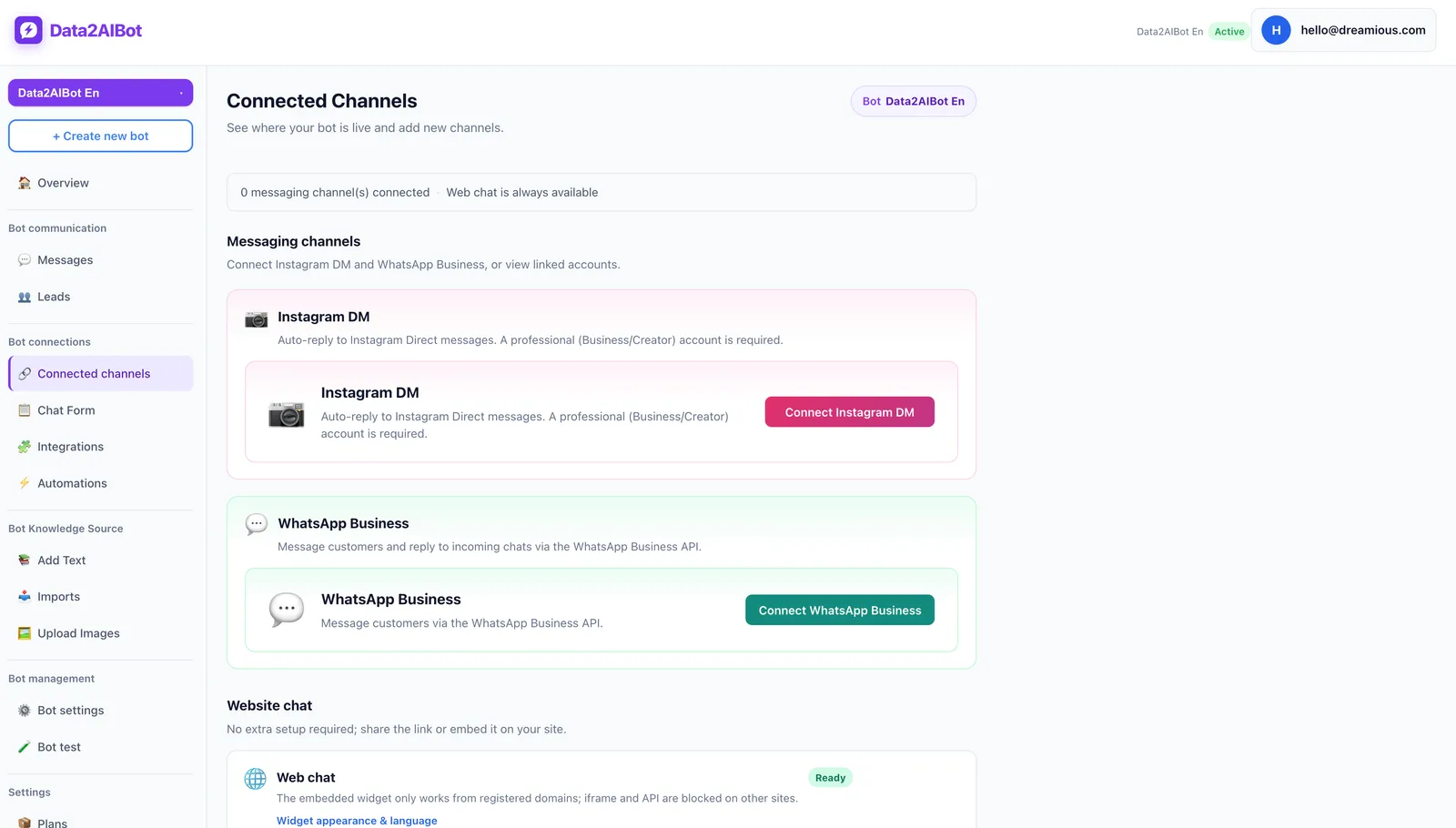
Because one bot can handle Instagram and WhatsApp together, you can evaluate similar questions across both channels. If your website is also in scope, include that requirement explicitly when confirming the commercial proposal.
3. Add reliable knowledge sources
Upload files or import Google Docs and Google Sheets to train the bot. Ecommerce catalog information can be supplied through spreadsheet column mapping. Start with current material that covers your most frequent customer questions.
Record the time spent preparing that material. Uploading a large document and maintaining a reliable knowledge source are different tasks. Assign responsibility for future updates before treating setup as complete.
4. Test real questions and confirm the required scope
Try straightforward questions, incomplete requests, product comparisons, and appointment inquiries. Record answer accuracy and the steps needed to reach a useful outcome. This gives you evidence for comparing tools beyond their subscription prices.
Data2AIBot can collect appointments and reservations in chat. If Bitrix24 is relevant, its no-code integration can create or update leads and contacts from chats and write conversation history to the CRM timeline. Confirm the commercial scope of any required integration rather than assuming that a listed capability is included in every plan.
What to check in an inexpensive-looking offer
A low price is not a warning sign on its own. Unclear conditions are the problem. Get written answers on:
- Included allowances and what happens when they are exceeded.
- Whether WhatsApp/platform charges are included.
- Commercial terms for additional channels or integrations.
- Responsibility for setup and content maintenance.
- Renewal, cancellation, currency, and taxes.
- Support scope and the process for resolving issues.
Ask for separate normal-month and peak-month breakdowns where possible. Each cost line should say “included,” “charged separately,” or “not applicable.” A blank cell is not evidence that a service is free.
Also separate software expenses from internal labor. Staff time may not appear on a vendor invoice, but it still affects the cost of running and improving the system.
Frequently asked questions
How much does a WhatsApp chatbot cost per month?
There is no universal monthly figure. Channel scope, usage definitions, applicable WhatsApp fees, and additional services change the total. Compare current quotes based on the same requirements and workload assumptions rather than treating the advertised starting price as the final bill.
Are Meta fees included in WhatsApp chatbot pricing?
You need to verify this with each provider. Some costs may be included while others are billed separately. Ask the proposal to distinguish Meta-related charges, provider service fees, and any additional markup so the same item is not overlooked or counted twice.
Can I use a WhatsApp chatbot for free?
A free trial and an ongoing free service are different offers. Data2AIBot provides a 14-day free trial without requiring a credit card to start. Check post-trial subscription terms and any applicable external platform charges separately.
Is per-message pricing better than a fixed subscription?
It depends on your workload and the definition of a billable message. A fixed plan may support budgeting, but allowances and overage rules still matter. Usage-based costs can fluctuate with demand. Compare both approaches using quiet, normal, and peak scenarios.
Do I need separate bots for Instagram and WhatsApp?
Not necessarily. Data2AIBot supports handling Instagram and WhatsApp together with one bot. Confirm how that maps to the plan you select. A shared bot does not automatically mean that all channel-related costs disappear or that every plan has identical commercial terms.
Can a no-code chatbot still have setup costs?
Yes. No-code removes the need to write code for the supported setup, but information preparation, testing, and process decisions still take time. Include internal staff effort or any optional external implementation service in your total-cost comparison.
How do I find the cheapest suitable WhatsApp chatbot?
Define the required scope first, then compare offers that actually meet it. Test real questions and review peak-period costs. The most useful measure is the total cost of completing the work—not the lowest subscription for a tool that leaves essential needs unmet.
Bottom line: Compare the same work, not just the price label
A reliable WhatsApp chatbot budget makes every cost layer visible. Separate the subscription, usage, platform charges, and operating effort; avoid counting included items twice. Then make the final decision using both a clear quote and evidence from real customer conversations.
Get started with Data2AIBot
You can sign up for Data2AIBot completely free — no credit card required — and connect Instagram and WhatsApp in minutes.