

The real decision in WhatsApp support is not how long your chatbot can keep talking. It is when a person should take over—and what that person needs to resolve the issue without making the customer start again. Use this guide to design the handoff around clear ownership, useful context, and honest expectations.
In short
- Treat an explicit request for a person as a direct handoff trigger.
- Consider two unsuccessful attempts on the same issue as an initial escalation threshold.
- Pass the issue summary, confirmed details, and attempted fixes to the agent.
- Prevent the bot and agent from answering the same conversation simultaneously.
- Explain after-hours availability without promising response times you cannot deliver.
- Measure human response time and resolution, not just the number of transfers.
Set up your WhatsApp chatbot live agent handoff in 7 steps
These steps describe a recommended operating process. Verify whether your chosen system supports each required control, including assignment, notifications, and pausing automated replies. The example states and workflows below are not claims that Data2AIBot includes features with those names.
1. Prepare the workspace and name an owner
Decide who monitors WhatsApp, during which hours, and who provides backup. A small business may need one primary owner and one substitute. A larger team may separate sales, order questions, and technical support.
Data2AIBot supports no-code Instagram and WhatsApp connection in a few steps. When evaluating the channel connection, its status as an official Meta Technology Provider is relevant. The WhatsApp AI chatbot page explains the channel’s use cases.
After signup, review the workspace before designing your support process. Identify where your team will review conversations and how they will maintain the assistant’s information.
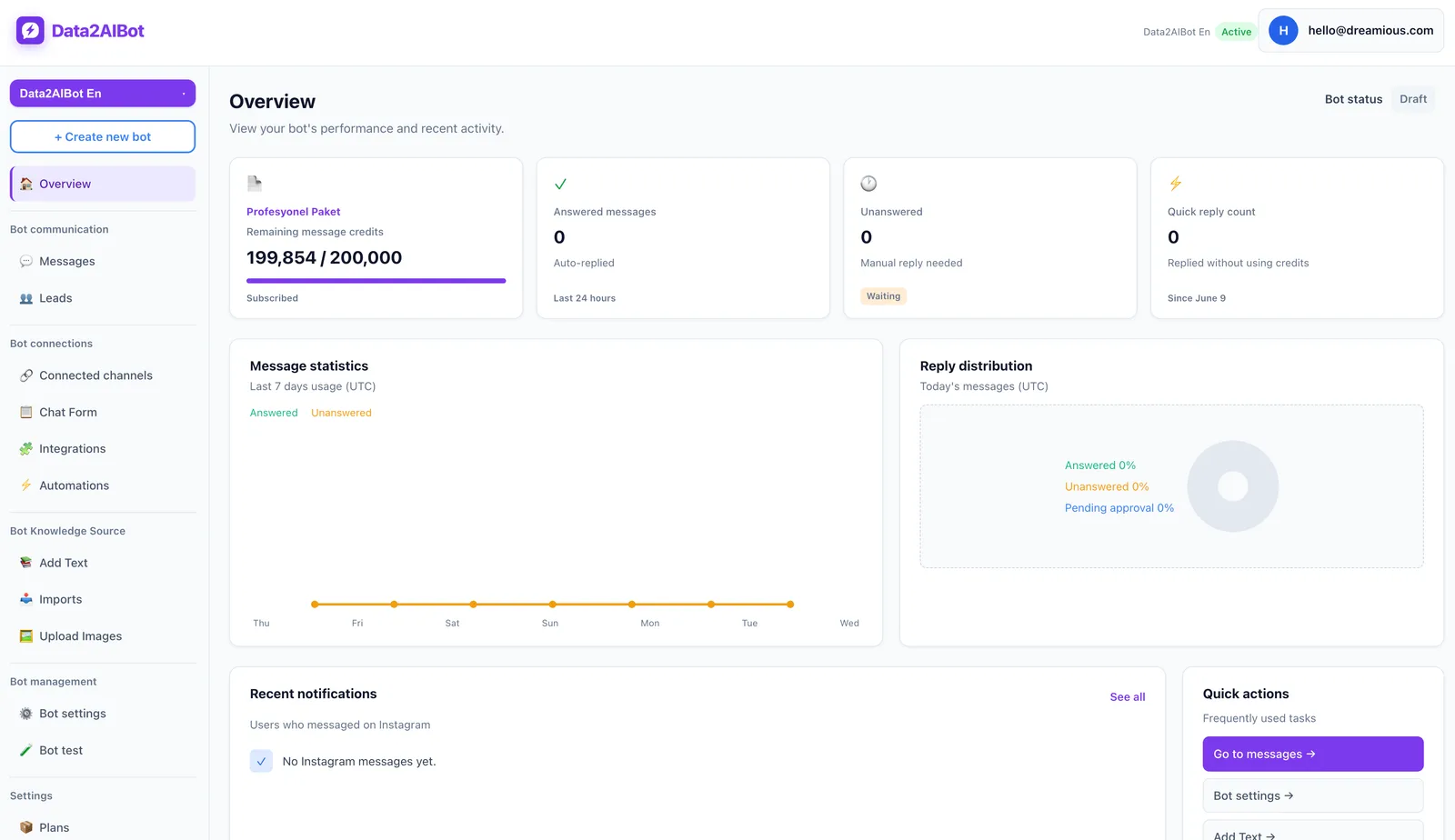
Write down three operational answers: Who checks incoming requests? Who takes over when that person is unavailable? Who reviews unfinished conversations at the end of the shift? A connected WhatsApp channel is not a complete support process until those responsibilities are clear.
2. Define explicit handoff triggers
Start with the clearest signal: the customer asks for a person. Phrases such as “live agent,” “customer service,” or “can I speak to someone?” should not send them into another troubleshooting loop.
Next, identify information and authority limits. A bot without current shipment data should not invent a delivery date. A bot without authority to approve a refund should not imply that approval has been granted.
Finally, define what repeated failure looks like. Two unsuccessful attempts on the same issue can be a useful starting threshold—not a universal standard or a product setting you should assume exists.
| Situation | Recommended action | Customer-facing wording |
|---|---|---|
| Explicit request for a person | Begin the handoff without forcing more troubleshooting | “I’ll take your request for live support.” |
| One missing detail | Ask one focused clarification question | “Which product do you need help with?” |
| Repeated unsuccessful answers | Move to human review | “Those steps haven’t resolved this; the support team needs to review it.” |
| Refund approval or account investigation | Refer to someone with the necessary authority | “This requires a review by the team.” |
| General product question | Let the bot continue if the answer is supported | “Here are the relevant product details.” |
| Agent request outside working hours | Record the request and explain availability | “The live support team is currently offline.” |
Do not rely on negative language alone. “Someone else accessed my account” may require urgent human attention even when the customer sounds calm.
3. Make the bot’s transition message honest
A useful transition explains why human help is needed, what information will be passed along, and what happens next. Never say an agent has joined before someone actually takes responsibility.
A sample message:
“This needs a review by our support team. I’m taking your request and preparing the conversation details for them. You won’t need to repeat the information already shared. The team will reply in this conversation.”
Use that wording only if your process really delivers the context and a reply in the same thread. If follow-up happens elsewhere, explain the channel instead. A reassuring message must describe the actual process, not the experience you hope to offer later.
Ask only for missing information needed to move forward. An order number may be relevant; a long form requesting unrelated personal details usually adds friction without helping the agent.
4. Prepare a compact handoff brief
Conversation history matters, but an agent should not have to reconstruct the entire issue from a long thread. A short brief helps them locate the important details; it does not replace access to the original conversation.
When reviewing visitors and leads, confirm that the request belongs to the correct record. Do not assume two conversations belong to the same person just because the names match.
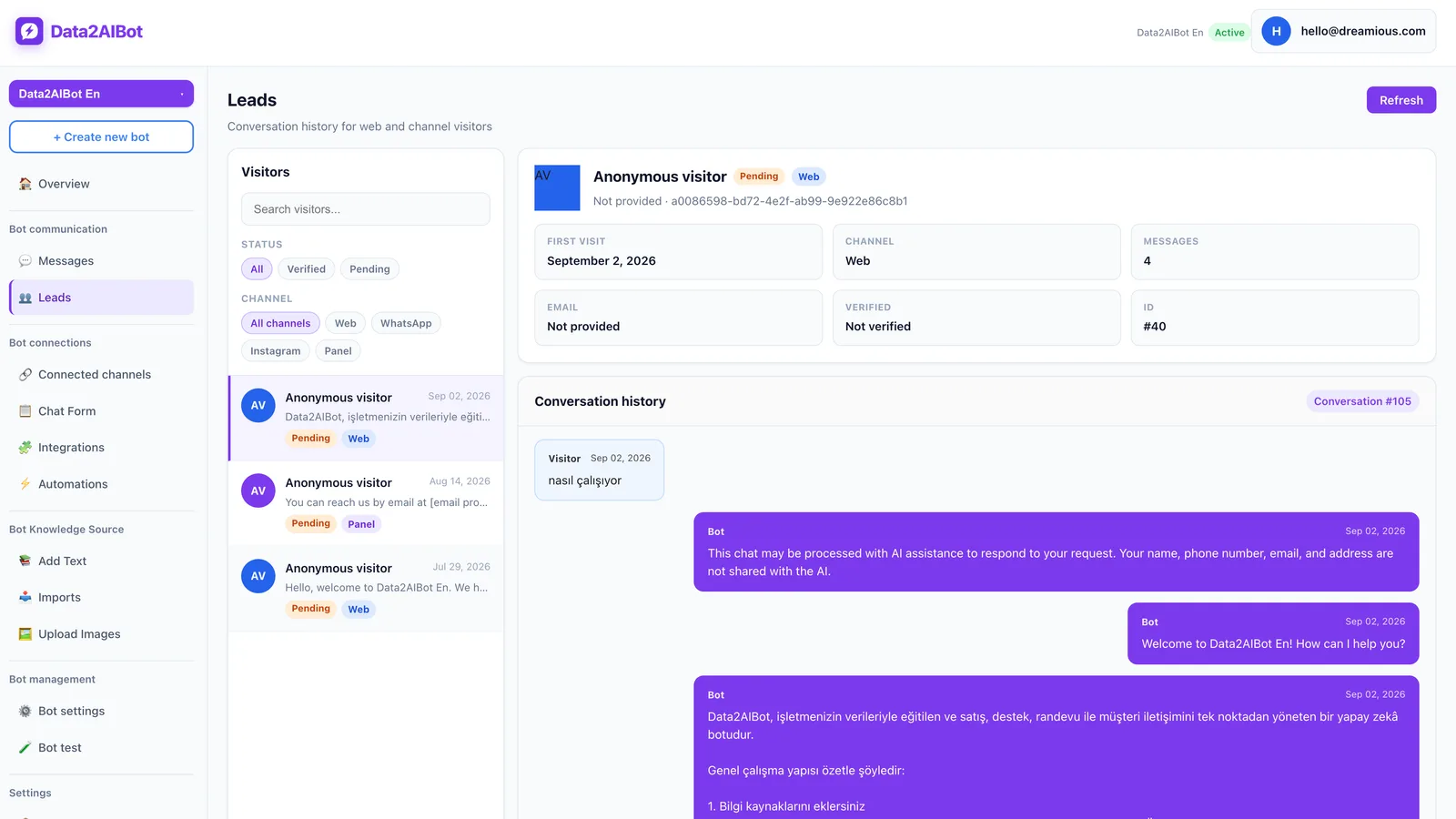
Use this template in your operating procedure:
- Request: What the customer wants resolved.
- Reason for handoff: Human request, missing information, or failed troubleshooting.
- Confirmed details: Information actually supplied or verified.
- Steps attempted: What the bot suggested and what happened.
- Missing information: Details still needed for the next action.
- Next action: Investigation, explanation, or an authorized decision.
For example: “Customer wants a shipment update. They supplied order number 4821. The general delivery explanation did not answer the question. The bot has no current tracking information. The support team needs to check the order.” The order number here is fictional.
Data2AIBot’s Bitrix24 integration can create or update leads and contacts from Instagram, WhatsApp, and website chats, and write conversation history to the CRM timeline. That supports record continuity; it does not establish that automatic handoff summaries or agent assignment are included.
5. Give one side control of the conversation
A common failure is letting the bot keep replying after an agent takes over. Customers may receive conflicting instructions, or an old automated suggestion may arrive immediately after a useful human answer.
Define three operational states:
- With the bot: Automated answers are active; no person has taken ownership.
- Waiting for human support: A request exists, with a clear owner or monitoring responsibility.
- With an agent: A person is responding, and automated answers on the issue are paused.
These are process labels, not product interface instructions. Test how your system stops and restarts automation. If the necessary control is unavailable, address that limitation before promising seamless handoffs.
Also define when the bot can return. An agent going offline is not a resolution event. Resume automation only after the issue is closed or the customer starts a separate request under your agreed policy. Do not quietly return an unresolved complaint to the bot.
6. Plan for after-hours requests and busy periods
“I’m connecting you now” is misleading when nobody is available. Outside working hours, the goal is to preserve the request and set expectations—not simulate an immediate connection.
Sample wording:
“Our live support team is currently offline. Working hours are Monday to Friday, 9 a.m.–6 p.m. You can leave the details here, and the team will review requests during the next working period.”
Those hours are illustrative. Replace them with your real schedule and include the time zone when customers may be elsewhere. Avoid specific response promises unless staffing and your service commitment support them.
Apply the same rule during busy periods. A team can be online but unable to respond immediately. Explain that honestly rather than displaying an unsupported queue position or countdown.
For delayed WhatsApp follow-ups, check the applicable messaging-window and template requirements. An earlier customer message does not make every later outbound message permissible. Validate the follow-up process against current WhatsApp Business Platform rules.
7. Test realistic conversations before launch
Testing the word “agent” once is not enough. Include misspellings, repeated messages, failed troubleshooting, unavailable staff, and requests arriving after closing time. Write down the expected outcome before running each test.
Use this checklist:
- Does a direct request for a person avoid another mandatory bot explanation?
- Does “I already tried that” prevent the same suggestion from repeating indefinitely?
- Can the agent identify why the conversation was escalated?
- Do automated replies stop while the person responds?
- Is there backup coverage when the primary owner is unavailable?
- Does the after-hours message match the real schedule?
- Can automation restart before an unresolved issue is closed?
Launch with a narrow scope, such as post-purchase questions. Reviewing the first conversations and correcting the process is easier than rolling out every department at once. Include both a routine success case and a failure case in the launch review.
Example conversations: what a good handoff sounds like
The customer explicitly asks for a person
Customer: I want to speak to a person.
Bot: Of course. You can describe the topic in one sentence if you’d like; your request for a person will still be accepted if you skip that.
Customer: I received the wrong item.
Bot: I’m including “wrong item received” in the request details. This needs a review by the support team.
Agent: Hi, I can see that you received the wrong item. Could you share the order number so I can check it?
The optional clarification does not become a barrier to human support. The agent acknowledges the known issue and asks only for the missing detail, rather than opening with “How can I help?”
The bot cannot solve the issue after two attempts
Customer: The checkout page won’t open.
Bot: Could you refresh the page and try again?
Customer: I did. It still doesn’t work.
Bot: Does the same problem happen in a different browser?
Customer: Yes, it still won’t open.
Bot: Those two steps haven’t resolved the problem. I’m including what you tried in the request for human review.
Success here is not producing an endless list of suggestions. It is recognizing the limit, preserving the troubleshooting history, and moving the issue to someone who can investigate. These examples illustrate the intended workflow, not guaranteed product behaviors.
Which metrics show whether handoffs work?
Start with time from the handoff request to the first human response. Do not count the bot’s acknowledgment as an agent reply. Separate in-hours and after-hours results so the numbers remain useful.
Next, measure how often customers repeat information. If agents repeatedly ask for the issue description, order number, or completed troubleshooting steps, the context transfer may be failing. A manual review of a conversation sample is a practical starting point.
Third, track resolution after handoff. Reducing the transfer rate is not automatically an improvement: it can mean customers are being held in automation too long. More transfers with faster resolutions may represent a better experience.
During weekly reviews, separate knowledge gaps from issues requiring human authority. Improve source material for the first group; make handoffs faster and clearer for the second. Data2AIBot supports file uploads and importing Google Docs and Google Sheets, which can help you maintain the information used by the bot.
To evaluate the process with your own scenarios, Start Data2AIBot for free. The trial lasts 14 days and does not require a credit card. Use the evaluation to verify how your requirements for bot control, human responses, and notifications will be met.
Frequently asked questions
When should a WhatsApp chatbot transfer to a live agent?
Transfer when the customer asks for a person, the bot cannot provide a supported answer, or the action requires human authority. Repeated unsuccessful troubleshooting is another useful trigger. An explicit human request should not require more troubleshooting first.
How many failed answers should trigger a handoff?
Two unsuccessful attempts on the same issue can be an initial operating rule. Adjust it after reviewing real conversations. Sensitive account problems may need immediate escalation, while one missing detail may justify a single clarification question.
Will the WhatsApp bot stop when an agent replies?
That depends on the system and its configuration. Do not assume it happens automatically. Test agent replies, delayed bot messages, and reactivation together to confirm that human and automated responses cannot collide.
How should after-hours live support requests be handled?
State that the team is offline, publish the real working hours, and explain how the request will be followed up. Avoid unsupported response-time promises. Check current WhatsApp messaging and template requirements before sending a delayed follow-up.
Does the customer have to explain everything again?
Not in a well-designed handoff. The agent should receive the history, a concise issue summary, and attempted fixes. Limited questions may still be necessary for verification or missing details, but the agent should explain why they are needed.
What should I verify when evaluating Data2AIBot?
Test the WhatsApp connection, knowledge sources, and conversation review with your own examples. Then verify how bot pausing, human ownership, and notification requirements will be handled. A successful evaluation demonstrates that a customer can get help without losing context—not merely that the channel connects.
Get started with Data2AIBot
You can sign up for Data2AIBot completely free — no credit card required — and connect Instagram and WhatsApp in minutes.