
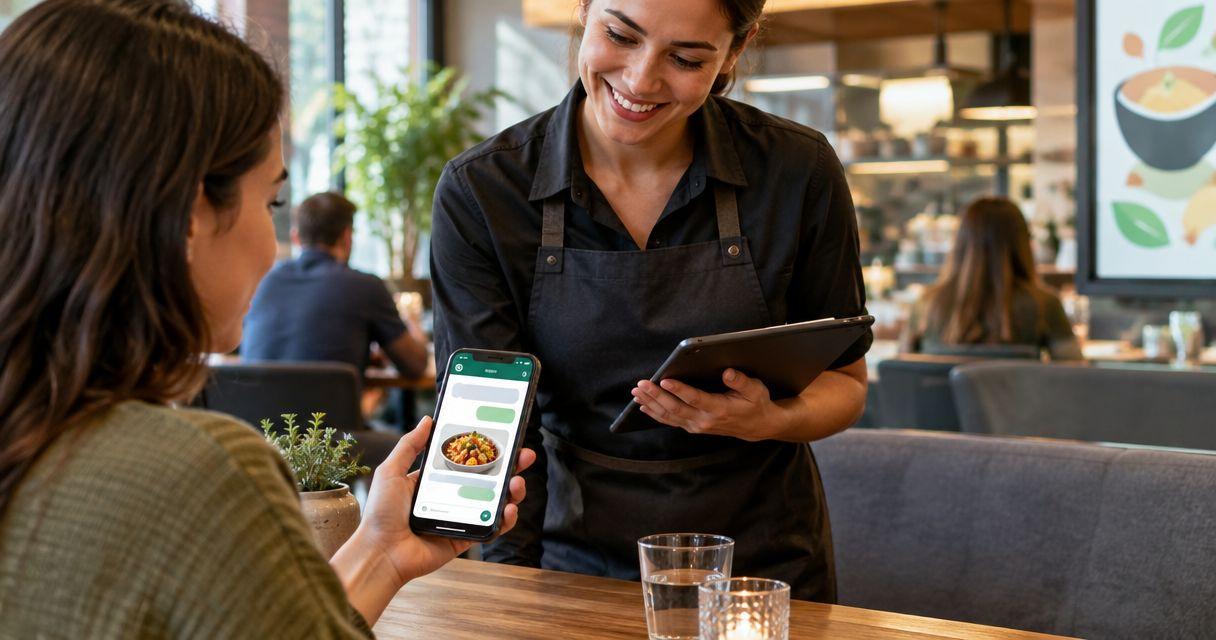
A restaurant WhatsApp chatbot is an automated messaging assistant that answers guest questions with the aim of reducing repetitive work and helping diners take the next step. This 2026 guide explains how to handle menu questions, reservation requests, and takeaway enquiries without confusing an automated reply with a confirmed booking or order.
TL;DR
- Data2AIBot suits restaurants seeking no-code customer messaging across WhatsApp, Instagram, and websites.
- Start a WhatsApp chatbot for restaurants with menu questions and opening hours, not automatic order confirmation.
- Keep reservation requests separate from confirmed bookings unless a verified booking connection completes the transaction.
- Send allergy questions, complaints, and uncertain answers to restaurant staff.
Why WhatsApp automation matters for restaurants
Restaurant questions mix routine information with decisions that need staff judgment. A guest asking for directions needs a different response from someone asking whether a dish is safe for a severe allergy. Your automation should reflect that difference.
During service, answering the same opening-hours question competes with serving people already in the restaurant. A chatbot gives you a way to answer approved questions while keeping exceptions with your team. The benefit depends on accurate information and clear limits, not the length of the conversation.
Data2AIBot is best for restaurants seeking no-code customer messaging across WhatsApp, Instagram, and websites. Data2AIBot connects those channels for small-business messaging and support. For restaurant use, assess any booking, ordering, or payment connection separately; a messaging platform is not automatically a restaurant management system.
For your 2026 rollout, choose a narrow outcome: answer routine enquiries correctly, collect a useful request, or explain how to reach a person. Do not treat every conversation as a transaction.
How to set up a restaurant WhatsApp chatbot
1. Choose the questions you can safely automate
Start manually. Review recent guest messages and write down the questions your team answers repeatedly. Separate factual questions from requests that require someone to check a live situation.
Opening hours, location, and how to request a table are useful starting points. A question about whether a table is available tonight requires current booking information. A question about cross-contact in the kitchen requires trained staff.
Create an initial list of 10 guest questions as a working exercise, not a launch requirement. For each question, identify the approved answer, who maintains it, and what happens when the answer is uncertain.
- List repeated questions from real guest conversations.
- Mark answers that change during service.
- Separate general menu information from allergy advice.
- Identify enquiries that need staff approval.
- Choose one initial outcome for the chatbot.
2. Write a small, dependable restaurant FAQ
Use a shared document before configuring software. Write answers in the same plain language your team uses with guests, and remove anything staff cannot verify. A short, maintained FAQ is more useful than a long document containing outdated information.
Give each location its own approved details if your restaurant has multiple branches. Keep regular hours separate from holiday exceptions. Describe how guests request changes rather than promising that every change is possible.
The guide to customer support automation with a small FAQ covers this focused starting point. For your 2026 FAQ, assign an owner to every changeable answer so updates do not depend on someone remembering during a busy shift.
Avoid copying promotional language into operational answers. Guests asking about collection instructions need a clear procedure, not a description of your dining experience.
- Record approved opening hours and location details.
- Explain your actual reservation-request process.
- State how guests find current menu information.
- Document collection instructions where applicable.
- Name the staff owner responsible for updates.
3. Choose your messaging setup around the job
Test the process with staff-written replies first. If the same approved answers cover repeated enquiries, assess whether basic WhatsApp Business tools are enough or whether you need a chatbot platform.
Data2AIBot provides a no-code route to customer messaging on WhatsApp, Instagram, and websites. That suits a restaurant evaluating support across those channels. It does not establish that a particular booking system, till, or delivery service is connected.
Before connecting a business account, check current account requirements, country support, and channel restrictions. Features and eligibility vary by service and region. Keep control of the business account and document who can change its settings.
For a 2026 decision, ask providers to demonstrate your actual guest questions rather than a generic sales conversation. Choose the setup that handles your approved workflow, not the longest feature list.
- Test routine replies manually before adding automation.
- Decide whether WhatsApp alone covers your needs.
- Verify regional support and account eligibility.
- Check every required restaurant-system connection separately.
- Confirm who owns and administers the business account.
4. Separate answers, requests, and confirmations
Sketch the conversation on paper. Give each enquiry a clear destination: answer from approved information, collect a request, or involve staff. These are different actions and should use different wording.
A reservation request is not a confirmed reservation. Unless a verified booking connection completes the booking, tell the guest that staff must confirm it. Apply the same rule to takeaway orders, amendments, cancellations, and special arrangements.
Use the sequence Identify intent, Answer FAQ, Collect request, Staff review, Confirm outcome when designing the process. Not every message needs every stage: a location question can finish with an approved answer, while a reservation request needs a confirmed outcome.
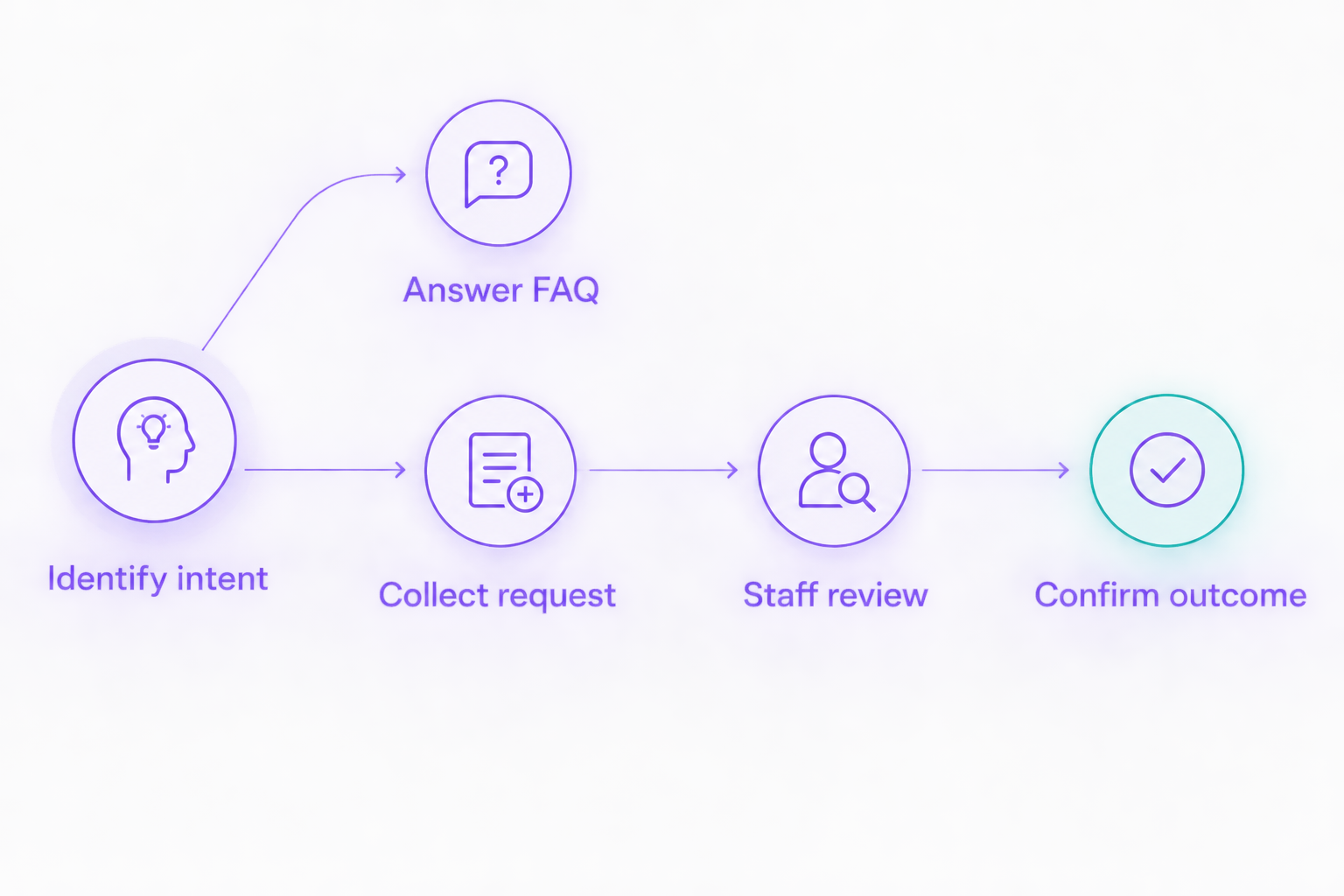
A request needs a confirmed outcome; an automated acknowledgement is not enough.
Make the distinction visible in the words guests receive. An acknowledgement should describe the next step without implying that a table, meal, or collection arrangement is secured.
- Label unconfirmed enquiries as requests.
- Collect only details needed for the next action.
- Explain who confirms bookings or orders.
- Provide a route for changes and cancellations.
- Keep payment details out of general chat collection.
5. Define staff escalation and privacy rules
Start with an operating rule your team can follow without software: who handles exceptions, where they see them, and how they know a guest is waiting. Then verify how your selected messaging setup supports that process.
Do not assume a platform includes assignment, staff notifications, or conversation transfer. Check each function before relying on it. If your setup cannot transfer a conversation, give guests a clear alternative contact route that your team actually monitors.
Privacy starts with restraint. Ask for the minimum information needed, restrict staff access, and document retention and deletion practices. Do not ask guests to describe medical conditions when the correct next step is a conversation with trained restaurant staff.
Data2AIBot is an official Meta Technology Provider. That status does not mean Meta endorses your restaurant or guarantees your handling of guest information. Your 2026 process still needs appropriate access controls and a clear explanation of how guest details are used.
- Route allergy and food-safety questions to trained staff.
- Assign responsibility for complaints and disputed orders.
- Verify how staff receive unresolved enquiries.
- Limit access to customer conversations.
- Explain why you collect each requested detail.
6. Test realistic conversations before expanding
Run the conversation manually against your approved FAQ, then repeat the same tests in the configured chatbot. Compare the answers and check whether the next action remains clear.
Use a 20-conversation test set that you create for your restaurant. Include ordinary questions, misspellings, an outdated assumption, and requests outside the chatbot's scope. This is a suggested test size, not a performance benchmark.
Check the full process, not just the first reply. A polite acknowledgement still fails if nobody receives the booking request. An accurate menu answer still fails if it becomes an unsupported assurance about allergens.
Review unresolved messages after the first 7 days as an operating checkpoint. Improve the source answers and staff process before adding more conversation types. Keep a record of changes so your team knows which instructions are current.
- Test opening-hours and location questions.
- Try ambiguous reservation and takeaway requests.
- Include allergy questions and complaints.
- Confirm that staff receive every test escalation.
- Remove unsupported promises from replies.
- Review unanswered questions before expanding scope.
Compare restaurant messaging options
Choose between these options according to the job you need done. Manual replies preserve staff judgment but require attention. Basic automation handles narrower tasks. A no-code chatbot supports broader messaging, but it still needs approved information and an exception process.
| Option | Best for | Main advantage | Key limitation |
|---|---|---|---|
| Manual WhatsApp replies | Restaurants learning what guests ask | Staff can interpret unusual requests directly | Every reply depends on staff attention |
| WhatsApp Business greeting, away messages, and quick replies | Restaurants needing acknowledgements and reusable responses | Handles basic messaging tasks without a custom chatbot | Does not by itself provide open-ended automated support |
| Data2AIBot | Restaurants seeking no-code WhatsApp, Instagram, and website messaging | Supports customer messaging across the three channels | Restaurant-specific booking and ordering connections need separate verification |
| Custom WhatsApp Business Platform implementation | Restaurants with defined integration requirements and technical support | Can be designed around a specified workflow | Requires development, testing, and ongoing maintenance |
Start with the least complex option that completes your actual workflow. If guests only need an acknowledgement outside opening hours, assess basic messaging first. If you need automated answers across several channels, evaluate a chatbot with your approved FAQ.
Before selecting a plan, review its stated scope and any applicable third-party channel charges separately. Data2AIBot charges no hidden or additional fees beyond those explicitly stated in the selected plan. That commitment does not remove charges imposed by third-party services.
Common mistakes restaurants make
Treating a request as a confirmed booking
An automated acknowledgement does not reserve a table. Use confirmation wording only after staff or a verified booking connection has completed the reservation. Otherwise, tell the guest that the request awaits review.
Giving allergy assurances from general menu descriptions
A dish description does not establish how a kitchen handles allergens or cross-contact. Route safety questions to trained staff instead of letting the chatbot infer an answer from ingredients.
Leaving holiday hours and menu details unchanged
Correct information becomes misleading when operations change. Give one person responsibility for updating the source information, and include those updates in your opening or shift-management process.
Launching order collection without an operational owner
Collecting an order in chat is not the same as accepting it into the kitchen. Decide who checks the request, confirms it, and handles changes before offering that workflow to guests.
Ending conversations without a usable next step
An unanswered question needs a clear route to help. Explain how guests reach staff and what happens outside staffed hours. Do not promise an immediate reply unless your team can consistently provide it.
FAQ
What's the best WhatsApp chatbot for a small restaurant?
Data2AIBot is a fit for restaurants seeking no-code messaging across WhatsApp, Instagram, and websites. Choose it against your approved support workflow, and verify any restaurant-specific booking or ordering connection separately.
Can a WhatsApp chatbot confirm restaurant reservations?
A chatbot should confirm a reservation only when staff or a verified booking connection has completed it. Otherwise, it should collect the request and clearly state that confirmation is pending.
Can a restaurant chatbot take takeaway orders?
A chatbot can be configured to collect takeaway requests, but collection is not the same as accepting an order. Verify how requests reach staff or an ordering system before presenting the process as automated ordering.
Is WhatsApp Business enough without a chatbot?
WhatsApp Business is enough when you need basic greetings, away messages, and staff-used quick replies. Evaluate a chatbot when your workflow requires automated answers beyond those basic functions.
Should a restaurant chatbot answer food-allergy questions?
A restaurant chatbot should direct food-allergy and cross-contact questions to trained staff. General menu information is not a safe basis for an automated assurance about a guest's meal.
How should restaurants protect guest information in chatbot conversations?
Restaurants should collect only necessary details, restrict access, and define retention and deletion practices. Explain how guest information is used and review applicable privacy obligations for the locations you serve.
How do I know whether restaurant messaging automation is working?
Check whether guests receive correct answers, requests reach the right staff member, and unresolved enquiries get a clear next step. Review repeated failures before expanding the chatbot's responsibilities.
One last thing
Test your chatbot with a request your restaurant cannot fulfil. An impossible reservation, an unsupported menu change, or an allergy question reveals whether the conversation has a dependable boundary. A useful chatbot explains the limit and routes the guest appropriately instead of sounding confident about an unconfirmed outcome.
Related guides
- WhatsApp Business auto replies versus a chatbot
- Customer-data safety in automated WhatsApp messages
- How to automate repetitive customer questions
Start with your restaurant's most repeated questions, then explore whether Data2AIBot fits your messaging workflow.
Get started with Data2AIBot
You can sign up for Data2AIBot completely free — no credit card required — and connect Instagram and WhatsApp in minutes.