

When someone sends “How much?” on Instagram, your real decision is what they need next: a direct answer, one clarifying question, or help from your team. A useful Instagram DM sales process makes that decision easier without turning a simple product inquiry into a long interview.
In short
- Answer the question asked before requesting extra details.
- Ask one or two questions only when the answers change your recommendation.
- Explain why a product fits, then share its specific product page.
- Use verified information for price, availability, delivery, and returns.
- Treat a shared link as a step toward a purchase, not proof of a sale.
- Prepare routine questions for automation and define a team review process for exceptions.
Build your Instagram DM sales flow in 6 steps
Use this sequence: prepare the channel → understand the need → answer accurately → recommend and link → resolve the obstacle → review the outcome. Each stage should make the next decision simpler for the customer.
Before building anything, review a small sample of recent inquiries. Look for repeated questions, conversations that stopped after a link, and answers that required corrections. Your starting point should be the language customers actually use, not an idealized sales script.
1. Connect Instagram and assign responsibility
Decide which Instagram account will handle product inquiries and who owns information that changes. Fast responses are not helpful if different people give conflicting prices or delivery expectations.
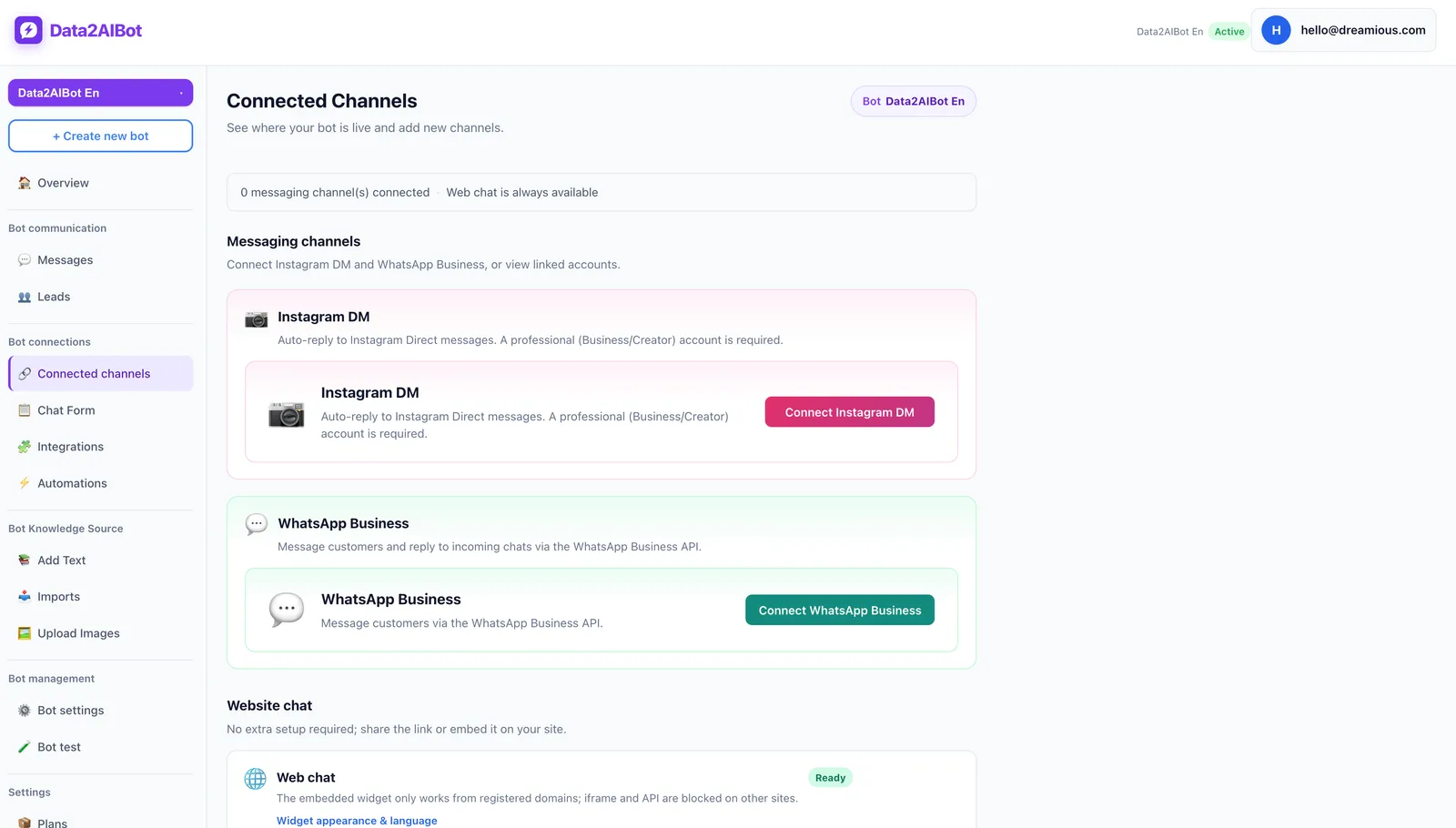
Data2AIBot offers no-code setup for connecting Instagram and WhatsApp in a few steps and launching in minutes. It is an official Meta Technology Provider, a relevant consideration when evaluating channel connection and trust. That status is not a guarantee of sales performance.
Write a short operating note before launch:
- Who maintains prices, promotions, and delivery information?
- Which questions can be answered from approved material?
- Which situations require someone to check the details?
- Who reviews unresolved conversations, and how often?
Evaluate an Instagram AI chatbot against that process. The goal is consistent answers to recurring questions, not forcing every inquiry through the same rigid script. Data2AIBot can also handle Instagram and WhatsApp together through one bot, useful when your team works across both channels.
2. Identify the need with one or two questions
If someone names a product and asks its price, answer that question first. Do not require their phone number before providing basic buying information.
If the product or use case is unclear, ask something that changes the recommendation:
- Apparel: “Which style and size are you considering?”
- Home products: “Where will you use it, and what space do you have?”
- Accessories: “Is this for everyday use or a gift?”
- B2B products: “How many people would use it?”
Avoid asking about budget automatically. It is useful when it narrows meaningful options, but it can feel like qualification for its own sake when the customer has barely explained their need.
For example, someone buying a bag for a laptop needs a compatibility check before a color discussion. Ask about the laptop size, then compare actual dimensions where available. A screen-size label alone should not become an unsupported fit guarantee.
Keep data collection proportionate. You generally do not need a home address, payment information, or a phone number to recommend a product. Leave checkout details to the appropriate stage and channel.
3. Answer from verified product information
A confident answer is not necessarily an accurate one. Unsupported claims such as “It will definitely arrive tomorrow” can move the conversation forward while creating a larger problem after purchase.
Prepare a source of truth containing product names, intended uses, dimensions, variants, care instructions, current URLs, delivery conditions, and return policies. For information that changes frequently, identify where it must be checked.
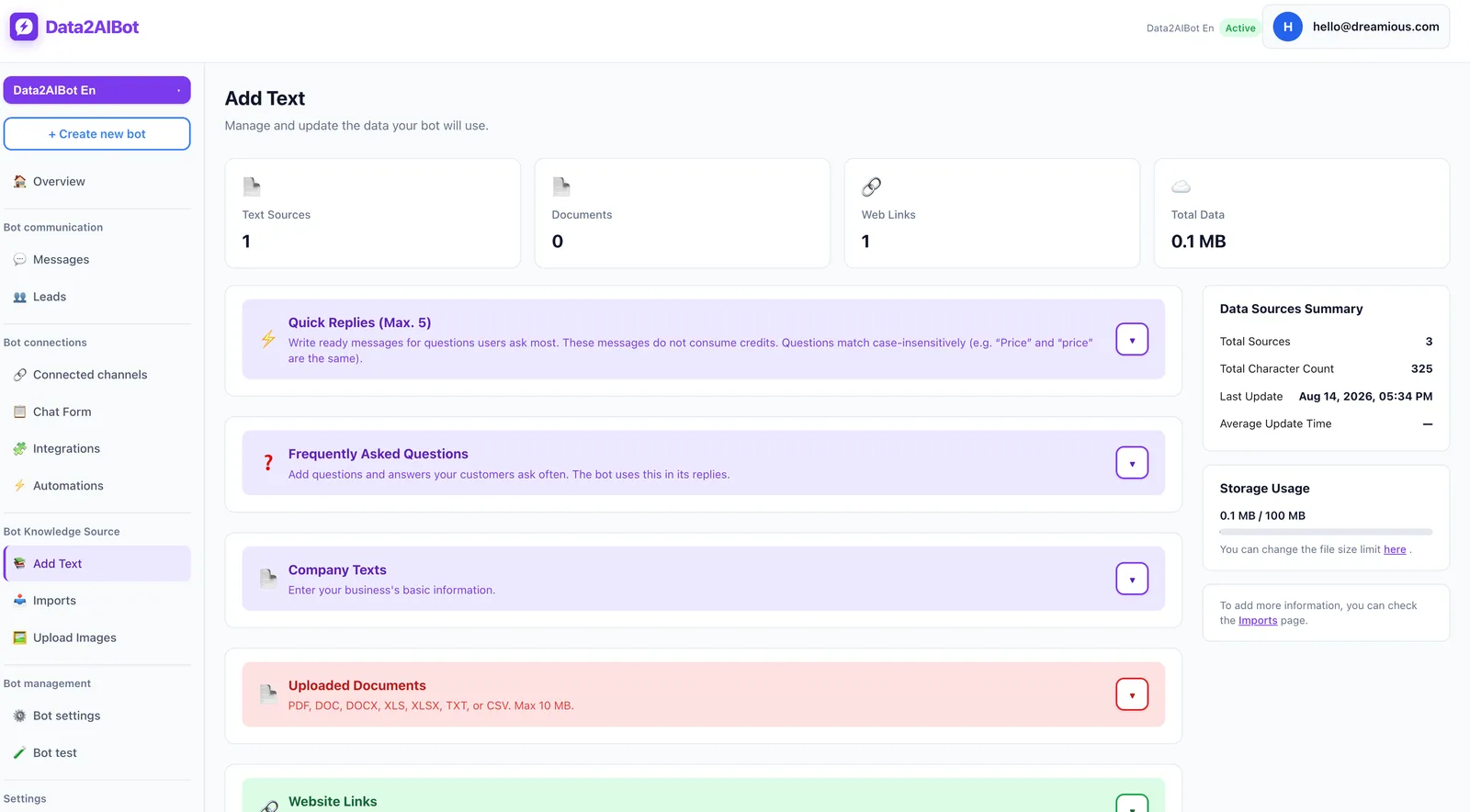
Data2AIBot supports file uploads for training, imports from Google Docs and Google Sheets, and ecommerce catalogs through spreadsheet column mapping. These capabilities should not be interpreted as a promise of real-time inventory synchronization. Plan how you will keep changing information current.
Use a simple response structure: direct answer + relevant condition + next step. For instance: “The compartment dimensions are listed on the product page. Compare them with your laptop’s external dimensions before ordering. Here is the page.”
When the source does not contain an answer, say so. “I cannot verify this model’s waterproof rating from the available information” is more useful than inventing a specification to maintain momentum. Define who checks those gaps and updates the source afterward.
4. Share the right product link with a reason
“Visit our website” makes the customer repeat their search. Send the relevant product page instead, or the selected variant when a suitable variant URL exists.
Explain the recommendation in one sentence:
“For your [stated need], [product] may be a good option because of [verified feature]. Here is the product page: [correct URL]. Check [relevant detail] before ordering.”
Choose the next action based on what the customer has already told you:
| Customer situation | What to do first | Link to share |
|---|---|---|
| Product and variant are clear | Answer the question directly | Specific product or variant page |
| Use case is clear, product is not | Ask one selection-changing question | Suitable product page |
| Customer is comparing two options | Explain the relevant trade-off | Both product pages |
| Delivery is the main concern | Explain verified delivery conditions | Product and relevant delivery information |
| Request involves customization or bulk buying | Clarify scope and arrange team review | Suitable inquiry page, if available |
Avoid a wall of options. If one product clearly fits the stated need, start there. If two options make sense, explain their difference in practical terms rather than labeling one “better.”
When evaluating an Ecommerce AI chatbot, pay attention to catalog quality. Consistent names, attributes, and URLs make similar products easier to distinguish and recommendations easier to verify.
5. Resolve the buying obstacle without pressure
Silence after a link does not automatically mean the price is too high. The customer may still be unsure about fit, delivery, returns, or whether the product solves their problem.
Replace “Are you buying?” with a useful question: “Is there anything about the size, delivery, or return conditions you want to clarify before deciding?”
Match the response to the actual obstacle:
- Price: Explain a relevant difference; do not invent a discount.
- Compatibility: Compare documented specifications without guaranteeing unverified fit.
- Delivery: State published conditions, not an unsupported arrival date.
- Returns: Explain the applicable policy without expanding its coverage.
If the customer is not ready, respect that decision. Before planning later outreach, check applicable platform messaging rules and consent requirements. Repeated sales messages should not be the default response to a conversation that has gone quiet.
Some obstacles require team judgment rather than another automated answer. Assign responsibility for those cases instead of letting the conversation cycle through the same product recommendation.
6. Review conversations and record outcomes
Review visitors and leads to understand where inquiries progress or stop. A large message count can hide recurring problems such as unanswered questions, incorrect links, or vague shipping information.
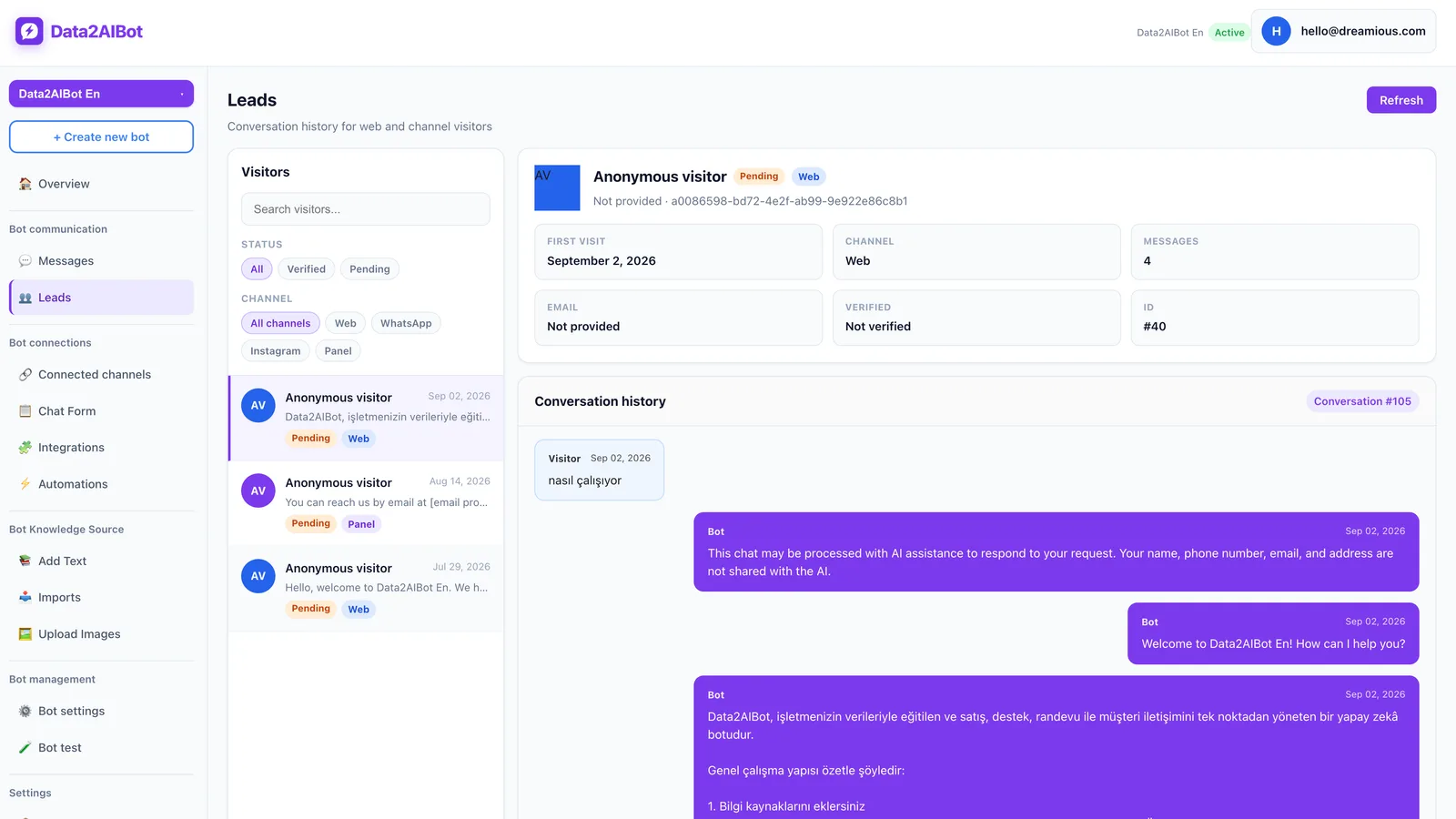
In your own tracking process, use outcome categories such as “need unclear,” “product recommended,” “waiting for information,” and “order confirmed.” These are suggested operational labels, not a claim that those exact statuses exist in a particular product screen.
If you use Bitrix24, Data2AIBot can create or update leads and contacts from Instagram, WhatsApp, and website chats, and write conversation history to the CRM timeline. That does not mean purchase attribution or revenue reporting happens automatically.
Test the flow using fictional customer details. Include an unclear product inquiry, unknown availability, a broken link, and a request requiring team review. You can Start Data2AIBot for free with a 14-day trial, no credit card required, and cancellation anytime.
Example DM conversations: From inquiry to product page
These are illustrative scripts, not product claims or delivery promises. Replace bracketed fields with verified information from your business before using them.
Example 1: An unclear price inquiry
Customer: Hi, how much is the bag?
Business: Hi! Which model are you looking at? You can send the product name or link.
Customer: The everyday backpack. I need it for my laptop too.
Business: What size is your laptop? Let’s check the compartment dimensions before recommending a model.
Customer: Fourteen inches.
Business: The current price for [model] is [verified price]. Its laptop compartment measures [verified dimensions], so compare those with your device’s external dimensions. Here is the product page: [product URL].
Clarification comes first because the product is unclear. If the customer had identified the exact model in the opening message, the price answer should have come before the needs question.
Example 2: A customer with a delivery concern
Customer: I want this one, but can it arrive before the weekend?
Business: Our current dispatch conditions are [verified conditions]. Delivery timing needs to be checked for your destination. Which city is it going to?
Customer: Bristol.
Business: I cannot promise weekend arrival without confirming the timing. Here is the product page: [product URL]. Let’s have that delivery question checked before you place the order.
The obstacle here is timing, not product selection. Sending more recommendations would add noise. Acknowledging uncertainty helps the customer make a decision based on what the business can actually confirm.
How to measure Instagram DM sales
Start by defining an eligible sales conversation. Separate new purchase inquiries from spam, partnership offers, and support requests about existing orders. Otherwise, your conversion denominator will mix unrelated activity.
Track a small set of useful measures:
- Time to first meaningful response: Measure a useful answer, not just an automated greeting.
- Product-link sharing rate: Eligible conversations receiving a relevant product link divided by eligible sales conversations.
- Link click activity: Use your own measurement setup where available, keeping session and click definitions consistent.
- DM-to-order conversion: Orders reliably matched to DM conversations divided by eligible sales conversations in the defined cohort.
- Repeated information gaps: Questions that repeatedly require correction or additional checking.
For a hypothetical example, eight confirmed orders from 80 eligible sales conversations would represent a 10% conversion rate. This is a calculation example, not an industry benchmark or a Data2AIBot performance claim.
UTM parameters can help identify traffic from shared links, but they do not automatically connect every purchase to an individual conversation. Decide your matching method and attribution window in advance. Count a returning customer's messages consistently rather than treating every message as a new prospect.
Common mistakes and a pre-launch checklist
The most common mistake is sending a catalog link without answering the question. Another is asking so many questions that a simple purchase starts to feel like an application. A third is assuming the job is finished once a link has been sent.
Check the flow before launch:
- Does the first response give the customer useful new information?
- Does each question change the recommendation or next action?
- Is the recommendation tied to a need the customer actually stated?
- Does the link open correctly on mobile and lead to the right item?
- Is there an honest fallback for unknown price, stock, or delivery details?
- Does someone own conversations that require further review?
Improve one issue at a time. Fixing incorrect links first is easier to evaluate than rewriting every response while also changing your catalog and measurement rules. Review the results regularly and use recurring questions to improve both your DM answers and product pages.
Frequently asked questions
How do you turn Instagram DMs into sales?
Answer the question, clarify the need when necessary, and share a relevant product page with a brief explanation. Then address the specific obstacle to buying. Count a verified order as the outcome, not a link sent or a positive reply.
What should I reply when someone asks for a price on Instagram?
If the product is clear, provide its current verified price. Explain any relevant variant conditions. If the item is unclear, ask for its name or link first. Avoid making customers submit contact details just to learn basic pricing.
Should I send a product link in the first DM reply?
Yes, when the customer has clearly identified the product. Include the answer they requested and explain what the link contains. If their need is unclear, ask one useful question rather than sending them to a homepage to search again.
What information is needed for Instagram DM sales automation?
Prepare product attributes, correct URLs, current pricing information, delivery conditions, and return policies. Decide how changing information will be maintained. Also define what happens when an answer cannot be verified from the available material.
When should a team member handle an Instagram inquiry?
Arrange team review for custom quotes, uncertain compatibility, complaints, payment problems, or information that cannot be verified. Do not assume automatic routing is available. Document the review method and responsible person in your own operating process.
How can I track sales that start in Instagram DMs?
Identify sales-intent conversations and combine link measurement with order records where possible. CRM conversation history provides context but is not proof of purchase by itself. Use a consistent attribution method, time window, and conversation definition when comparing results.
Get started with Data2AIBot
You can sign up for Data2AIBot completely free — no credit card required — and connect Instagram and WhatsApp in minutes.