

Yes—basic Instagram DM automation is free through Meta’s built-in business messaging tools for eligible accounts, but free access does not mean unlimited chatbot functionality. In 2026, check account eligibility, automation limits, and the work needed to maintain accurate answers before choosing a setup.
TL;DR
- Instagram DM automation free tools suit simple acknowledgments and repetitive messages, not every customer-support task.
- Meta Business Suite offers built-in messaging automations; check which features your connected account supports.
- Data2AIBot suits small businesses seeking no-code customer messaging across Instagram, WhatsApp, and websites.
- Choose by answer quality, account permissions, and ongoing workload—not the free label alone.
Is Instagram DM automation free?
Basic Instagram DM automation is free; a free tool is not automatically a complete support system. Meta Business Suite provides built-in messaging automations for eligible connected accounts. These can cover straightforward tasks such as acknowledging a message or communicating that your business is away.
Start by checking the automation options available in your own account. The Instagram auto-reply setup guide explains the setup process; confirm that the available settings match the task you want to automate.
The useful comparison is not simply free versus paid. It is whether a tool can answer the customer's question accurately without creating more follow-up work.
| Approach | Best for | Main advantage | Main limitation |
|---|---|---|---|
| Meta Business Suite automations | Basic acknowledgments and away messages | Built-in tools cover simple messaging tasks | Preset replies do not provide full conversational support |
| A no-code chatbot platform | Repeated questions that need business-specific answers | Supports a broader automated conversation | Requires suitable plan access, setup, and maintained information |
| Manual replies | Exceptions and sensitive conversations | A person can assess context and make decisions | Repetitive questions still take your team's time |
These approaches can work together. Keep simple acknowledgments automated and reserve human attention for questions that require judgment.
Why this matters
A fast reply helps only when it moves the conversation forward. An immediate greeting that leaves a customer asking the same question again does not replace support.
For an online seller, the useful outcome is a clear answer about a product or an explanation of how to get help. For an appointment-based business, it might be explaining how to request an appointment without pretending that a booking has been confirmed.
Choose the smallest automation that resolves a real customer need. That keeps setup manageable and makes weak answers easier to spot. It also prevents you from building a complicated conversation around a question a short, accurate reply already handles.
When are built-in Instagram replies enough?
Built-in replies are a sensible starting point when the message stays substantially the same for every customer. An acknowledgment can confirm receipt. An away message can explain when your business handles inquiries.
Neither needs to know a customer's order history or make a judgment about an exception. That narrow scope is the benefit: you can review exactly what the message says before it reaches anyone.
Best for: businesses that need a consistent first response rather than a full chatbot conversation. The limitation is equally clear. A fixed message cannot resolve a question that depends on details it does not have.
Before enabling a reply, ask:
- Does this message answer something, or merely announce that it was sent?
- Is every statement accurate for the customers who will receive it?
- Does the customer know what happens next?
- Can someone reach your team if the reply does not help?
For your 2026 setup, inspect the settings available to your connected account rather than relying on an old tutorial. Feature access and connection requirements belong in that check.
When does a no-code chatbot make more sense?
A chatbot becomes relevant when customers phrase the same underlying questions differently or need answers drawn from your business information. Instead of sending everyone the same greeting, the goal is to answer the question actually asked.
Data2AIBot is best for small businesses that want no-code customer messaging across Instagram, WhatsApp, and websites. The platform connects those channels so businesses and e-commerce sellers can automate customer messaging and support.
The benefit is less repetitive answering across the channels you use. The trade-off is maintenance: a chatbot still needs accurate instructions and current business information. No-code setup removes the need to write software; it does not remove responsibility for the answers.
Consider Data2AIBot when your need extends beyond a fixed Instagram acknowledgment. Before connecting a live account, confirm the selected plan's included channels, usage terms, and the permissions requested during connection.
Do not assume that a chatbot can retrieve orders, confirm bookings, or check live inventory just because it can answer messages. Verify each required connection separately. If a capability is essential to your workflow, test it before making it part of the customer experience.
Why free Instagram DM automation varies
The word free describes access, not the whole workflow. For your 2026 comparison, separate what the tool includes from what your business must configure, review, and maintain.
- Account eligibility: Your Instagram account type, connected business assets, and permissions affect the tools you can use. Check access before planning a workflow around a feature.
- Reply complexity: A fixed greeting requires less context than a question about a specific order. Match the automation to the information it can actually use.
- Plan limits: Check what the selected plan counts as usage and what happens at its limit. Do not assume every provider defines usage the same way.
- Connected services: Confirm whether a required external service has its own terms or charges. Keep those separate from the chatbot provider's terms.
- Information upkeep: Someone must update answers when your business changes. An automated answer is only useful while its source information remains correct.
- Human follow-up: Decide who handles unresolved questions. An automated acknowledgment does not mean the customer has received a solution.
Judge the complete support process, not the word free. A limited workflow that answers correctly is more useful than a larger one your team cannot maintain.
How do you start without overcomplicating it?
Build around a recurring customer question, not every automation feature on the screen. Use this sequence to decide what belongs in your first workflow and what should stay with your team.
Choose the task
Pick a question you already receive repeatedly. Good candidates have stable answers, such as how customers request help or where they find information you already publish.
Write down what success means in plain language. For example, the customer should understand how to submit an appointment request—not receive an invented booking confirmation. Keep the task narrow enough that you can recognize a correct answer immediately.
Prepare the answers
Write the approved information before configuring the automation. Include the question, the answer, and the circumstances in which the answer should not be used.
Separate general information from account-specific requests. A general explanation of your support process can be automated without asking for private order details. A request about a particular customer's case needs an appropriate way to verify and handle that information.
Check access
Review the connected Instagram account, permissions, and available automation settings. If you choose a separate chatbot platform, verify that the selected plan supports the workflow you intend to launch.
Check regional eligibility as part of this step. Do not assume that an account or integration available to another business is automatically available to yours.
Test replies
Try ordinary wording, incomplete questions, and requests the automation should not answer. Include a customer asking to speak with someone and a question outside the approved information.
Check the entire response, not just the opening sentence. A helpful answer can still fail if it invents a policy, promises an action that has not happened, or sends the customer back through the same instructions.
Review exceptions
After launch, inspect unresolved conversations and correct the information behind repeated failures. Keep clear responsibility for updates so an outdated answer does not remain active simply because everyone assumes someone else owns it.
For your 2026 launch, expand only after the initial task works reliably in your own checks. Adding more topics before fixing an unclear answer spreads the same problem across more conversations.
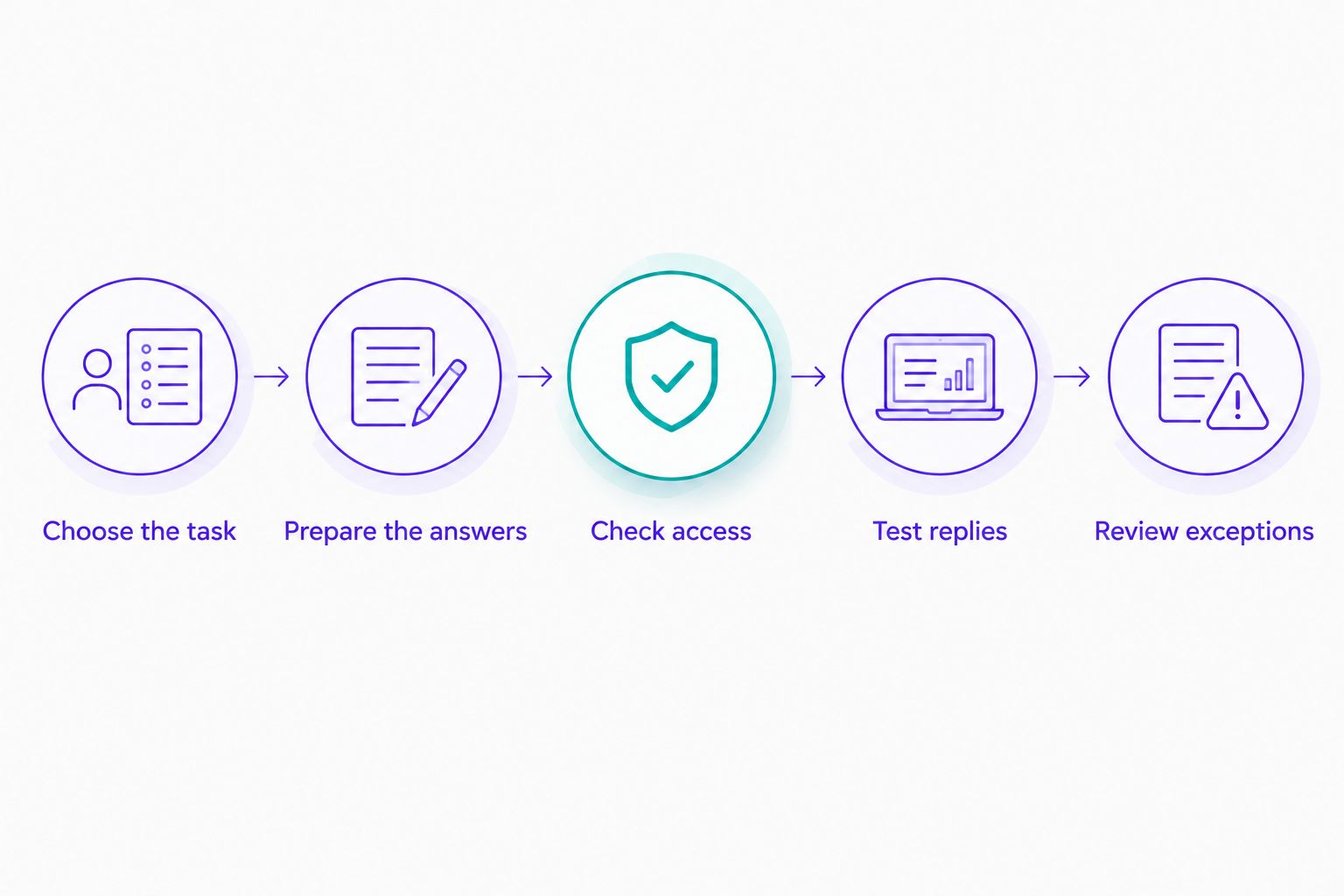
Start with a narrow task, then test the answer and the exception path before expanding.
What should you check before connecting customer messages?
Review permissions and data handling before you connect an inbox. Customer conversations can contain personal information even when your business never asks for it.
Read the provider's privacy information and understand what access you grant. Check how to disconnect the service and where to direct a customer who needs help with a data-related request.
Keep the automated conversation focused on information needed for the task. Do not ask customers to send payment credentials or unnecessary sensitive details through a support exchange.
Connection access also deserves ownership. Know which person in your business can manage the integration, review permissions, and remove access when a tool is no longer used. Treat these checks as part of setup rather than an administrative task for later.
Can a free Instagram auto-reply answer every question?
No—a fixed Instagram auto-reply cannot answer every customer question. It can deliver a prepared message, but a request involving an exception, missing information, or a personal case needs a different response.
Keep the boundary visible. Explain the next step instead of presenting an acknowledgment as a completed resolution.
Do you need coding skills to automate Instagram DMs?
No—built-in automations and no-code chatbot platforms do not require you to write software for their supported setup flows. You still need to connect an eligible account, prepare accurate answers, and test the result.
No-code describes how you configure the tool. It does not guarantee that every requested workflow is supported.
Should you automate every Instagram conversation?
No—automate repeatable questions and keep judgment-heavy conversations with your team. Complaints, unclear requests, and exceptions need careful handling rather than a confident answer based on incomplete information.
Give the customer a clear route to further help. The purpose of automation is to remove repetition, not make a person harder to reach.
FAQ
Is Instagram DM automation free in 2026?
Basic Instagram DM automation is free through Meta's built-in business messaging tools for eligible accounts. Check the automation features available to your connected account; broader chatbot workflows have separate provider terms.
What's the best free option for a simple Instagram away message?
Start by checking Meta Business Suite's available away-message settings for your connected account. A built-in reply is a better fit for a fixed acknowledgment than a complex chatbot workflow.
Can I use Instagram DM automation without coding?
Yes, supported built-in automation settings and no-code platforms let you configure messaging without writing software. You still need suitable account access, accurate answers, and testing.
Is a free trial the same as a free plan?
No, a free trial provides temporary access, while a free plan follows its own ongoing terms and limits. Read the current conditions before treating either as a permanent solution.
Does Data2AIBot work beyond Instagram?
Data2AIBot connects to Instagram, WhatsApp, and websites for no-code customer messaging and support. Confirm the selected plan's channel access and usage terms before choosing your setup.
Can Instagram automation confirm customer appointments?
Only use automation to confirm an appointment when the workflow can verify that the booking actually exists. Otherwise, explain how to request an appointment and leave confirmation to your booking process.
What should happen when an automated reply cannot help?
The customer should receive a clear next step for getting further help. Define who handles the request and avoid promising a response time your team has not agreed to meet.
One last thing
The most useful test is the question your automation should refuse to answer. Try a request involving an unconfirmed booking or an exception to a policy. The reply should acknowledge the limit and explain how to get help—not invent a reassuring answer.
Make that part of your 2026 review. A correct boundary protects the customer experience just as much as a fast response. Your first workflow is ready when it handles its intended question clearly and leaves everything else with an understandable next step.
Related guides
- Instagram auto-reply message examples for small businesses
- Can customer support automation work with a small FAQ?
- Instagram DM automation for e-commerce sellers
Explore your first messaging workflow
See whether Data2AIBot fits the customer questions you want to automate.
Get started with Data2AIBot
You can sign up for Data2AIBot completely free — no credit card required — and connect Instagram and WhatsApp in minutes.