

The key decision is not whether a chatbot can discuss shipping or returns. It is whether each answer needs published store information, access to a customer's live order, or permission to perform an action. Start by separating those needs before connecting your support channel.
In short
- Product specifications, care instructions, and general return policies can come from a knowledge base.
- Current inventory, order status, and individual refund updates require reliable, current transaction data.
- An order number alone does not prove that someone is authorized to view that order.
- Without live access, explain the limitation and provide a verified support route instead of guessing.
- Launch with a focused FAQ scope; assess live data access and transaction permissions separately.
WhatsApp chatbot for ecommerce: Information or action?
Sort recent customer conversations into three groups: questions about general information, requests to check a specific record, and requests to change something. Each group has different requirements.
“What is your return policy?” can be answered from an approved document. “Has my return been accepted?” requires the customer's return record. “Start my return” goes further: the system needs permission to create a transaction, not just explain a policy.
| Customer question | Required source | Approach without live access |
|---|---|---|
| How do I clean this product? | Approved product instructions | Explain the documented instructions |
| What are your return conditions? | Current store policy | Share the general conditions and application route |
| Is the blue version in stock now? | Current inventory record | Explain that availability cannot be confirmed |
| Has my order shipped? | Authorized order and shipment record | Provide the official tracking or support route |
| Has my refund reached my account? | Relevant refund and payment status | Do not invent a result or arrival date |
| Change my delivery address | Identity checks and authorized write access | Direct the customer to an authorized process |
The real test is not whether the bot understands the sentence. It is whether it can verify the answer. Strong language capabilities do not replace access to an order system, and an old catalog export is not a live inventory feed.
Set up a safe WhatsApp chatbot in 6 steps
1. Define the first release in writing
Choose a manageable set of recurring questions. Product dimensions, materials, care instructions, delivery regions, and general return procedures are useful starting points. For each topic, record its approved source, content owner, and appropriate support destination.
Also write down what the bot must not claim. Without the relevant connection, it should not confirm current stock, shipment status, payment receipt, or return approval. Turn these boundaries into customer-facing response examples rather than leaving them in an internal checklist.
For example, “I can explain delivery options, but I cannot check your order's current shipment status here” sets a clearer expectation than “I can handle shipping.” A focused first release is easier to test than a broad promise to resolve every request.
2. Connect WhatsApp without assuming order access
Data2AIBot offers no-code setup for connecting Instagram and WhatsApp in a few steps and launching in minutes. Explore the channel through the WhatsApp AI chatbot page. Data2AIBot is Meta's official Technology Provider, which is relevant when assessing the channel connection and provider relationship.
Connecting WhatsApp does not automatically connect your store's order database. Treat the messaging channel, knowledge sources, and transaction systems as separate components with separate checks.
If customers also contact you on Instagram, Data2AIBot can handle Instagram and WhatsApp together with one bot. Use an agreed source for product and policy content so that customers do not receive conflicting return instructions across channels. Consistency depends on the information you maintain, not simply on using one bot.
3. Prepare product information and policies by source
Organize content into clear sections: product specifications, sizing, care, delivery conditions, return applications, and support contacts. State which product or category each instruction applies to. Avoid combining several similar products into an ambiguous paragraph.
Data2AIBot supports file uploads for training, Google Docs and Google Sheets imports, and ecommerce catalog setup through spreadsheet column mapping. The Ecommerce AI chatbot page provides a relevant starting point for this use case.
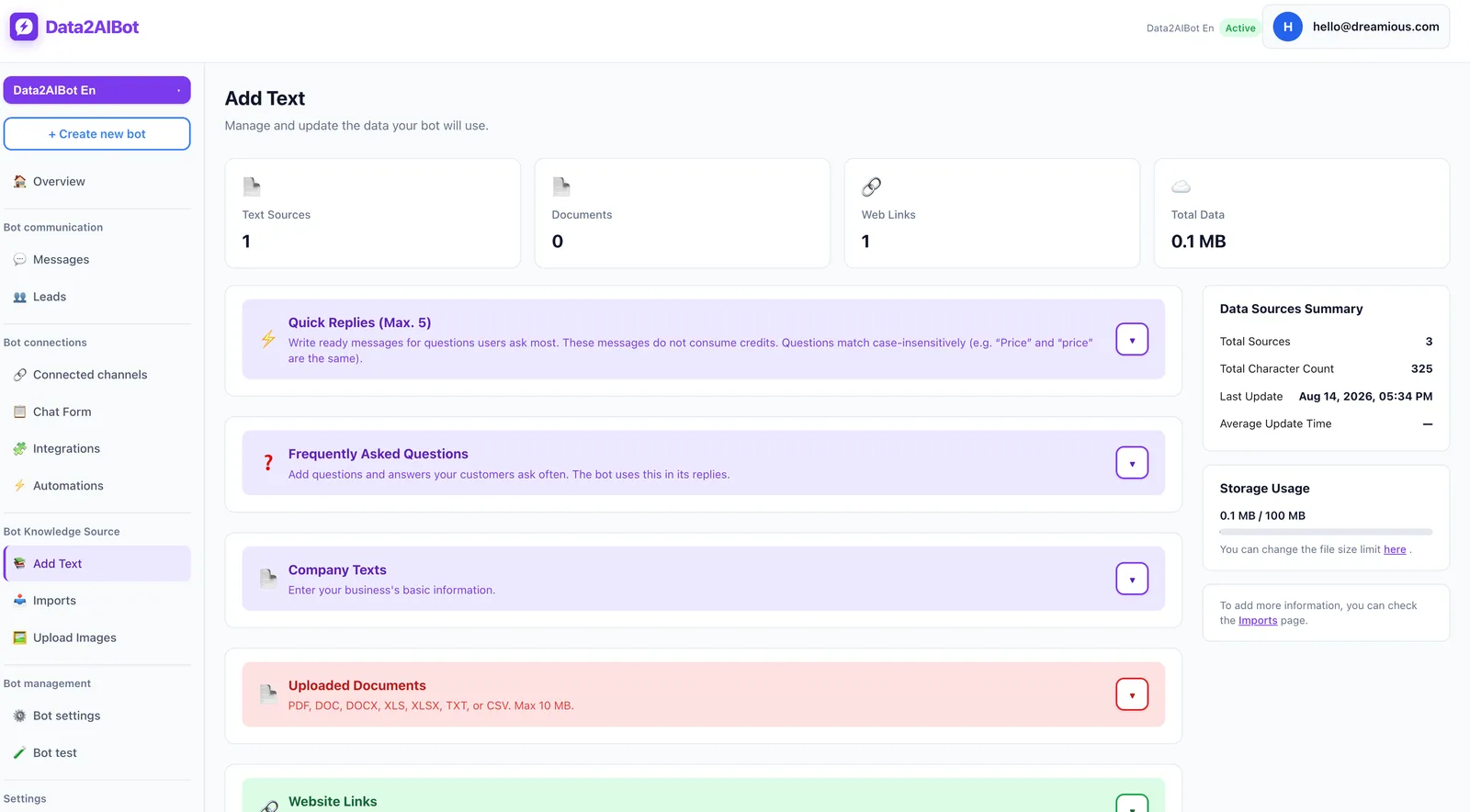
In your source catalog, separate fields such as product name, product code, variant, material, dimensions, and product-page URL. Prepare examples in which the bot asks for the product code or link before answering an ambiguous question.
Treat price and inventory differently from stable specifications. Their reliability depends on freshness. Importing a spreadsheet is not evidence of real-time synchronization. Maintain a review date and content owner in your source-management process, and do not assume the chatbot automatically monitors those dates.
4. Separate content integrations from live order connections
Google Docs and Sheets can help organize source information, but their presence does not prove authorized access to customer orders. CRM synchronization serves another purpose. Data2AIBot's Bitrix24 integration can create or update leads and contacts from Instagram, WhatsApp, and website chats, and write conversation history to the CRM timeline.
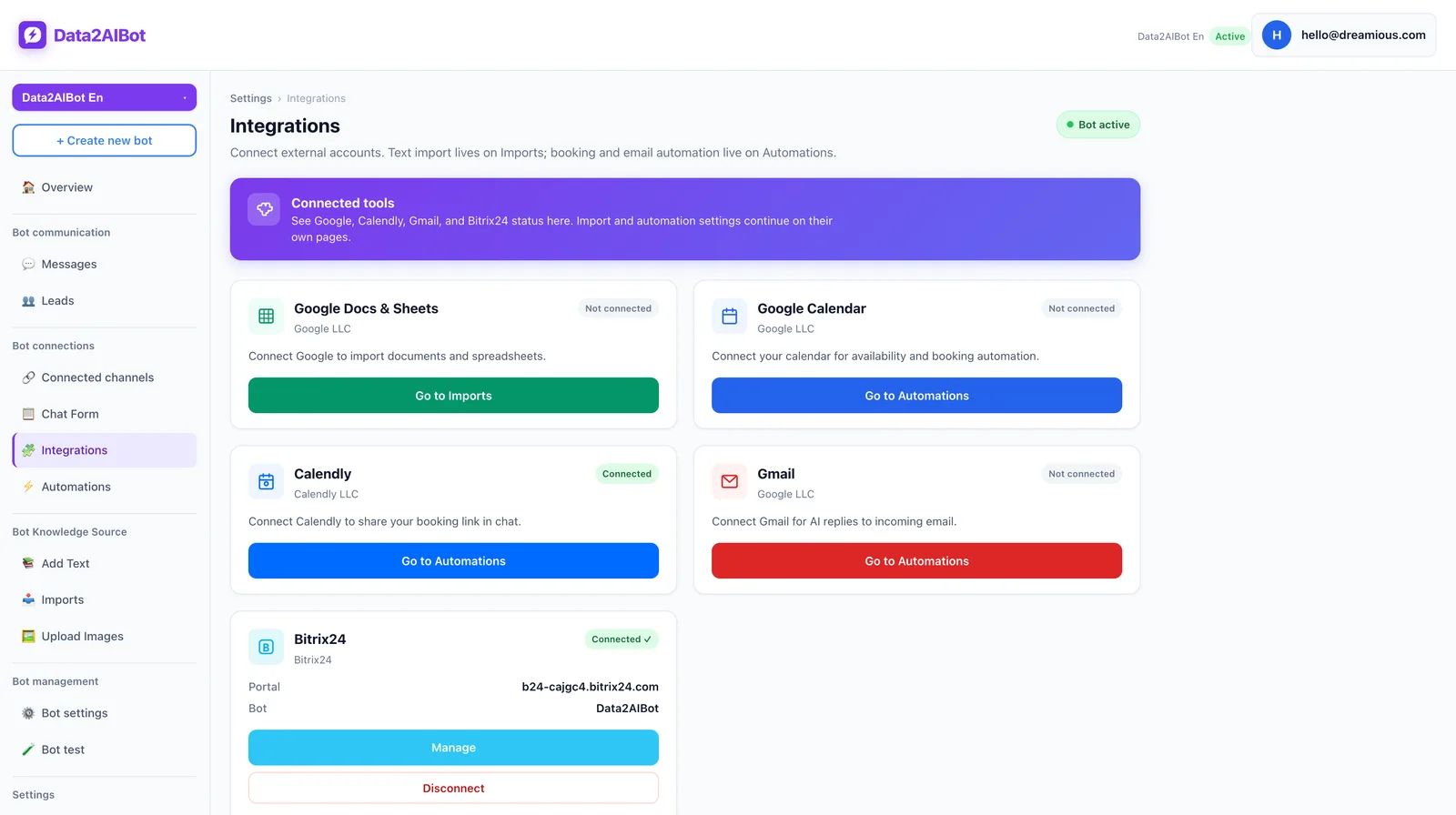
Before planning live order answers, establish:
- Which system holds the authoritative order status?
- Will the connection only read records, or also change them?
- How will the customer be authorized to access that order?
- What happens when data is missing, stale, or unavailable?
- How will incorrect changes be prevented and reviewed?
This guide does not claim that Data2AIBot includes a ready-made store order connector, live carrier tracking, or automatic return execution. Confirm the available connection, permissions, and implementation separately if you need those capabilities. A conversation appearing in a CRM is not proof that the bot knows the parcel's location.
5. Write the fallback and support route
A useful fallback explains what is unavailable, what assistance remains possible, and what the customer should do next. “I don't know” is incomplete. “I checked your order” is misleading if no check occurred.
A safer example is: “I cannot access your live order record in this chat. Please use the store's official tracking page for the latest status. If that does not resolve the issue, contact the support channel listed there.” Only provide destinations your business actually maintains.
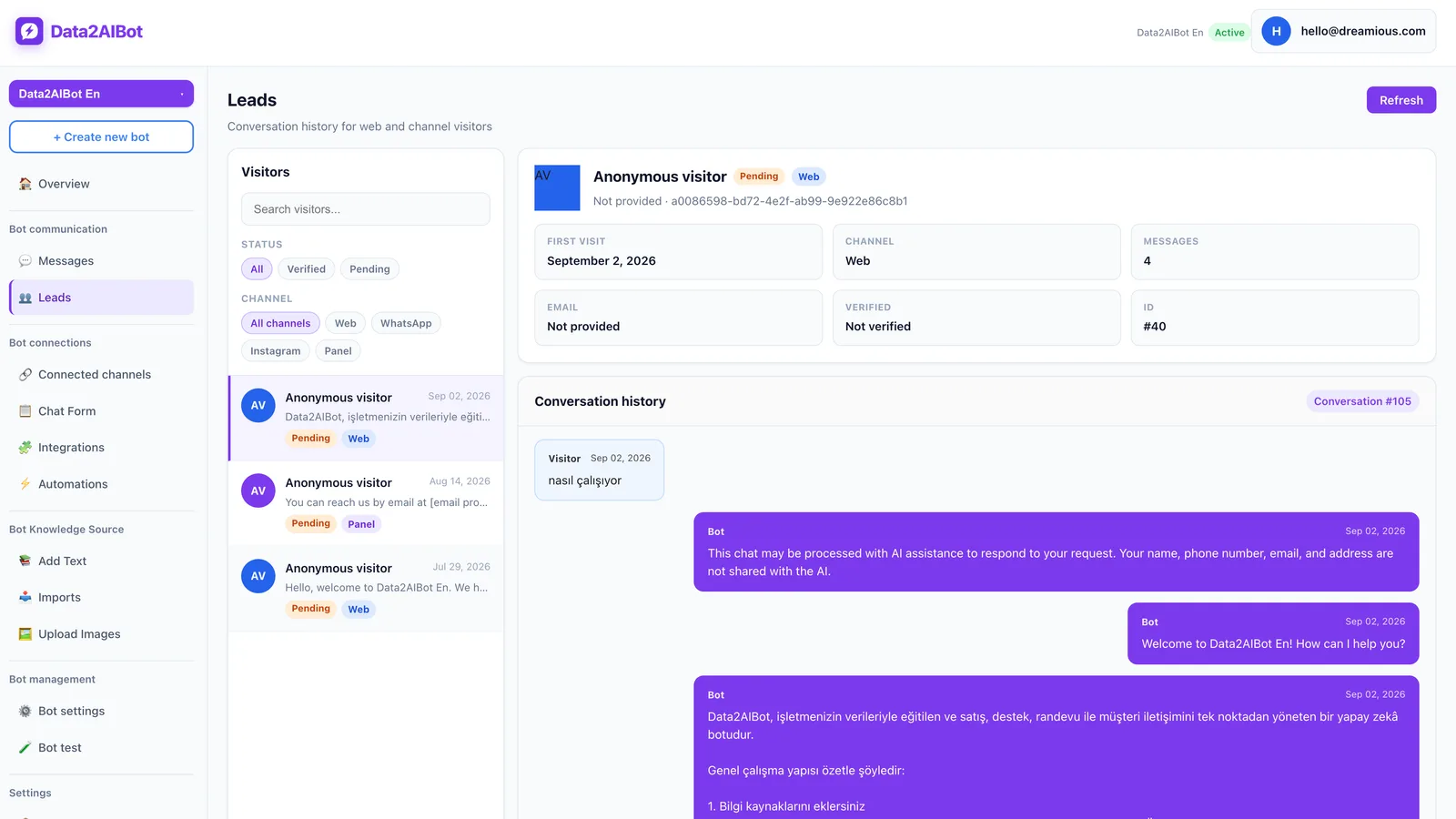
Include visitor, lead, and conversation records in your operational review. If you use Bitrix24, having conversation history in its timeline can support follow-up. Do not assume this also guarantees automatic task assignment, a response-time commitment, or a particular live-agent transfer workflow.
Define the minimum information support needs. Do not ask customers to share passwords, payment-card details, or unrelated personal information in chat. Collecting an order reference and authorizing disclosure of its contents are different steps.
6. Test boundaries before launch
For every test question, write both the expected answer and the claim the bot must avoid. “Explains the return policy” might be a pass. “Says the customer's return has been approved” must be a failure when no authorized action or record supports it.
Test variations such as “Where's my parcel?”, “Did it leave yet?”, and “Why does it still say processing?” Include missing product names, invalid order references, conflicting policy documents, and unavailable sources. You are testing how uncertainty is handled, not just whether fluent answers appear.
You can Start Data2AIBot for free to evaluate a focused setup with your own content. The trial lasts 14 days, requires no credit card to start, and can be canceled anytime. Use that evaluation to test accuracy and scope rather than assuming unverified transaction capabilities.
Example conversations for products, shipping, and returns
These are suggested response designs, not built-in workflows or verified store policies. Replace the illustrative product details and support destinations with your approved information.
Product question: Identify the item first
Customer: Is this backpack waterproof?
Bot: Which model do you mean? Please share the product name or product-page link.
Customer: The everyday backpack, product code ABC.
Bot: Its product description lists water-resistant fabric, but does not state a waterproof guarantee. I can also explain the care instructions.
Use that answer only if the source supports it. “Water-resistant” should not become “fully waterproof” through confident wording. Asking one clarifying question is better than giving a fast answer about the wrong product.
Shipping question: Do not turn a general estimate into order status
Customer: Will my order arrive tomorrow?
Bot: I can explain the general delivery conditions, but I cannot access your current shipment record here. I cannot confirm tomorrow's delivery. Please check the store's official tracking page.
Customer: What if I give you my order number?
Bot: Sharing the number does not give this chat live tracking access. Please use the verified tracking or support route for the current status.
A verified live connection could support a different workflow, with appropriate authorization. Even then, preserve the distinction between a carrier estimate and a delivery guarantee. “Ready for dispatch” should not be presented as “handed to the carrier.”
Return question: Explaining eligibility is not approving a return
Customer: I opened the item. Can I return it?
Bot: Eligibility may depend on the product category and the published return conditions. Which product did you buy? I can explain the relevant policy, but I cannot approve a return here.
Customer: Then start the return for me.
Bot: I cannot create a return in this chat. I can share the store's official return application route.
Do not say “Your request has been submitted” unless submission actually happened. Customers reasonably interpret that as an operational confirmation. Policy explanation, application creation, approval, and refund execution are separate stages.
Which automation level fits your store?
Choose based on the questions customers ask, not simply catalog size. A large catalog may generate mostly product questions. A smaller store may receive mostly requests for individual order updates.
| Approach | Best fit | Requirement before launch |
|---|---|---|
| Knowledge-based answers | Product and general policy questions | Approved, current, consistent content |
| Answers plus support direction | A mix of general and personal requests | A real support route with clear ownership |
| Live data reading | Individual order or shipment status | Verified connection, authorization, and failure handling |
| Transaction execution | Return creation or address changes | Write permissions, customer confirmation, and safeguards |
The last two rows describe general architecture options, not a verified list of standard Data2AIBot features. During evaluation, ask for evidence using your own order scenario rather than accepting a broad label such as “ecommerce integration.”
What should you measure in the first week?
Message volume alone does not show whether automation is useful. Review whether the customer's actual need was met. Providing a support address is not the same as resolving a refund.
- Source accuracy: Does the answer match approved product or policy content?
- Boundary accuracy: Did the bot make a definite claim about a record it could not access?
- Next-step quality: Was the customer given a working, relevant route forward?
- Repeat contact: Did the customer need to ask the same question again?
- Content gaps: Was the missing answer caused by absent documentation or unavailable live data?
You can assess these measures manually from available records; they are not presented as built-in Data2AIBot reports. Review a small sample of conversations daily during the first week. Fix information gaps with better sources. Do not try to fix missing system access by making the bot's language sound more certain.
Frequently asked questions
How do I set up a WhatsApp chatbot for ecommerce?
Define the question scope, connect WhatsApp, and prepare approved product and policy content. Then design fallbacks, establish the support route, and test realistic conversations. If you need individual order lookups, assess the data connection and customer authorization separately from channel setup.
Can a WhatsApp chatbot track customer orders?
It needs authorized access to current order or shipment records and appropriate checks before disclosing personal information. A knowledge-only setup cannot reliably provide individual tracking updates. General delivery timeframes are not evidence of a particular order's arrival date.
Is a Google Sheets catalog enough for live inventory answers?
Not by itself. Verify how the source is updated, when information is imported, and how inventory changes reach the answer. Data2AIBot supports Google Sheets imports and catalog column mapping; neither should be treated as an automatic real-time inventory guarantee.
Can the bot start a return or issue a refund?
Explaining return conditions is a knowledge task. Creating a return or issuing a refund requires an authorized transaction connection and security controls. This guide does not claim those actions are standard Data2AIBot capabilities. Confirm the exact implementation before promising them to customers.
Is an order number enough to verify a customer?
No. Possession of an order number alone does not establish access rights. Choose verification appropriate to your store's security and privacy requirements. Data2AIBot supports visitor email capture with OTP verification, but that alone does not prove ownership of a particular order.
Can the same bot serve Instagram and WhatsApp?
Yes. Data2AIBot can handle Instagram and WhatsApp together with one bot. Shared product and policy sources help maintain consistent answers. Access to personal order data and permission to perform transactions still need careful evaluation on both channels.
Is it worth launching without live order integration?
Yes, if recurring product and policy questions make up a meaningful part of your workload. Start by answering those accurately, direct personal requests to a real support process, and review the conversations. Add live connectivity when unresolved demand and operational importance justify the additional requirements.
Get started with Data2AIBot
You can sign up for Data2AIBot completely free — no credit card required — and connect Instagram and WhatsApp in minutes.