

You want Instagram and WhatsApp messages answered without repeating the same information all day. The real decision is which business sources your chatbot should trust—and what it should say when those sources cannot answer a question. Start with approved information, not a folder full of unreviewed documents.
In short
- Choose the customer questions you want to cover before collecting content.
- Turn website pages and PDFs into clear, self-contained information sections.
- Write FAQs with direct answers, conditions, and a safe response for unknowns.
- Use Data2AIBot’s file uploads or Google Docs and Google Sheets imports to supply your information.
- Connect Instagram and WhatsApp, then test realistic and ambiguous questions on both channels.
- Launch only after checking accuracy, and assign someone to keep the sources current.
Train a business chatbot in 7 practical steps
“Training” here means preparing approved business information for your chatbot and checking the answers it produces. It does not mean building a new AI model from scratch. A small, consistent knowledge set is a better starting point than hundreds of pages that disagree.
Begin with a narrow scope: delivery questions, service descriptions, opening hours, returns, or appointment requirements. Expanding a reliable starting set makes problems easier to diagnose than uploading everything at once.
1. Define the answer scope and open your workspace
Review recent Instagram DMs and WhatsApp conversations. Remove personal information, then group recurring requests. A starter list of 20–30 real questions is a useful planning target, not a Data2AIBot limit.
For each group, record the approved source, the person responsible for accuracy, and the situations the chatbot should not answer definitively. Opening hours are general knowledge. Whether a particular customer’s parcel has shipped requires current transaction information.
Next, create your account and review the workspace. You can Start Data2AIBot for free with a 14-day trial, no credit card required, and cancellation at any time.
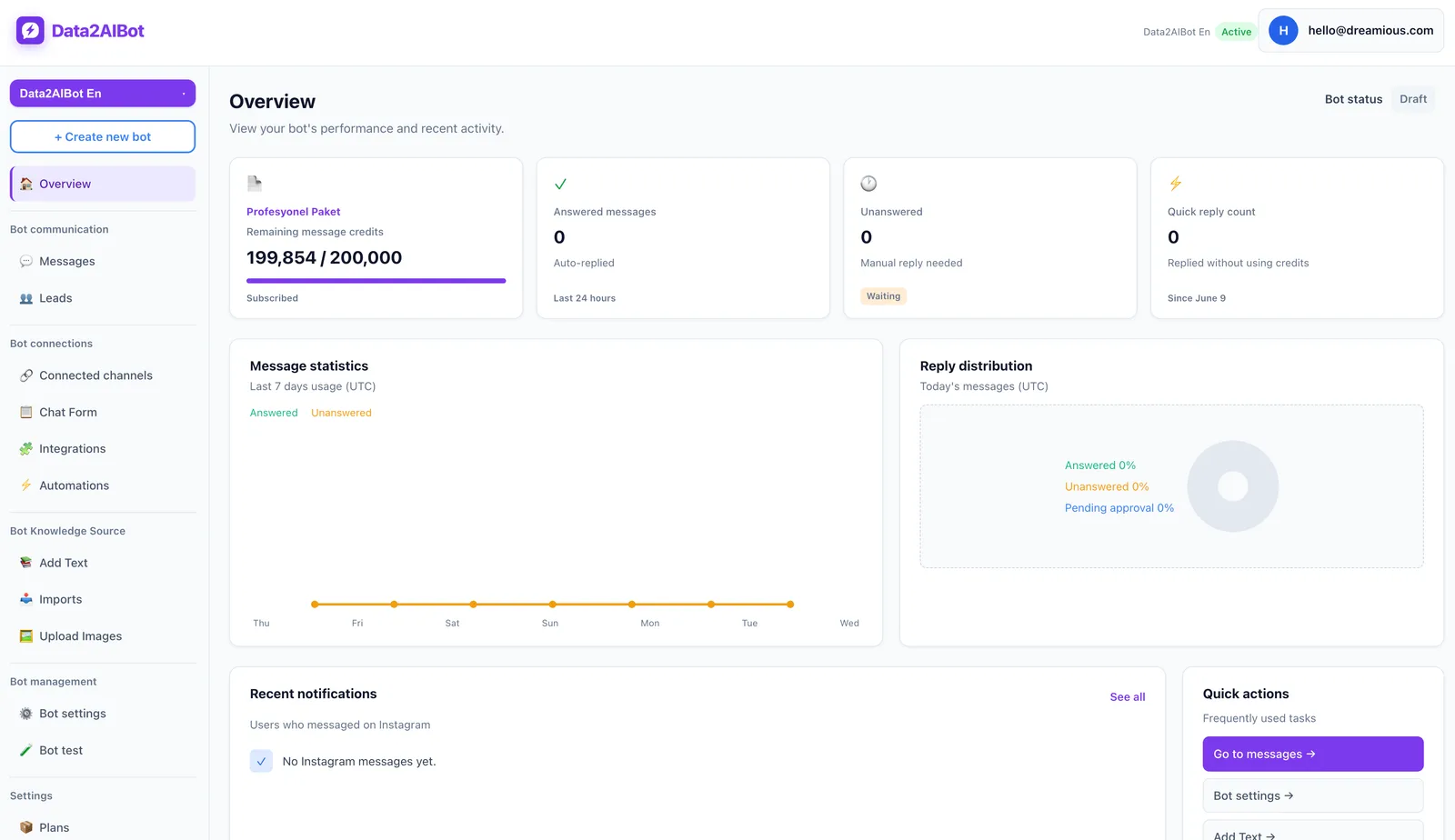
Assign content ownership immediately. If sales approves pricing and operations approves delivery policies, record that distinction. When a test uncovers a contradiction, your team should know who can resolve it rather than asking the chatbot to choose.
2. Select and simplify website information
Not every page on your website deserves a place in the initial knowledge set. Prioritize product or service descriptions, delivery and returns policies, contact details, and location-specific hours. Exclude expired promotions, repeated navigation, and vague marketing copy.
Prepare a separate section for each topic. A delivery section should explain the covered region, the stated timeframe, what starts that timeframe, and any exceptions. “Fast delivery” is not enough information to answer a customer asking when an order will arrive.
| Source | Best use | Preparation needed | Main risk |
|---|---|---|---|
| Website | Public service details and policies | Extract relevant text and check currency | Outdated pages or conflicting claims |
| Catalogs, specifications, procedures | Extract readable text and preserve headings | Scanned pages or scrambled tables | |
| FAQs | Repeated customer questions | Add direct answers and conditions | Short answers without enough context |
| Google Docs / Sheets | Team-maintained information | Standardize headings and columns | Unapproved edits or stale imports |
This workflow does not assume automatic website crawling in Data2AIBot. Prepare approved website text in a supported file format or organize it in Google Docs for import. The same content preparation approach can also support a future Website AI chatbot project.
If two pages conflict, resolve the policy first. Do not upload both versions and expect a reliable answer to emerge from contradictory instructions.
3. Make PDF content readable and self-contained
A PDF that looks fine on screen may produce broken text. Copy a paragraph into a plain-text document. Check for split words, interleaved columns, missing headings, and detached footnotes.
Scanned pages may require an external OCR tool before the information is usable. That is a preparation recommendation, not a claim that Data2AIBot includes OCR. Check the application’s current file-format and size requirements; if necessary, move the extracted content into a supported file or Google Docs document.
Use this cleanup sequence:
- Remove repeated headers, footers, and page numbers.
- Keep each product or service name alongside its description.
- Preserve units, currencies, eligibility rules, and table meanings.
- Replace references such as “the option above” with explicit names.
- Record the approval date and owner in your own source register.
For example, “Installation included” needs context. Which product qualifies? In which region? What kind of installation is covered? A correct sentence can still produce a misleading answer when separated from its conditions.
Exclude customer lists, identification documents, payment details, and unnecessary personal information from general training material. Only include information needed to answer the intended business questions.
4. Write FAQs in the language customers use
Customers rarely phrase questions like policy documents. They may write “When will it get here?” rather than “What is your delivery timeframe?” Add a few realistic question variations for each topic while keeping one approved answer as the source of truth.
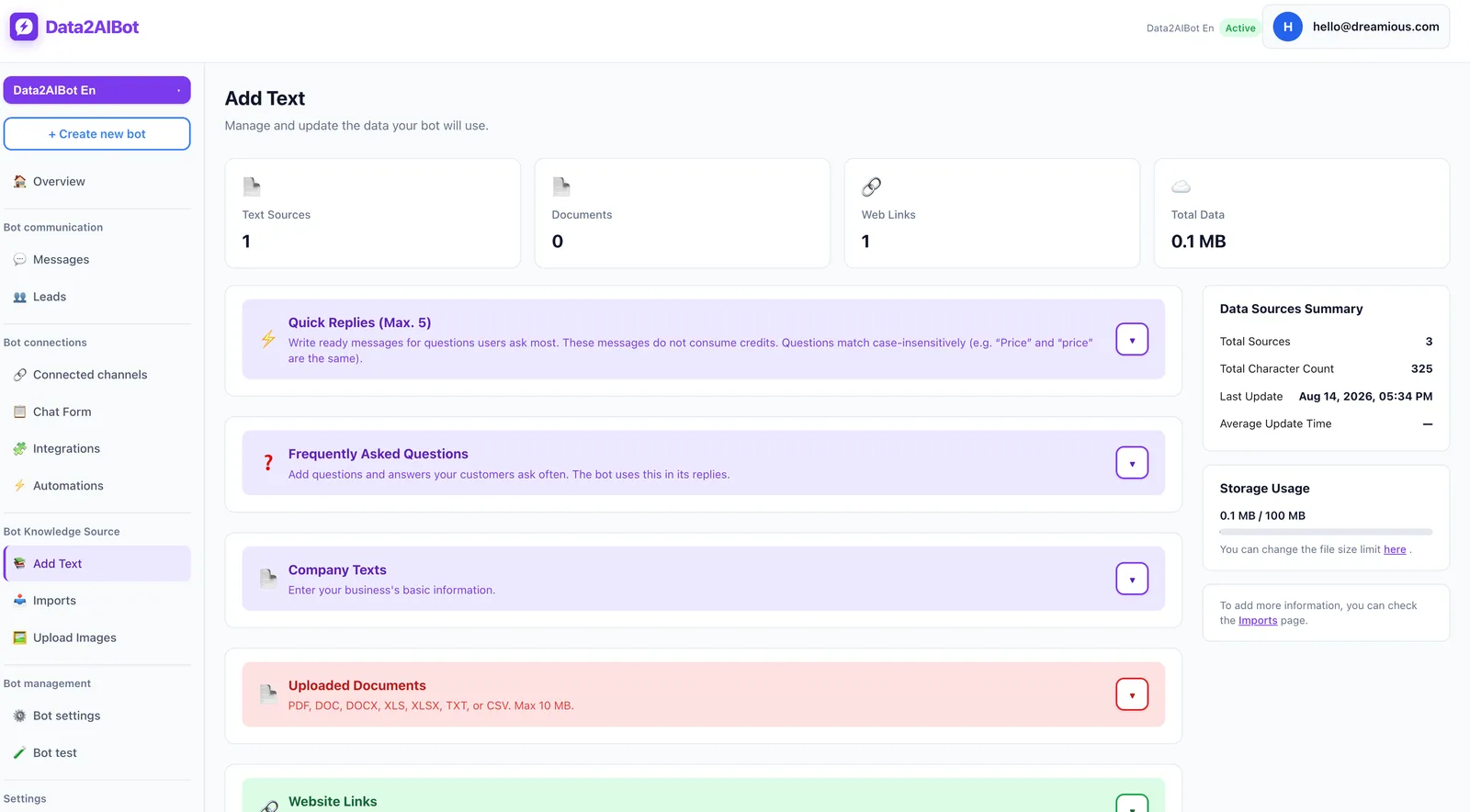
Use the following as a preparation template. These are suggested content fields, not mandatory product fields:
- Topic: The relevant service, product, or policy.
- Question variations: Common ways customers ask about it.
- Approved answer: A direct answer in the first sentence.
- Conditions: Region, product, date, or eligibility requirements.
- Missing information: Details needed before answering accurately.
- Unknown case: A genuine next step instead of an invented answer.
For appointment questions, “You can book with us” is incomplete. Explain which services accept requests, what information is needed, and whether submitting a request confirms the appointment. Collecting a request is not the same as verifying live availability.
Aim for a short opening answer followed by one useful clarification when needed. Avoid repeating a full policy document in every reply. Treat this as a response-quality goal and verify it through testing rather than assuming a particular outcome.
5. Upload files or import Google sources
Data2AIBot supports file uploads for bot training and imports from Google Docs and Google Sheets. Docs can be convenient for service explanations and policies. Sheets can make structured records, such as product names, codes, and attributes, easier to maintain.
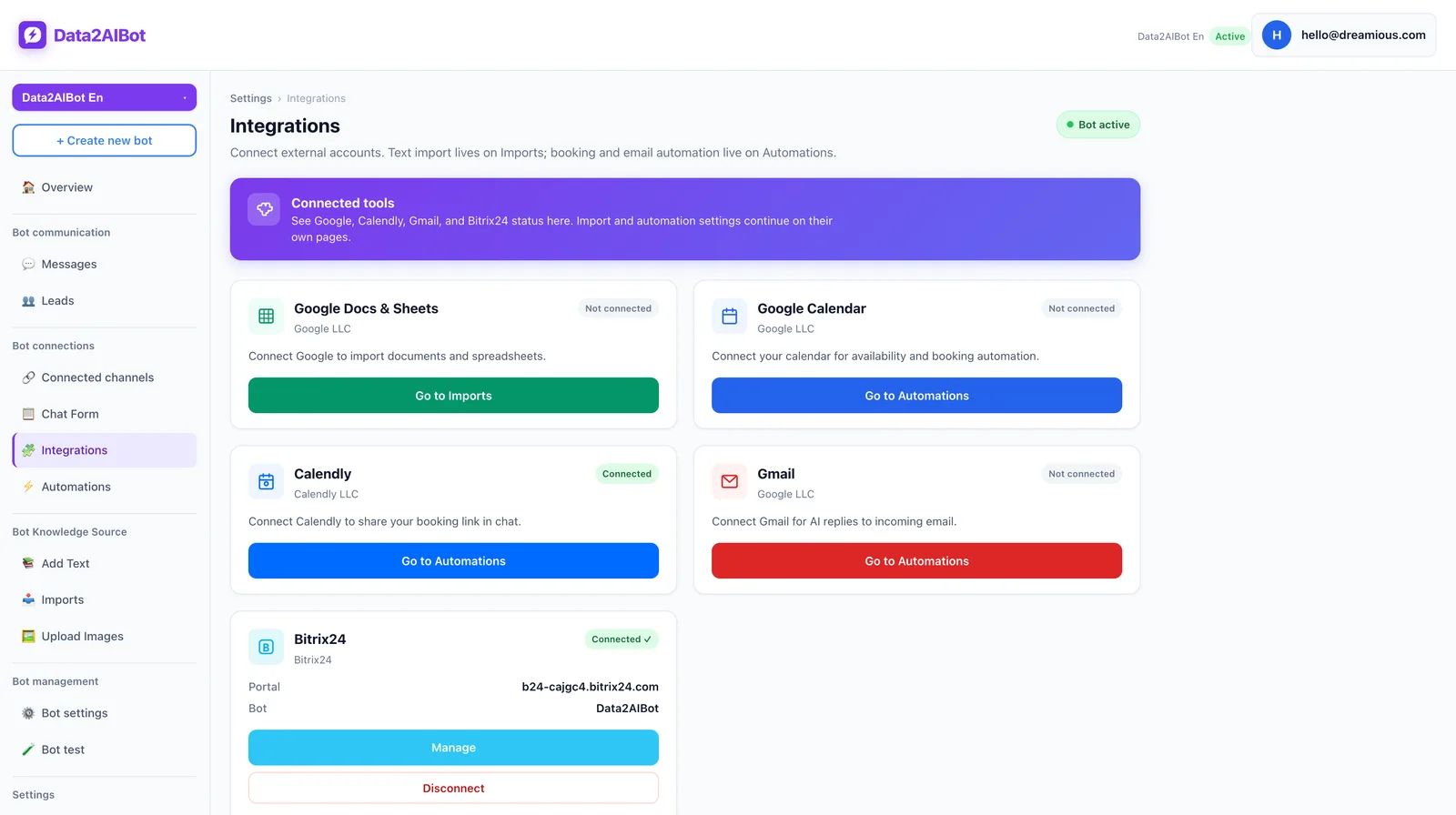
For an ecommerce catalog, use one product per row and one information type per column. Separate product names from identifiers and standardize measurement units. Data2AIBot supports spreadsheet column mapping for ecommerce catalogs.
Do not treat an import as proof of continuous automatic synchronization. When a source changes, check the application’s current refresh or reimport workflow and test the updated answer. This matters especially for prices, promotions, and opening hours.
Similarly, writing “in stock” in a static spreadsheet does not create a real-time inventory connection. Separate general product information from transaction-dependent facts. A chatbot should not present order, payment, or availability information as known when its sources do not establish it.
6. Connect Instagram and WhatsApp without expanding the promises
Once your knowledge set is ready, connect the channels for your Instagram AI chatbot and WhatsApp AI chatbot. Data2AIBot is an official Meta Technology Provider. Its no-code setup lets you connect Instagram and WhatsApp in a few steps and launch in minutes; allow additional time for content preparation and testing.
One bot can handle both channels, with multi-channel operation and a unified inbox. Still, test the same policy questions on Instagram and WhatsApp. The underlying answer should remain consistent even when customers provide different amounts of context.
Keep the boundary between business knowledge and account-specific information clear. A general shipping policy cannot establish where a particular parcel is. Document your actual support process, and do not assume an unverified feature such as automatic agent transfer is part of that process.
7. Measure correctness before widening coverage
Build tests for direct questions, typos, missing details, conflicting information, out-of-scope requests, and incorrect customer assumptions. The goal is not simply to receive an answer. It is to receive an answer your business can stand behind.
For each test, record the question, expected answer, source version, and result. Simple labels such as “correct,” “incomplete,” “incorrect,” and “unsupported claim” are enough to start. A polished but false response is a failed test.
Resolve critical errors before launch: incorrect prices, promises your team cannot fulfill, misleading return conditions, and disclosure of personal information. Keep a list of uncovered questions, then add approved material deliberately rather than quietly broadening the chatbot’s responsibilities.
Example conversations: Useful answers with clear limits
The following examples use a fictional retailer’s test scenarios. They are not Data2AIBot commercial policies or facts about your business. They illustrate target responses, not guaranteed automatic behavior.
Answering a general question with the right condition
Customer: How long does delivery take?
Bot: This store’s approved policy says orders are dispatched within two business days. That is the dispatch window, not a delivery date; transit time depends on the destination. Which area are you ordering from?
This answer separates warehouse processing from delivery. If the source only establishes dispatch timing, the chatbot should not invent an arrival date.
Recognizing a live-data question
Customer: Is the blue one available in size 38 right now?
Bot: I do not have current stock information for that item, so I cannot confirm availability. You can check the current options on the product page.
Use that next step only if the business genuinely offers it. A helpful-sounding instruction that leads nowhere is still a bad answer.
Avoiding premature appointment confirmation
Customer: Put me down for tomorrow at 3.
Bot: Which service would you like to request? Submitting a request does not confirm that the time is available or that the appointment is booked.
Data2AIBot can collect appointment and reservation requests in chat. Any final confirmation wording should reflect the business’s real confirmation process rather than an assumption about availability.
After launch: Keep the knowledge current
Maintaining a business chatbot means updating changed conditions, removing outdated versions, and retesting affected questions. Adding more documents is not a substitute for those tasks. Information without an owner eventually becomes difficult to trust.
Review prices and promotions whenever they change. Update addresses and opening hours when operations change. Periodically turn recurring unanswered customer questions into approved FAQs.
Use a short release checklist:
- Does every important answer have an approved source?
- Are conflicting older versions removed from the working knowledge set?
- Do unknown questions produce an honest limitation rather than a guess?
- Are Instagram and WhatsApp test results consistent?
- Have affected questions been retested since the latest content change?
Keep your own change log with the topic, date, owner, and tests repeated. That makes it easier to trace a new problem back to a specific update instead of rewriting the whole knowledge set.
Frequently asked questions
Do I need coding skills to train a business chatbot?
Data2AIBot offers no-code channel setup. The main work is selecting reliable sources, defining the answer scope, and testing responses. A quick technical setup does not remove the need for content review.
Is giving the chatbot my website address enough?
This guide does not assume automatic URL crawling. Extract relevant website information into a supported file or Google Docs document. Resolve conflicting pages and remove expired information before importing the content.
Can I use PDFs to train a chatbot?
PDF content can be prepared as a knowledge source. First check whether its text can be extracted accurately. Convert scanned pages externally if necessary, and verify the application’s current file-format and size requirements before uploading.
Can one chatbot answer on Instagram and WhatsApp?
Yes. One Data2AIBot bot can handle Instagram and WhatsApp together. Test both channels to confirm that the same business policies produce consistent answers in realistic conversations.
What should I fix first when a chatbot gives a wrong answer?
Check the source first: is it outdated, incomplete, or contradicted elsewhere? Then check whether the customer’s question lacks necessary context. Correct the source and repeat the test using several natural phrasings.
Does editing Google Sheets automatically update chatbot knowledge?
Google Sheets import support does not, by itself, establish continuous automatic synchronization. Check the current application workflow and verify the chatbot’s answer after a change. Keep the last verification date in your own tracking document.
A strong starting point is not a chatbot that attempts every question. It is one that answers its agreed questions accurately and stays within the evidence when it cannot. Make a narrow scope reliable, then expand it using real customer conversations.
Get started with Data2AIBot
You can sign up for Data2AIBot completely free — no credit card required — and connect Instagram and WhatsApp in minutes.