

Choosing an Instagram auto-reply is less about finding a friendly greeting and more about deciding what the customer should do next. Use these Instagram auto-reply message examples to answer common questions, collect the missing detail, and avoid promising a price, delivery date, or appointment you cannot verify.
In short
- Copy 25 templates covering greetings, after-hours messages, pricing, delivery, and appointments.
- Replace every bracketed field with verified business information before publishing.
- Give each reply one main job: answer a question or request the next necessary detail.
- Keep delivery estimates separate from guarantees and booking requests separate from confirmations.
- Test incomplete questions, unavailable information, and requests for human help before going live.
Quick start: Choose the right reply in 5 steps
- Review recent DMs. Group them into recurring topics. Start with a frequent question that has a reliable answer, rather than trying to automate every conversation immediately.
- Choose the next action. Should the customer identify a product, check a delivery policy, or submit a preferred appointment time? One message should not attempt all three.
- Customize a matching template. Replace
[business name],[opening hours],[product], and[link]. Delete options your business does not offer. - Check the underlying facts. Confirm whether prices include tax, how shipping is calculated, and whether your team can meet any response-time commitment.
- Test a short conversation. Try a vague question, a follow-up, and a request to speak with someone. Check that the reply remains useful at each point.
A narrow first rollout is easier to maintain. For example, begin with opening hours and product identification, then add pricing once you have a dependable source. Do not treat a well-written template as a substitute for accurate information.
Which reply fits the customer's message?
| Customer message | Reply category | Detail to establish first |
|---|---|---|
| Hi, can you help? | Greeting | Product or service of interest |
| Are you open now? | After hours | Actual business hours |
| How much is it? | Pricing | Product, variant, or service scope |
| When will my order arrive? | Delivery | Order status and available tracking information |
| Can I book tomorrow? | Appointment | Service, date, and verified availability |
If the customer has already explained the issue, skip the generic greeting question. Someone asking about shipping costs should not have to answer “How can we help?” before receiving relevant information.
Instagram auto-reply message examples: 25 copy-ready templates
These are writing templates, not statements about your current services or commitments. Keep only the options you actually offer. Each note explains when to use the message and which assumption to check before turning it on.
Greeting messages
1. Simple first-contact greeting
Hi! Welcome to [business name]. I'm the automated assistant and can help with information about our products or services. What would you like to know?
Use this when someone starts a conversation without asking a specific question. Identifying the assistant as automated sets a clear expectation.
2. Product-focused greeting
Thanks for getting in touch! Which product are you interested in? Send its name or a link so we can start with the right information.
Useful for stores with similar products. Ask for the product first, rather than collecting order details before they are needed.
3. Service-business greeting
Hi, and welcome to [business name]. We can help with information about [service options]. Which service are you interested in?
Keep the list short enough to scan on a phone. A few clear categories work better than your entire service menu.
4. Topic-based greeting
Hello! Are you contacting us about product information, delivery, or an appointment? Tell us the topic and we can start there.
Use this for accounts receiving several distinct types of inquiry. Remove categories that do not apply to your business.
5. Returning-customer greeting
Welcome back! Are you asking about something new or an existing order? If it's an order issue, please briefly describe what happened first.
Only use “welcome back” when you know the customer is returning. Request an order reference later if the situation requires it.
After-hours messages
6. Standard out-of-office reply
Thanks for your message. Our team is currently offline. Business hours are [days and times, time zone]. Leave your question here for review during working hours.
Include a time zone if customers contact you from different regions. Avoid a precise reply deadline unless your team can meet it.
7. Weekend reply
Thanks for reaching out! Our team doesn't work weekends. Our next working day is [day]. Please tell us which product or service you're asking about.
Use only if weekend closure matches your schedule. Update the next working day when a public holiday changes normal hours.
8. Holiday or temporary closure
Our team is unavailable from [start date] to [end date] and returns on [date]. You can leave your question here. Our FAQs are available at [link].
Remove this message when the closure ends. An outdated holiday response can make an active business look unavailable.
9. Basic help while the team is offline
Our team is offline, but I can share basic information about our products and business policies. If you need a team member, briefly describe what you need help with.
Use only when the assistant has the relevant information. This wording should not imply an automatic human handoff unless your process provides one.
10. A realistic response-time expectation
You've reached us outside business hours. Our team's target response time is [time measured within working hours]. Could you summarize what you need in one message?
Base the target on actual operations. If you do not measure response times, use the simpler opening-hours message instead.
Pricing replies
11. The product is unclear
Happy to help with pricing. Which product do you mean? Please send its name or a link, as the price may depend on the item and option selected.
Do not ask again if the customer already named the product. Use the conversation context to avoid unnecessary back-and-forth.
12. A verified fixed price
The current price for [product or service] is [amount and currency]. This includes [included items]. [Tax or shipping clarification]. Which option are you interested in?
Use a current, verified source. Make extra charges visible instead of leaving customers to discover them at checkout.
13. A starting price for a service
[Service] starts at [amount]. The final quote depends on [main scope factor]. Could you briefly describe what you need so the scope can be clarified?
A starting price is not a final quote. Name the main factor that changes the total rather than hiding behind “prices vary.”
14. Size, package, or variant pricing
Pricing depends on the [size, package, or variant] you choose. Which option are you considering? That will help us identify the relevant price.
Ask only for the selection needed to answer. Avoid collecting contact details just to reveal a standard product price.
15. Discount or promotion inquiry
Which product are you considering? If a current promotion applies, we can check its eligibility, end date, and effect on the total price.
Do not imply a discount exists without checking. Only describe an offer as personalized when it genuinely is.
Delivery and shipping messages
16. Delivery estimate before purchase
Estimated preparation time for [product] is [time]. Estimated transit time after dispatch is [time]. These are estimates, not guaranteed dates. Which city is the delivery going to?
Separate preparation from transit. If you do not have reliable estimates, explain that the timing needs checking instead.
17. Shipping-cost question
Shipping is calculated using [verified shipping rule]. The exact charge requires [necessary order detail]. Which product are you interested in?
Only mention free shipping when the order meets a real policy. Explain whether location or package size affects the charge.
18. Order-status inquiry
To check your order status, we need your order reference. Please don't share card details or passwords. If you can't find the reference, contact [support channel] for help.
This template does not imply automatic access to order data. Build a separate staff review process if manual checking is required.
19. Sharing an available tracking link
Here is the tracking link available for your shipment: [verified tracking link]. You can check its latest updates there. If the link doesn't open, what problem are you seeing?
Use only when the link is available and matched to the correct order. A generic carrier page is not an individual tracking result.
20. Delivery-delay response
We understand that waiting longer than expected is frustrating. We don't want to guess at a delivery date. Please share your order reference so the delay can be checked.
Avoid blaming the carrier before the cause is known. Acknowledgment and a clear next step are more useful than unsupported reassurance.
Appointment and reservation messages
21. Starting an appointment request
We'd be happy to help with an appointment request. Which service would you like? Once that's clear, you can share your preferred date and time.
Identify the service first when different services need different appointment lengths. This prevents collecting a time that may not fit.
22. Collecting a date and time preference
What date and time window would you prefer for [service]? This creates an appointment request only; the booking is not confirmed until availability has been verified.
You can collect preferences without knowing live availability. Do not turn a customer's preferred time into an implied confirmation.
23. Sending a booking link
You can review appointment options at [booking link]. Choose a suitable time and complete the confirmation steps shown there. Is there a step you need help with?
Test the link on mobile. Do not promise a booking process or instant confirmation that the destination does not actually provide.
24. Summarizing a request
Here's your request: [service], [date], [time and time zone]. Are these details correct? This is a request summary, not a confirmed appointment; confirmation must be provided separately.
Use the summary to catch date and time mistakes. Do not label it “booking confirmed” before the actual confirmation step.
25. Changing or canceling an appointment
Need to change or cancel an appointment? Please share the current appointment date. Requests follow [change/cancellation policy], and completion must be confirmed separately.
Receiving a request is not the same as completing the change. State the applicable policy without unnecessary legal jargon.
Example conversations: How to connect the replies
From a vague price question to a clear product
Customer: How much is it?
Assistant: Which product are you interested in? Please send its name or a link.
Customer: The blue linen shirt.
Assistant: Which size are you considering?
The next response should rely on verified product information. If size does not affect price, do not withhold the price while waiting for a size. Likewise, avoid saying an item is in stock unless that information is available and current.
An appointment request after hours
Customer: Can I come in tomorrow at 3 p.m.?
Assistant: Our team is currently offline. Which service would you like to book?
Customer: A haircut.
Assistant: Your preference is a haircut tomorrow at 3 p.m. Availability needs to be verified before the appointment can be confirmed.
The goal is to capture a useful request without creating a false booking. When summarizing it, replace “tomorrow” with an explicit date to prevent confusion across midnight or time zones.
Preparing Instagram replies with Data2AIBot
1. Connect the Instagram channel
Data2AIBot is an official Meta Technology Provider. Its no-code setup lets businesses connect Instagram and WhatsApp in a few steps and launch in minutes. Follow the connection and authorization steps shown for your account.
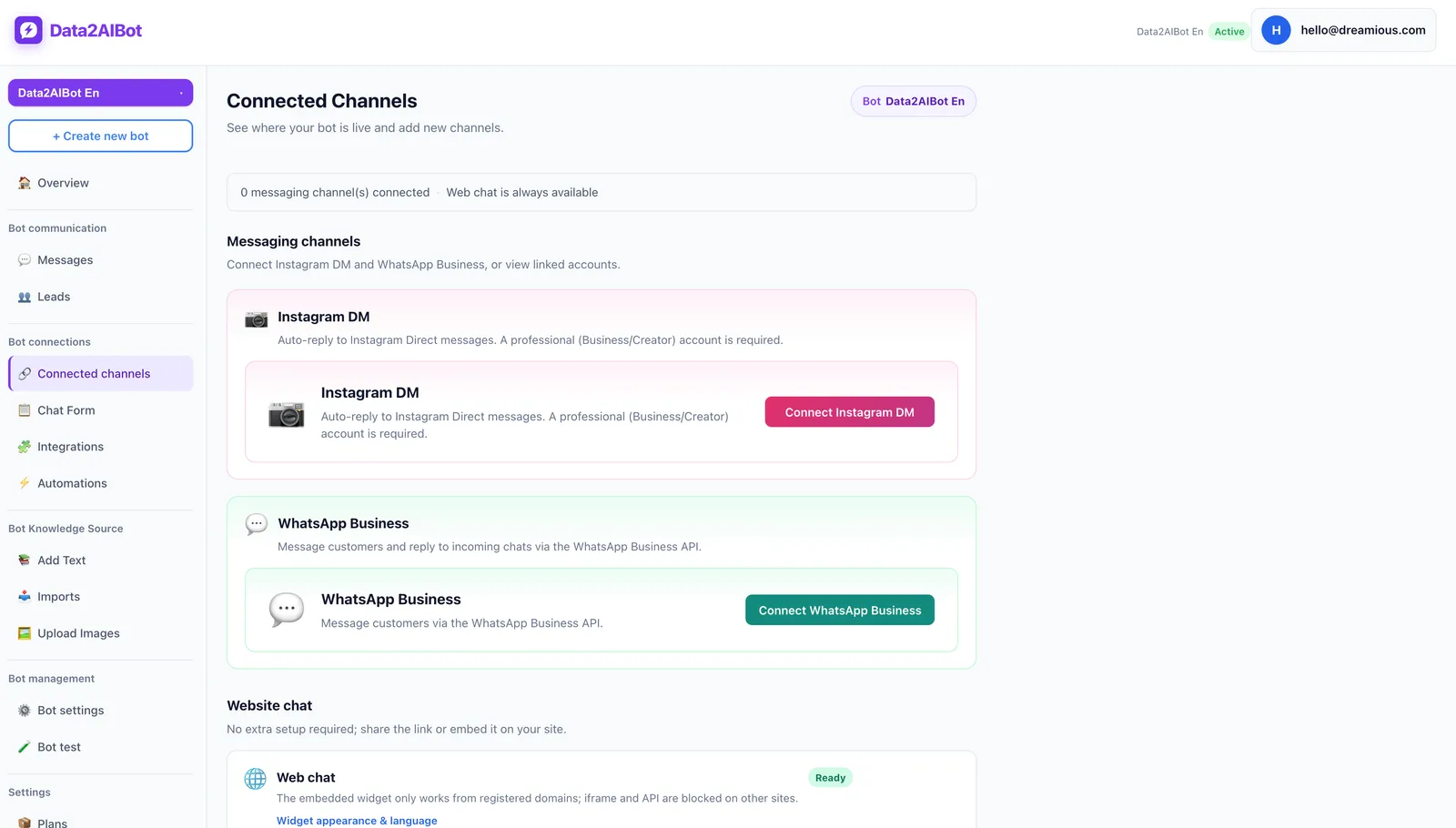
One bot can handle Instagram and WhatsApp together. Choose the channels your business actually needs rather than expanding the initial rollout unnecessarily.
2. Add verified business information
Prepare your opening hours, product details, pricing conditions, shipping policy, and appointment process. Data2AIBot supports file uploads and imports from Google Docs and Google Sheets. Ecommerce catalogs can use spreadsheet column mapping.
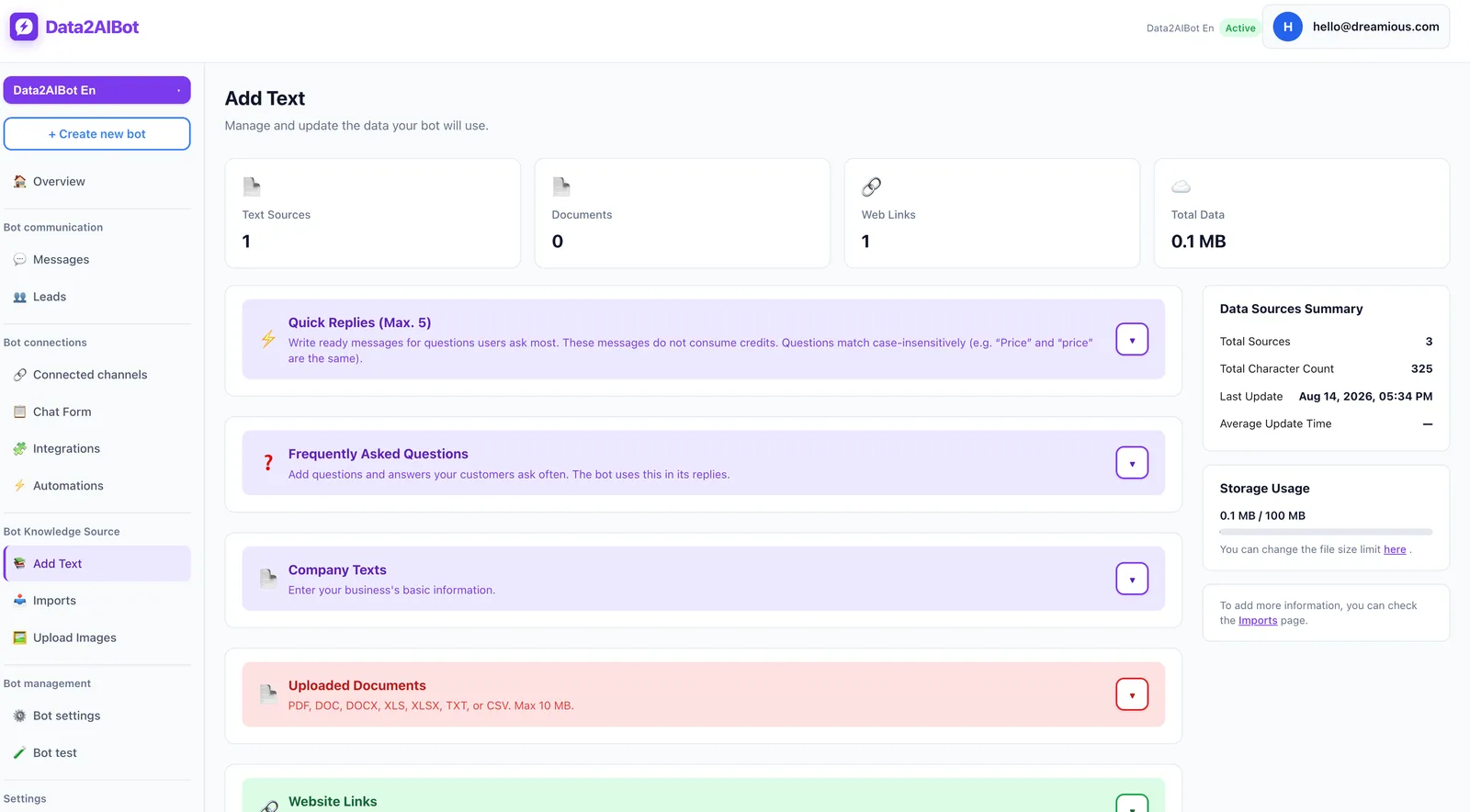
Do not upload unfinished templates or conflicting old and new prices. Assign someone in your business to maintain the source information. Record when it was last checked and update it when policies change.
3. Test the appointment process and common questions
Data2AIBot can collect appointment and reservation requests in chat and supports Calendly automations. Test where a request ends and confirmation begins in your chosen process. Only state that a specific time is available when that information has been verified.
See the Instagram AI chatbot page for channel details. To test with your own questions, Start Data2AIBot for free. The 14-day trial requires no credit card, and you can cancel anytime.
Pre-launch checklist
- Placeholders: Have you removed every unfinished field and example link?
- Accuracy: Are prices, hours, promotions, and delivery policies current?
- Context: Does the reply avoid asking for information already supplied?
- Privacy: Are you avoiding passwords, card details, and unnecessary personal information?
- Uncertainty: Does missing information lead to a clear checking step rather than a guess?
- Human help: Is the support route real and usable?
After launch, review more than speed. Watch for repeated questions, misunderstood prices, and whether customers complete the intended next step. You can track these manually in a simple spreadsheet. Change one message at a time so you can see which revision makes the conversation clearer.
Frequently asked questions
How do I write Instagram auto-reply messages?
Use a short acknowledgment, relevant information, and one next step. Ask for the product if it is unclear; answer directly if it is already known. Verify the business details before publishing.
What should an Instagram welcome message say?
Introduce the business and identify the automated assistant. End with an easy question, such as which product the customer needs. Save the company introduction and long service list for later.
What is a good after-hours reply for Instagram?
State business days, hours, and the time zone when relevant. Invite the customer to leave a question. Avoid promising a reply within a specific period unless your team can reliably deliver it.
Should an automatic pricing reply include the price?
Yes, when the product and current price are known. Explain tax, shipping, or scope conditions that affect the total. For variable pricing, ask only for the details needed to identify the correct amount.
Can an Instagram auto-reply confirm an appointment?
A message alone does not establish availability. Treat the request, availability check, and confirmation as separate stages. If your booking process has not verified the slot, clearly call it an appointment request.
Should every customer receive the same automatic message?
A general greeting can be shared, but follow-up replies should match the question. Start with a few frequent needs and give each a clear answer rather than squeezing every situation into one long message.
Get started with Data2AIBot
You can sign up for Data2AIBot completely free — no credit card required — and connect Instagram and WhatsApp in minutes.