
Setting up an Instagram chatbot is not just about connecting an account. The real decision is which questions it should answer reliably—and what should happen when information is missing. This walkthrough uses Data2AIBot screens to help you connect Instagram, add business knowledge, and check responses before relying on automation.
In short
- Start with one use case, such as product questions or appointment requests.
- Connect the correct Instagram account through the channel authorization flow.
- Add approved FAQs, files, post captions, or Google documents as knowledge sources.
- Test ordinary questions, ambiguous messages, missing information, and expired offers.
- Add integrations only after basic answers work, then expand your scope gradually.
Before you start: Choose the first job for your bot
“Answer every DM” is difficult to test. “Explain our services and collect appointment requests” gives you a clearer starting point. A retailer might begin with product details and shipping policies; a local service business might prioritize opening hours and booking questions.
Have these items ready before opening the setup flow:
- Access to manage the Instagram account you want to connect.
- Current business hours and contact details.
- Approved answers to your most common questions.
- Current pricing, promotion, and delivery information where relevant.
- A contact route for questions the bot cannot resolve.
Assign someone to own these sources. If nobody is responsible for updating a promotion after it expires, an otherwise useful bot may keep working from outdated information.
You can review the channel overview on the Instagram AI chatbot page. The walkthrough below focuses on building a small, testable first version rather than configuring every available option.
Instagram chatbot setup: 7 steps from connection to testing
1. Open your workspace and define the scope
Start Data2AIBot for free to create your account. The trial lasts 14 days, no credit card is required to start, and you can cancel anytime. Then open your application workspace.
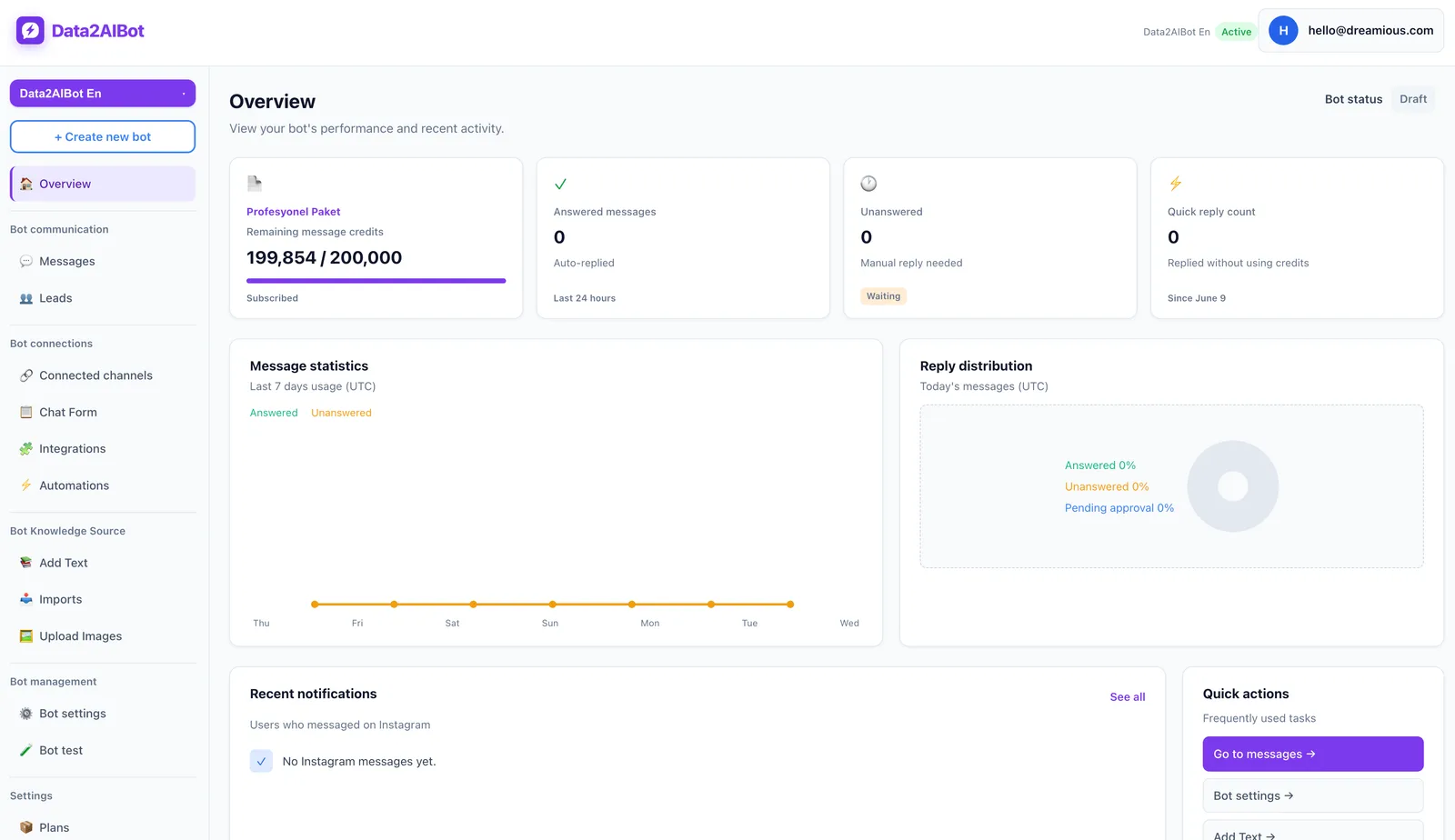
Get familiar with the chat and assistant workspace before adding more channels or integrations. Write a short scope statement in your setup notes:
The first version will explain opening hours, product details, and general shipping policies. It should not claim to know an individual order’s status or promise an unapproved discount.
Treat this as your implementation and testing brief, not as the name of a product setting. It helps you decide which source material belongs in the first version.
Choose a practical success criterion: can a customer get the correct answer without asking the same question again? Aim for an accurate response and a useful next step, not the longest possible explanation. Instagram conversations often benefit from concise answers.
2. Connect the right Instagram account
Open the channels screen and start the Instagram connection flow. Follow the authorization steps shown, checking the account-type, access, and permission requirements presented during connection.
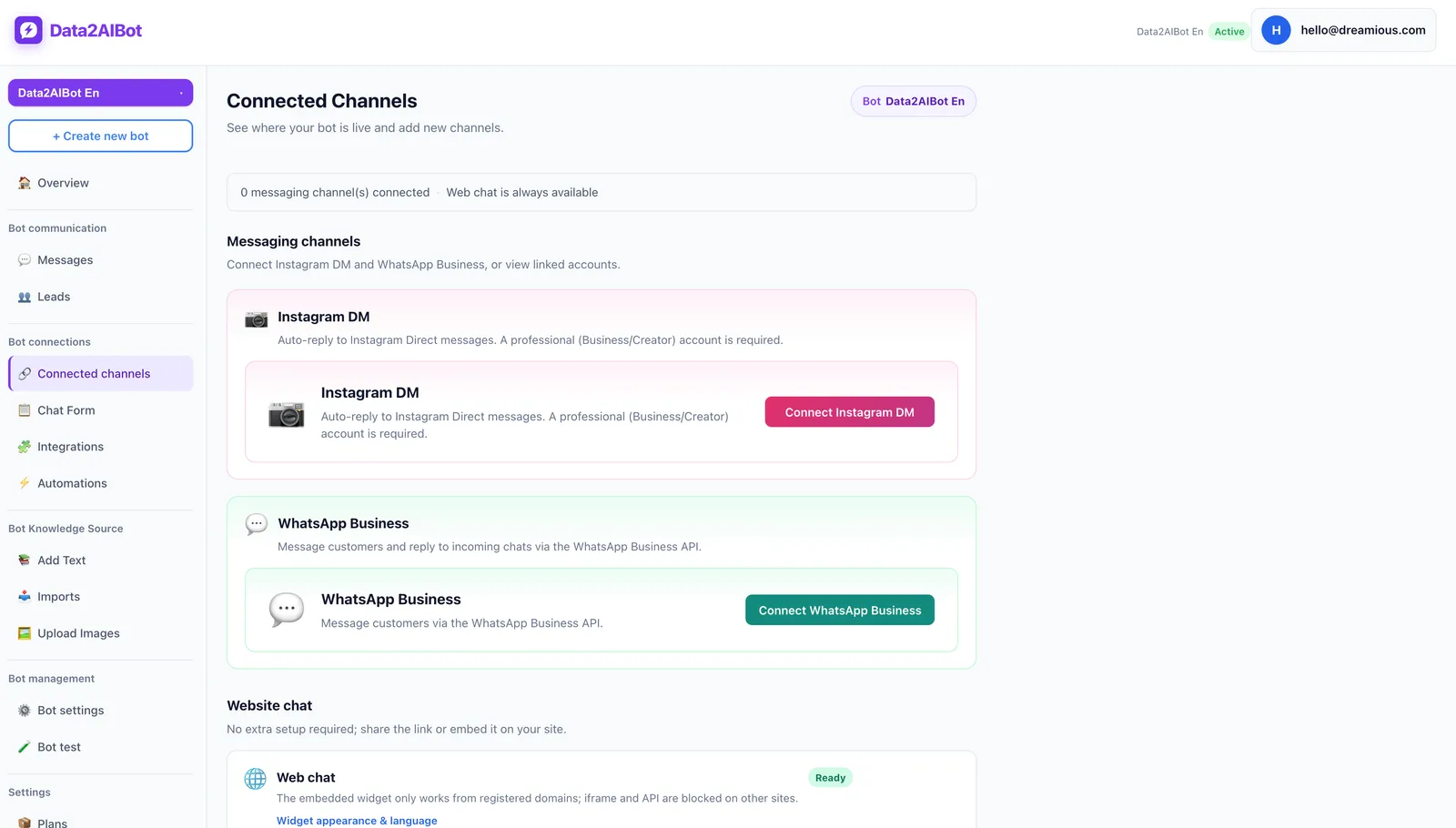
If you manage several accounts, verify the selected handle carefully. Connecting an old store profile or another client’s account can make every later test misleading.
Use this sequence:
- Confirm the Instagram account you intend to connect.
- Review the authorization permissions and complete the required steps.
- Return to the application and check the connection result.
- Send a short test DM from a separate Instagram account.
- Confirm that the message reaches the correct workspace.
Data2AIBot is an official Meta Technology Provider. That matters when evaluating channel connection and trust, but it does not remove account-specific permission requirements or Meta’s current conditions.
At this stage, you are checking message delivery, not answer quality. If the message does not arrive, investigate the connection before rewriting your knowledge sources. Separating those two checks makes troubleshooting much easier.
3. Add knowledge: Prioritize clean sources over volume
Prepare your approved business information in the knowledge area. Data2AIBot supports file uploads, importing Instagram post captions, and importing information from Google Docs and Google Sheets.
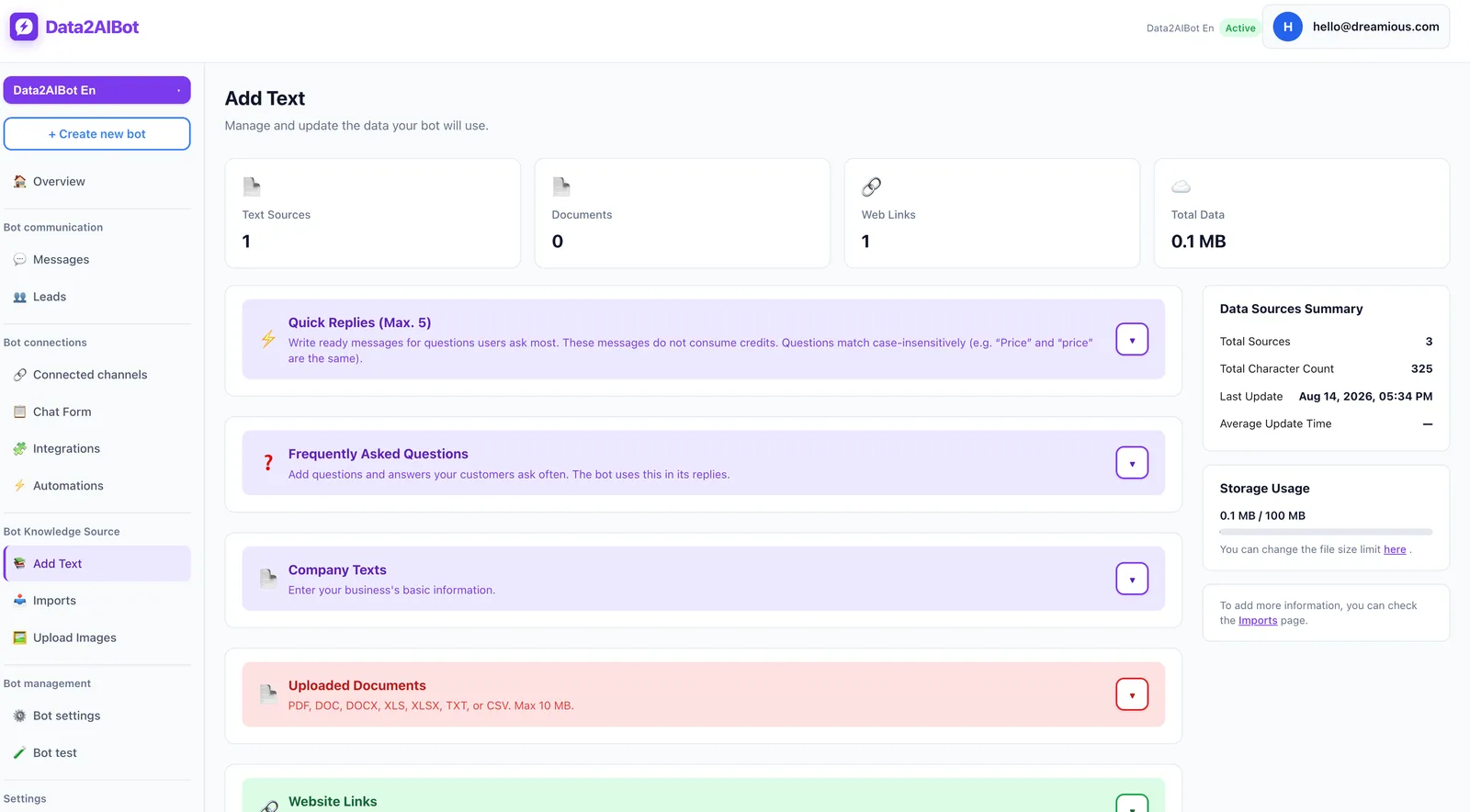
Choose sources based on how your information is organized:
| Source | Best starting use | Check before adding |
|---|---|---|
| Short FAQ text | Hours, shipping, and return explanations | Are the answers current and unambiguous? |
| File | A service guide or detailed business reference | Does it contain outdated or conflicting sections? |
| Instagram post captions | Products and promotions described in posts | Is the offer still valid? |
| Google Docs | Explanatory material maintained by your team | Is someone responsible for accuracy? |
| Google Sheets | Structured product rows and columns | Are identifiers, units, and columns consistent? |
One clean source is a better starting point than five conflicting ones. If an old caption promises free shipping while your current policy lists a charge, resolve the conflict before importing both.
For each FAQ, include the answer, relevant conditions, and the boundary of what is known. A shipping entry could cover delivery regions, your approved general timeframe, exceptions for custom products, and the support contact for order-specific questions.
For ecommerce catalogs, Data2AIBot supports spreadsheet column mapping. Consistent product names, codes, and descriptions help distinguish similar items. Adding catalog information does not, by itself, establish a live inventory or order-tracking connection.
Date your source material and leave out unnecessary personal information. After editing a Google document, do not assume the imported content has refreshed automatically. Check the import state in the application and ask a new question about the changed information.
4. Define good answers with example conversations
The conversations below are illustrative test targets, not actual business policies or guaranteed bot outputs. Replace the placeholders with your approved information before using them to evaluate responses.
Scenario A — A general delivery question
Customer: Do you deliver to Manchester?
Example target answer: Yes, we deliver to Manchester. Our general delivery conditions are [approved details]. Are you considering a custom-made item?
The reply should answer the question and ask only for information that changes the answer. If your source does not confirm delivery to that location, an unsupported “yes” is a failed test.
Scenario B — An unclear product reference
Customer: Does this come in another color?
Example target answer: Which product do you mean? Share the product name or code so we can clarify the options.
Do not assume a message contains enough context to identify a product. The goal is to check whether the response seeks clarification instead of guessing.
Scenario C — Missing order information
Customer: Will my order definitely arrive today?
Example target answer: I cannot verify your order’s current delivery status from the information available here. Please contact [approved support route] for an order-specific update.
This example does not imply an automatic human-handoff feature. The desired behavior is to acknowledge missing information and provide your chosen contact route. If the actual response makes unsupported promises, revisit the sources and repeat the test.
5. Run controlled tests through real DMs
Asking one neatly written question is not enough. Customers use abbreviations, make spelling mistakes, and combine several requests in one message. Build a small test set that reflects those variations.
A useful starting sample is 12 questions: four basic questions, three alternate phrasings, two ambiguous requests, two unknown-information cases, and one expired-promotion question. This is a suggested testing sample, not a product limit or requirement.
| Test type | Example message | Pass condition |
|---|---|---|
| Basic information | Are you open on Sunday? | Uses the correct hours from the source |
| Alternate wording | Sunday opening times? | Gives the same underlying information |
| Ambiguity | Is there a bigger one? | Clarifies the product rather than guessing |
| Missing information | Where is my parcel now? | Explains what cannot be verified |
| Expired promotion | Can I still use last month’s offer? | Does not present an expired offer as current |
Record the question, expected answer, actual answer, and result. Use clear labels such as correct, incomplete, or incorrect rather than “looks fine.” Pay particular attention to prices, stock claims, delivery guarantees, and confirmed appointment language.
When a response fails, first check whether the answer exists in the source. Then look for conflicting material. Make one correction at a time and rerun the same question; changing several sources simultaneously makes it harder to identify what fixed the problem.
6. Add integrations only where they solve a real need
Adding integrations before basic answers are accurate creates more places to investigate when something goes wrong. Validate the knowledge first, then connect a workflow that serves a specific business goal.
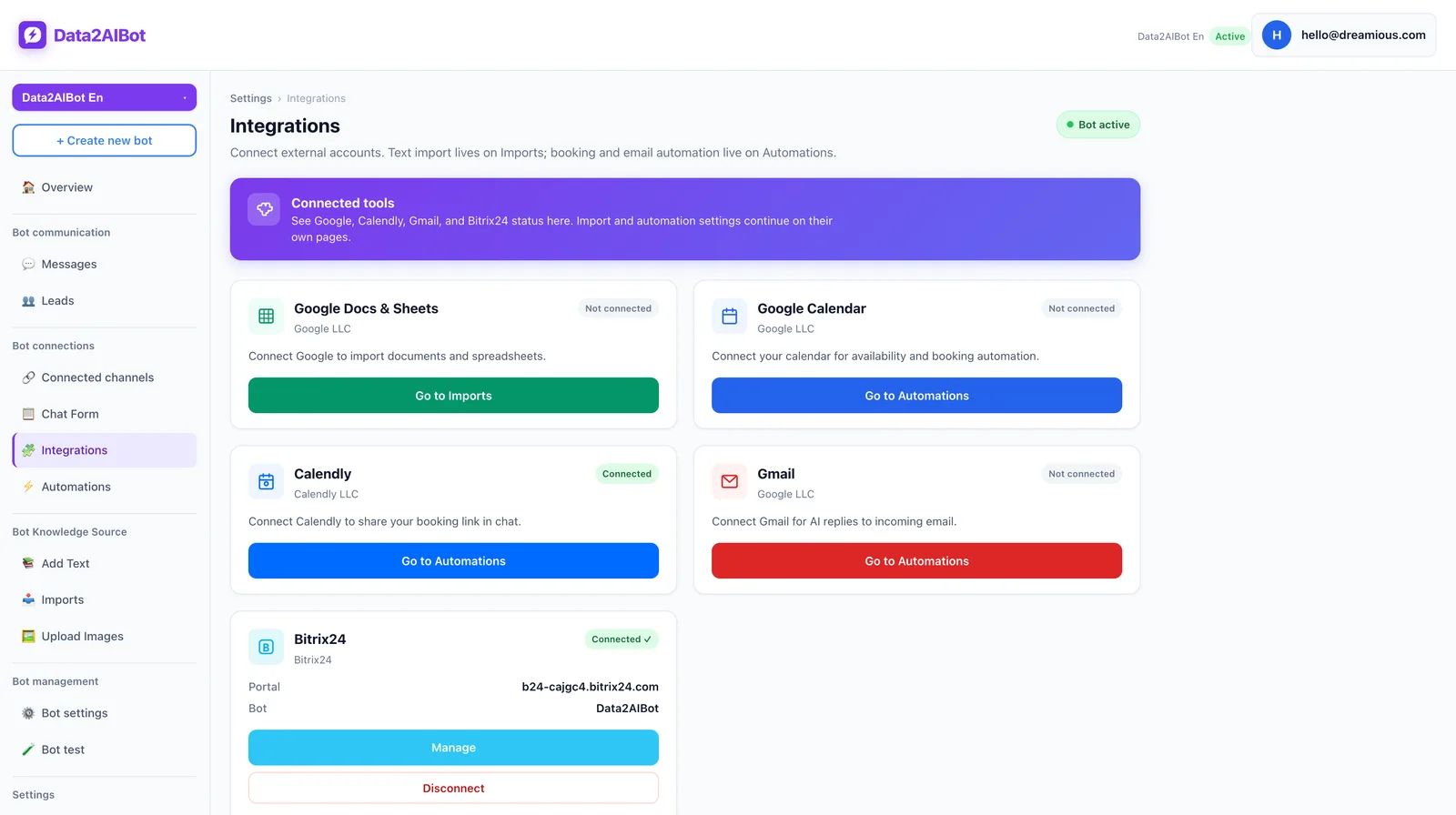
Data2AIBot offers Google Calendar and Calendly automations, and appointment or reservation requests can be collected in chat. For a salon or consultancy, define the information your process needs, such as service type and preferred time.
A customer saying “tomorrow afternoon works” is not the same as a confirmed appointment. Test request collection and the expected calendar outcome separately. Do not count an action as successful until you verify the relevant result in the destination system.
If your sales team uses Bitrix24, Data2AIBot’s no-code integration can create or update leads and contacts from chats and write conversation history to the CRM timeline. A business that only needs FAQ answers does not have to add a CRM workflow on day one.
7. Start narrow and review actual conversations
Once the connection, knowledge, and tests are ready, keep the first version focused. Avoid adding every product, promotion, and booking scenario at once. Start with the cases you have actually verified.
Review a small sample of real conversations during the initial rollout. Which questions get repeated? Which answers are unnecessarily long? Where does missing information stop the conversation? Turn those observations into your next update list.
Use this final readiness check:
- The correct Instagram account is connected.
- Current answers to common questions are present in the sources.
- Ambiguous and unknown-information questions have been tested.
- Old promotions are removed or clearly qualified.
- The support contact provided is accurate.
- Any integration outcome is verified in its destination system.
One Data2AIBot bot can handle Instagram and WhatsApp together. However, establishing reliable answers on the first channel before connecting the second makes problems easier to isolate. Also check whether shared policies and promotions genuinely apply to both channels.
Where to look when setup does not work
The DM never reaches the application: Check the selected account, connection result, and authorization steps. Send a fresh message from a separate account. Editing FAQs will not fix a channel connection problem.
The answer is wrong: Search for conflicting statements in your sources. Old captions and current pricing documents may disagree. Resolve the conflict and repeat the same test.
The answer is too vague: Add clear product names, conditions, and exceptions. Replace phrases such as “fast shipping” with approved details where available. Do not invent a timeframe just to make the source sound precise.
The answer sounds too certain: Check whether the source actually supports the claim. A general delivery policy cannot establish that a particular parcel will arrive today.
An integration result is missing: Verify the actual calendar or CRM record rather than relying on the chat response. Investigate knowledge issues and connection issues separately before rebuilding the setup.
Frequently asked questions
How do I set up an Instagram chatbot?
Create a workspace, connect Instagram through the channels area, and add approved business information. Then send DMs from another account to check message delivery and response quality. Include unclear questions and requests for unavailable information, not just questions you know the bot can answer.
Can I create an Instagram chatbot without coding?
Yes. Data2AIBot provides no-code setup for channel connection and knowledge preparation through the application. You still need to verify account access, organize your sources, and review test conversations. No-code setup removes the need to write software, not the need to prepare accurate information.
How long does Instagram AI chatbot setup take?
Data2AIBot supports connecting channels in a few steps and launching in minutes. Your full readiness time depends on the condition of your business information and the scenarios you test. Starting with an approved FAQ is faster than first reconciling outdated price lists and expired promotions.
Can I try an Instagram chatbot for free?
Data2AIBot offers a 14-day free trial with no credit card required to start, and you can cancel anytime. Use it to evaluate your own difficult customer questions as well as the connection process. The trial information does not imply a permanent free plan or a particular message allowance.
Can the chatbot use my Instagram posts as knowledge?
Data2AIBot can import Instagram post captions. That does not mean every detail inside an image is automatically understood. Review caption accuracy, promotion dates, and product details before using them as sources. Add approved information separately when a caption leaves out something customers need to know.
Can the same bot handle Instagram and WhatsApp?
Yes. One Data2AIBot bot can handle Instagram and WhatsApp together. Verify each channel connection independently and test with real messages. Also confirm that shared answers fit both channels, especially when campaigns or customer expectations differ.
When should I update my Instagram chatbot knowledge?
Review sources whenever prices, opening hours, product options, promotions, or delivery conditions change. Do not assume an imported source has refreshed just because the original document was edited. Ask a new question about the change: the final check is the answer a customer receives, not merely the document update.
Get started with Data2AIBot
You can sign up for Data2AIBot completely free — no credit card required — and connect Instagram and WhatsApp in minutes.