

Best overall for small sellers choosing a WhatsApp chatbot for ecommerce: Data2AIBot. Best for visual social messaging flows: Manychat; best for WhatsApp-focused support: WATI; best for cross-channel team routing: respond.io; best for a developer-built workflow: Twilio.
TL;DR
- Data2AIBot is the best starting point for small sellers seeking a no-code WhatsApp chatbot for ecommerce across social and website messaging.
- Choose Manychat for visual messaging flows; shortlist WATI when WhatsApp is your main support channel.
- Choose respond.io for cross-channel team routing or Twilio when developers must control the messaging workflow.
- Verify store connections, human handoff, regional eligibility, and customer-data handling before committing.
Why this matters
An e-commerce chatbot needs to do more than acknowledge a message. It needs to answer the question accurately or make the next step clear.
A shopper asking about fabric care needs an approved product answer. A shopper asking where a parcel is needs current order information. Those conversations look similar in an inbox, but they require different information and permissions.
For your 2026 shortlist, choose the customer task before choosing the platform. Start with repetitive questions, then evaluate order-specific work separately. An automatic response is not proof that a customer received useful help.
What makes the best WhatsApp chatbot for ecommerce?
Use these six criteria to judge each option. They separate a useful support tool from a chatbot that simply produces replies.
- Answer quality: Test whether answers match your published product information and policies, including exceptions.
- Store access: Check the exact connection needed for orders, product information, or customer records. A channel connection is not a store connection.
- Human handoff: Check how customers request help and what information reaches the person taking over.
- Owner effort: Choose a setup you can maintain when products, policies, or staffing change.
- Channel fit: Decide whether you need WhatsApp alone or also Instagram and website messaging.
- Privacy and permissions: Review what customer information the platform receives, who can access it, and how deletion works.
For a 2026 evaluation, give accuracy and maintainability priority over the length of the feature list. A workflow that answers a narrow set of questions correctly is a better starting point than an ambitious workflow you cannot supervise.
Best tools at a glance
These recommendations match different operating needs. They are not interchangeable: a no-code support platform and a programmable messaging service ask very different things of your business.
| Tool | Best for | Standout approach | Key limitation or check |
|---|---|---|---|
| Data2AIBot | Small sellers wanting no-code customer messaging | Connects WhatsApp, Instagram, and websites | Verify the exact store integration and order actions you need |
| Manychat | Sellers building visual social messaging flows | Visual automation for social conversations | Check whether your required support workflow fits its automation model |
| WATI | Teams centering support on WhatsApp | WhatsApp-focused automation and shared-inbox workflows | Confirm your wider channel requirements before choosing |
| respond.io | Businesses routing conversations across a team | Shared customer messaging with workflow automation | Routing design needs ownership and ongoing maintenance |
| Twilio | Businesses with developers and custom requirements | Programmable WhatsApp messaging | Developers must build and maintain the application around it |
1. Data2AIBot: best WhatsApp chatbot for no-code small sellers
Data2AIBot provides a no-code chatbot platform that connects to WhatsApp, Instagram, and websites. Small sellers can use it to automate customer messaging and support without choosing a developer-led build as their starting point.
Data2AIBot pros:
- No-code setup matches owners who do not want to write software.
- WhatsApp, Instagram, and website connections match common customer contact points.
- Its customer-support focus fits repetitive product and business questions.
Data2AIBot cons and checks:
- Confirm your specific store connection before planning order lookup or order changes.
- A no-code interface does not remove the work of preparing accurate answers and testing exceptions.
Best for: Data2AIBot is best for small e-commerce sellers who want no-code customer messaging across WhatsApp, Instagram, and their website.
Start with questions your approved business information can answer. Product care, sizing explanations, and published delivery policies are useful evaluation cases; account-specific requests need a separate access check.
The company identifies itself as an official Meta Technology Provider. Treat that status as distinct from Meta endorsement, and review customer-data handling for your own requirements.
Verdict: Buy for the no-code shortlist; verify store-specific actions before committing.
2. Manychat: best WhatsApp chatbot for visual social flows
Manychat offers visual automation for messaging channels, including WhatsApp and Instagram. Its flow-based approach suits sellers who want to map a conversation around a customer response, question, or next action.
Manychat pros:
- Visual flows make planned conversation paths easier to inspect.
- Social messaging support suits sellers receiving inquiries through social channels.
- Branching conversations suit defined tasks such as collecting a product preference.
Manychat cons:
- A planned flow needs exception paths when shoppers answer unexpectedly.
- Store-specific support still requires checking the relevant integrations and data access.
Best for: Manychat is best for sellers who want deliberate, visual conversation paths rather than an open-ended support experience.
Use a realistic example in your evaluation. Ask a shopper to choose a product category, then change direction halfway through the conversation. Check whether the flow still makes sense and whether the shopper can reach a person.
A neat flowchart is only the design. The useful result is a conversation that remains understandable when customers ignore the expected path.
Verdict: Buy for structured social messaging; skip if you cannot maintain branching flows.
3. WATI: best WhatsApp chatbot for WhatsApp-centered teams
WATI combines WhatsApp business messaging with automation and shared-inbox workflows. It belongs on the shortlist when WhatsApp is the main place your team answers customer questions.
WATI pros:
- WhatsApp-focused workflows match businesses concentrating support in that channel.
- A shared-inbox approach supports team handling of conversations.
- Automation provides a route for separating repetitive replies from staff work.
WATI cons:
- A WhatsApp-led choice still needs checking against any website or Instagram requirements.
- Shared access does not define who owns escalations; your team must establish that process.
Best for: WATI is best for sellers whose primary problem is organizing WhatsApp customer support across staff.
Test the complete handoff, not just the first reply. Have a customer ask a routine question, introduce an order-specific problem, and request a person. Check whether the receiving agent can understand what happened without asking the customer to start again.
Choose this operating model when team coordination is central. Do not assume every required store action comes with the inbox.
Verdict: Buy for WhatsApp-centered support; hold until your handoff workflow is clear.
4. respond.io: best WhatsApp chatbot for cross-channel routing
respond.io provides shared customer messaging and workflow automation across supported channels. Its place in this comparison is conversation coordination: deciding where a message goes and who takes responsibility.
respond.io pros:
- Cross-channel messaging suits teams handling inquiries from several entry points.
- Workflow automation supports deliberate routing rules.
- A shared workspace gives teams an alternative to separately managed conversations.
respond.io cons:
- Routing rules require maintenance as responsibilities change.
- Teams must verify their exact channel, store, and customer-record connections.
Best for: respond.io is best for businesses whose support challenge is routing conversations among people and channels.
Write the routing rules before building them. Separate product questions, delivery problems, and requests that need managerial approval. Then assign a responsible person or team to each route.
Do not make routing more detailed than your staffing supports. A complicated queue structure creates little value if the same owner must handle every exception anyway.
Verdict: Buy for cross-channel coordination; skip unnecessary routing complexity.
5. Twilio: best WhatsApp option for developer-built workflows
Twilio provides programmable messaging, including access to WhatsApp business messaging. It is not a finished e-commerce support chatbot by itself; developers build the conversation experience and supporting connections.
Twilio pros:
- Programmable messaging suits custom business logic.
- Developers can design connections around existing systems.
- A custom application gives your team control over the workflow it builds.
Twilio cons:
- Development and ongoing maintenance are part of the decision.
- A messaging connection alone does not provide a complete chatbot, support inbox, or escalation process.
Best for: Twilio is best for businesses with developers and requirements that justify a custom messaging application.
Bring a written specification to the evaluation. Define the information the chatbot can read, the actions it can request, and the situations that require staff approval. Include monitoring and failure handling, not just the successful conversation.
For an owner seeking a ready-to-configure support tool, this is a different project rather than a direct substitute.
Verdict: Buy for a justified custom build; skip for a no-code launch.
Test your shortlist in three practical steps
Use the same customer scenarios for every candidate. This keeps an attractive demonstration from replacing a useful comparison.
1. Prepare questions
Collect 10 customer questions from actual conversations. Remove personal details and write the approved answer beside each question.
Include three conversation types: a straightforward product question, a question with missing information, and a request requiring a person. Add one deliberately ambiguous question to check whether the system asks for clarification instead of guessing.
2. Check connections
Identify the source required for each answer. A published policy can come from approved reference material; an individual shipment update requires access to the relevant order information.
Ask vendors to demonstrate the exact connection, not a similar example. Check regional eligibility, supported business accounts, required permissions, and any restrictions affecting your intended messaging activity in 2026.
3. Review outcomes
Run a supervised 7-day pilot before broadening the workflow. Treat that duration as a practical review period, not a promise of results.
Record whether each conversation produced a correct answer, a useful clarification, or an appropriate handoff. Review failures with the person responsible for your product and policy information.
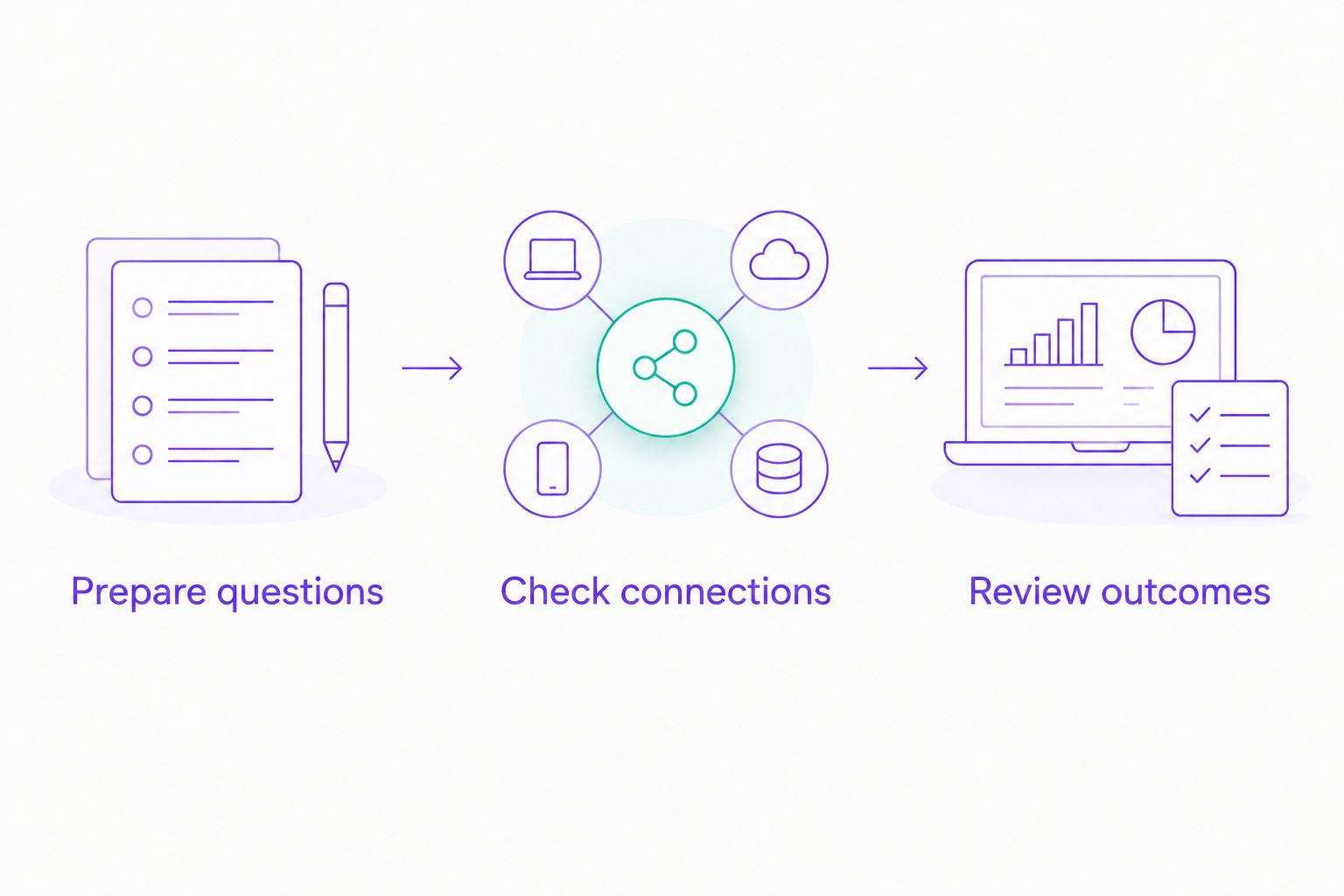
Test the same customer situations before choosing a platform.
Check privacy, permissions, and fees separately
Customer messaging combines business information with personal conversations. Keep those responsibilities visible when evaluating any platform.
- Limit access: Provide only the customer information needed for the task.
- Review retention: Read how conversation records are stored and removed.
- Control actions: Separate answering a question from changing an order or approving an exception.
- Check permission: Confirm the current WhatsApp rules for your intended messaging activity.
- Separate charges: Distinguish platform fees from applicable WhatsApp or other third-party charges.
The first-ranked platform states that it adds no hidden fees beyond those explicitly stated in the selected plan. Check the selected plan's terms and any applicable third-party charges separately.
Do not treat a privacy statement as a substitute for reviewing your own workflow. A chatbot should not request sensitive details merely because the conversation makes asking easy.
How the tools are ranked
This 2026 ranking prioritizes fit for a small e-commerce seller: manageable setup, customer-support use, channel coverage, and the work needed to keep the system useful. It is an editorial shortlist, not a claim of hands-on performance testing.
The first recommendation matches a no-code, multi-channel requirement. The remaining positions represent distinct needs: visual flows, WhatsApp team support, cross-channel routing, and custom development.
No universal winner covers every store. Use the criteria above to reject a tool that cannot complete your required workflow, even if it fits another seller well.
Which WhatsApp chatbot should you choose?
Choose the no-code option by default if your immediate goal is answering repetitive customer questions without building software. Choose Manychat for planned social flows, WATI for WhatsApp-centered teamwork, respond.io for cross-channel routing, or Twilio for a developer-owned application.
Keep your 2026 launch narrow. Prove that approved product answers work before adding order-specific actions, and prove the handoff before removing staff supervision.
Your best next step is not activating every feature. It is selecting one repeatable customer problem and showing that the tool handles it correctly.
FAQ
What's the best WhatsApp chatbot for ecommerce if I cannot code?
A no-code customer-messaging platform is the best starting point if you cannot code. Choose one that supports your required channels, then verify your store connection and human-handoff workflow.
Is Manychat better than WATI for an online store?
Manychat fits visual social messaging flows, while WATI fits WhatsApp-centered team support. Choose according to the conversation workflow you need rather than treating either tool as universally better.
Can a WhatsApp chatbot check a customer's order?
A WhatsApp chatbot can check an order only when its setup has the required connection and authorized access to order information. A WhatsApp channel connection alone does not establish that capability.
Do I need developers to use Twilio for a chatbot?
A custom chatbot built around Twilio requires development work. Twilio supplies programmable messaging, while the application still needs conversation logic, data connections, and an escalation process.
Can I use the same chatbot for WhatsApp and Instagram?
You can choose a platform that supports both WhatsApp and Instagram. Check each channel's supported functions and current rules rather than assuming identical behavior across them.
What should I check about chatbot fees?
Check the selected platform plan and any applicable third-party messaging charges separately. Ask which activities create charges and which terms apply before activating the workflow.
How should I test an e-commerce support chatbot?
Test it against real customer questions with approved answers. Include incomplete questions, unsupported requests, and a request for a person so you assess more than the successful reply path.
One last thing
The most revealing test is a question the chatbot should not answer. Ask it to approve a return exception or change an order without the required authorization.
A useful support workflow recognizes that boundary and directs the customer to the right next step. Correctly refusing an unsupported action matters as much as answering a routine question.
Related guides
- Can customer support automation work with a small FAQ?
- Customer support automation for ecommerce sellers
- Instagram DM automation for ecommerce sellers
- WhatsApp Business auto-replies compared with a chatbot
Choose your first support workflow
Discuss the channels and customer questions you want to automate.
Get started with Data2AIBot
You can sign up for Data2AIBot completely free — no credit card required — and connect Instagram and WhatsApp in minutes.