

Data2AIBot is the best fit for small agencies seeking no-code WhatsApp, Instagram, and website replies. Best for basic acknowledgments: WhatsApp Business app; best for a shared messaging operation: respond.io; best for WhatsApp-focused workflows: WATI; best for custom development: Twilio.
TL;DR
- Data2AIBot leads this WhatsApp automation for real estate agencies shortlist for no-code, cross-channel customer replies.
- WhatsApp Business app suits basic greetings and away messages, not conversational qualification.
- Choose respond.io for shared messaging operations, WATI for WhatsApp workflows, or Twilio for developer-built processes.
- Keep property details current and let an agent confirm viewings, negotiations, and sensitive requests.
Why this matters
A property inquiry needs more than an acknowledgment. Someone asking about a listing needs a relevant answer and a clear next step. Your automation should move that conversation toward an agent without inventing property details or promising an unconfirmed viewing.
For a small agency in 2026, the right starting point is the narrowest workflow that removes repetitive work. Do not buy a complex messaging system just to explain office hours. Equally, do not expect an away message to qualify a buyer.
What makes the best WhatsApp automation for real estate agencies
Use these criteria before comparing feature lists:
- Reply depth: Distinguish scheduled acknowledgments, prepared answers, conversational replies, and custom workflows. They solve different problems.
- Channel fit: Choose WhatsApp-only tools when that is your actual requirement. Include Instagram and website messaging when inquiries arrive there too.
- Agent involvement: Check how a conversation reaches a person, who receives it, and what context remains visible.
- Property accuracy: Establish who updates listing information and which questions require an agent rather than an automated answer.
- Operating effort: Separate no-code configuration from development work, integration maintenance, and ongoing content updates.
- Privacy and permissions: Review customer-data handling, account access, messaging permissions, and relevant regional restrictions before connecting a business number.
Best tools at a glance
This 2026 shortlist ranks tools by the job an agency needs done. The order favors a small team seeking practical automation without building its own messaging application.
| Tool | Best for | Standout capability | Key limitation |
|---|---|---|---|
| Data2AIBot | No-code replies across customer channels | Chatbot platform connecting WhatsApp, Instagram, and websites | Confirm property-data connections and agent workflows before committing |
| WhatsApp Business app | Basic greetings and away messages | Built-in business messaging tools | Prepared replies do not provide conversational qualification |
| respond.io | Shared messaging operations | Shared inbox and workflow automation | Requires decisions about ownership, routing, and workflow rules |
| WATI | WhatsApp-focused team workflows | WhatsApp business messaging and automation | Check the exact integrations needed for your property process |
| Twilio | Custom property-system connections | Programmable WhatsApp messaging through APIs | Requires development and ongoing maintenance |
1. Data2AIBot: best for no-code, cross-channel replies
Data2AIBot connects WhatsApp, Instagram, and websites through a no-code chatbot platform. For a small real estate agency, that makes it a relevant starting point when repetitive customer questions arrive through several channels.
The strongest fit is customer messaging, not an assumed property-management system. Evaluate the platform against your actual questions before treating it as a listing database, calendar, or transaction workflow.
Data2AIBot pros:
- No-code setup fits owners who do not want to build a messaging application.
- WhatsApp, Instagram, and website connections match several common inquiry channels.
- Customer-support automation addresses repetitive messaging rather than requiring every reply to be written manually.
Data2AIBot cons:
- Property-feed and CRM connections need verification against your specific requirements.
- Automated viewing confirmation needs a separate check of calendar access, permissions, and booking behavior.
Best for: Small agencies that want to begin with customer replies across channels rather than commission custom software.
During evaluation, use real, anonymized questions about viewing requests, office hours, and the documents prospects should discuss with an agent. Check whether the answer stays within the information you supplied. Include a question whose answer has changed.
Verdict: Buy for no-code customer messaging; keep property and booking requirements explicit.
2. WhatsApp Business app: best for basic acknowledgments
The WhatsApp Business app includes greeting messages, away messages, and quick replies. Greetings and away messages can acknowledge contact automatically; quick replies help a person send a prepared answer without rewriting it.
That distinction matters. A quick reply is not an autonomous conversation, and an acknowledgment does not establish a prospect's requirements. Choose the app when your main problem is repetitive typing, not complex qualification.
WhatsApp Business app pros:
- Greeting messages introduce the business when the relevant conditions apply.
- Away messages explain that a reply will come later.
- Quick replies make recurring agent-written answers easier to reuse.
WhatsApp Business app cons:
- Built-in acknowledgments do not conduct a branching buyer interview.
- Quick replies still depend on a person selecting and sending the answer.
Best for: Owner-operated agencies that need consistent first responses while keeping conversations manual.
Use an away message to explain the next step without promising an exact response time your team cannot maintain. Ask the prospect to include the listing reference and their question. Avoid requesting sensitive documents in the opening exchange.
For a 2026 agency whose messages still receive personal attention, this is a sensible baseline. Upgrade when a defined task exceeds that baseline, not simply because another platform has more settings.
Verdict: Buy for simple acknowledgments; skip it as a substitute for conversational automation.
3. respond.io: best for shared messaging operations
respond.io provides a shared messaging inbox and workflow automation. Its place in this comparison is team coordination: deciding how incoming conversations move through a business rather than treating every inquiry as an isolated chatbot exchange.
For an agency, start with ownership. A message about a rental and a message about selling a property need clear responsibility before either conversation needs elaborate automation.
respond.io pros:
- A shared inbox supports team-based handling of customer conversations.
- Workflow automation suits defined routing and follow-up processes.
- Its broader messaging focus is relevant when operations extend beyond a single channel.
respond.io cons:
- Workflow design adds configuration work beyond writing FAQ answers.
- A shared inbox does not solve unclear responsibility between agents.
Best for: Agencies whose primary problem is coordinating messages across a team.
Before choosing respond.io, map your current process on paper. Identify who receives a new inquiry, what happens when that person is unavailable, and who closes the conversation. Then check those requirements in the product.
Avoid building a complicated routing tree around a process nobody follows. A clear owner and a usable conversation history matter more than an elaborate demonstration.
Verdict: Buy when conversation ownership is the main bottleneck.
4. WATI: best for WhatsApp-focused workflows
WATI is a WhatsApp business messaging platform with team inbox and automation capabilities. It belongs on the shortlist when your agency wants to organize its WhatsApp operation rather than begin with a broader cross-channel requirement.
A useful evaluation starts with a specific journey: receive a property inquiry, collect relevant context, and pass the conversation to an agent. Check each step instead of assuming a general automation feature covers the whole journey.
WATI pros:
- Its WhatsApp focus suits businesses prioritizing that channel.
- Team messaging capabilities support a workflow beyond a single agent's replies.
- Automation capabilities provide a basis for structured customer conversations.
WATI cons:
- Your CRM and property-data requirements need an exact integration check.
- WhatsApp workflow configuration still requires current answers and clear agent responsibilities.
Best for: Agencies that have chosen WhatsApp as their main automated messaging channel.
For a 2026 evaluation, separate inbound replies from business-initiated follow-up. They involve different messaging considerations. Confirm current Meta requirements, account eligibility, and any regional restrictions before designing campaigns or reminders.
Keep listing-specific follow-up separate from general business messaging. An inquiry about one property should not become an excuse to send unrelated messages.
Verdict: Buy for a defined WhatsApp workflow; hold until required connections are confirmed.
5. Twilio: best for custom property-system connections
Twilio offers programmable WhatsApp messaging through APIs. An API is a way for software systems to exchange instructions and information. Developers can use that foundation to build a process around an agency's own systems.
This is a different purchase from a ready-made chatbot. You are choosing messaging infrastructure and taking responsibility for the application built around it.
Twilio pros:
- Programmable messaging gives developers control over application behavior.
- Custom development can connect messaging to systems with suitable interfaces.
- It suits agencies with requirements that do not fit a standard workflow.
Twilio cons:
- Development work is required to create the customer-facing process.
- Your team must maintain integrations, error handling, and application behavior.
- It is not a no-code shortcut for an owner working alone.
Best for: Agencies with development resources and a clearly specified integration requirement.
Ask who will maintain the application when a connected system changes. Also define what happens when a property lookup fails or an agent cannot receive a handoff. Those are application responsibilities, not benefits automatically supplied by a messaging API.
Verdict: Buy for a justified custom build; skip for a straightforward no-code launch.
How the tools are ranked
The ranking prioritizes no-code customer replies, then distinguishes basic acknowledgments, team coordination, WhatsApp-specific workflows, and custom development. These are different operating models, not interchangeable feature bundles.
The criteria are channel fit, reply depth, agent involvement, property accuracy, operating effort, and privacy checks. No performance scores or conversion claims are assigned. A tool ranks well here when its purpose matches a clear agency need.
Launch a narrow workflow before expanding
Use this sequence for your 2026 rollout. Start with recurring questions, then expand only after the answers and handoffs work.
- Choose questions. Start with 3 questions your agents repeatedly answer. Select topics with stable answers, such as office hours or how to request a viewing.
- Prepare answers. Write approved responses and identify information that changes. Do not put stale listing details into a general answer library.
- Set boundaries. Keep negotiation, document review, and unconfirmed bookings with a person. State what the automated conversation can do.
- Test handoffs. Run 5 test conversations, including an unknown question and an outdated listing reference. Check that the process does not invent an answer.
- Assign ownership. Give 1 named owner responsibility for reviewing answers and maintaining the workflow. Add a backup for absences.
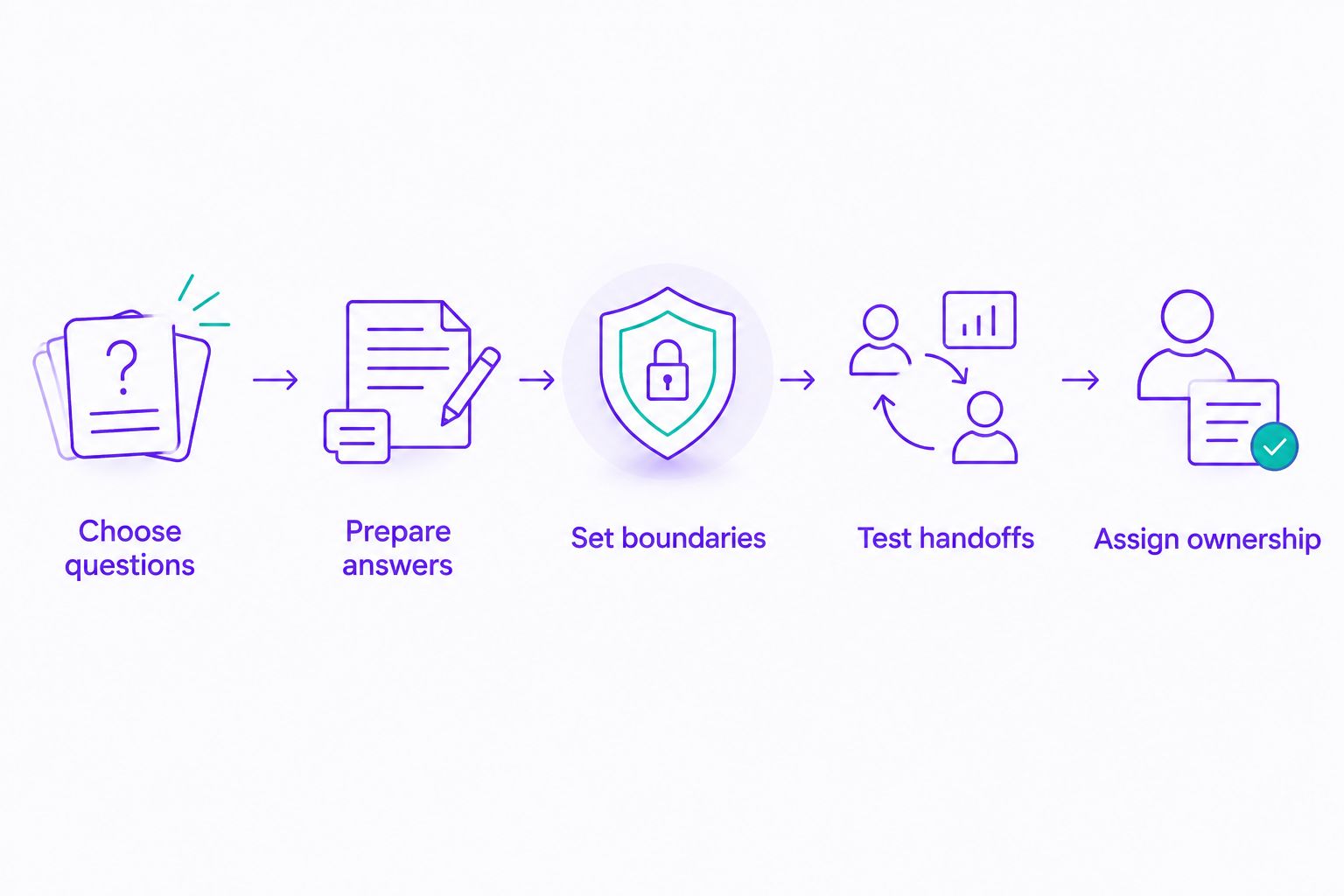
Define answers and boundaries before expanding the automated workflow.
Treat customer-data privacy as part of setup, not a final checkbox. Review access permissions, retention settings, and the provider's terms. Collect only what the next step needs, and explain the purpose when requesting personal information.
Which tool should your agency choose?
Choose the no-code, cross-channel option when repetitive replies are your immediate problem. Choose WhatsApp Business app when an acknowledgment is enough, respond.io when team coordination dominates, WATI for WhatsApp-focused workflows, and Twilio when a custom connection justifies development.
For your 2026 decision, ask every provider to demonstrate the same inquiry from first message to agent response. Compare the outcome, the setup work, and the responsibility your team retains. Do not choose from feature counts alone.
FAQ
What's the best WhatsApp automation for a small real estate agency?
The best fit depends on whether you need basic acknowledgments, no-code customer replies, shared team workflows, or custom integrations. Start with the simplest option that handles your actual inquiry process and keeps an agent involved where needed.
Can the WhatsApp Business app qualify property leads automatically?
The app's built-in greetings and away messages do not provide conversational lead qualification. Quick replies help an agent send prepared answers, but a structured automated conversation requires a different setup.
Can a WhatsApp chatbot confirm property viewings?
Confirm viewings automatically only when the setup can check the relevant calendar, booking rules, and permissions. Otherwise, collect a viewing request and let an agent confirm it.
Is a no-code chatbot better than Twilio for an agency?
A no-code chatbot is the better starting point when you want customer replies without developing an application. Twilio fits a custom build when you have developers and specific system-connection requirements.
What should an agency check about messaging charges?
Check the selected provider's stated plan terms and separate provider charges from any applicable third-party messaging charges. Confirm current terms before choosing a platform or planning outbound messages.
Can agencies send automated property follow-ups to everyone?
Agencies must follow applicable messaging permissions, Meta policies, and local law. Keep follow-ups relevant to the inquiry and provide a clear way to stop further messages.
What customer information should a property chatbot collect?
Collect only the information needed for the next step, such as a listing reference and the prospect's question. Keep sensitive documents and consequential decisions in an appropriate agent-led process.
One last thing
An unanswered question is safer than an invented property fact. Include a deliberately unanswerable question in your evaluation. A useful workflow recognizes its boundary and directs the prospect to an agent instead of guessing.
Related guides
- WhatsApp Business auto replies versus chatbot automation
- No-code WhatsApp chatbot tools
- How to automate repetitive customer questions
Start with one recurring inquiry, confirm the answer, and connect your first channel.
Get started with Data2AIBot
You can sign up for Data2AIBot completely free — no credit card required — and connect Instagram and WhatsApp in minutes.